- First logo in 14 to 25 seconds
- All ten edits worked, AI edit included
- No limit seen on free concepts
3.9/5
SmashingLogo reviewFree trial
Try SmashingLogo
The most comprehensive AI logo generator test ever conducted
Out of 51, I tested and ranked the 10 best AI logo generators to see which ones really live up to their claims. The whole list is on the AI logo generators page. Part of the AI tools directory on RankDude.

Tested and written by Miles Foster
Based on hands-on reviews, each graded on the same 10 tests, ranked by grade.
I signed up to every AI logo generator on this page myself, gave each the same briefs, published the sites for real and ran the same 10 tests on what was live. Every grade, screenshot and measurement is on its review, and each test site stays monitored for 30 days after the test. Here are the 10 best, highest first.
The 10 AI logo generators in grade order: three findings from each review, the grade out of 5 and the lowest plan price its pricing page lists. The 10 test grades are on each review.
Free trial
Try SmashingLogo$44.99/mo
Try FreeLogoDesign$10/mo
Try Recraft$35/mo
Try BrandmarkFree plan
Try Namecheap Logo MakerFree plan
Try Looka$12/mo
Try Canva$12/mo
Try Playground$14/mo
Try Kittl$24/mo
Try Logo DiffusionI gave every generator briefs of the same shape, counted what its free plan let me make, tried the same ten edits where the plan allowed and read the terms and the plans. Here is what I found.
Use an AI logo generator when you want a first logo for a new business without hiring a designer: you answer a few questions and it draws concepts. The tools differ most on what the free plan lets you do. Some let you design and edit without limit but give no download, while others stop after a few prompts or a few logos. To make a picture rather than a logo, use an AI image generator instead.
I tested, reviewed and ranked every AI logo generator below. Each block has my verdict, its best and worst test results, the video review and the full story.

My pick for seeing a logo with your own name before you pay. It showed a first logo in 14 to 25 seconds and passed all ten of my edits, one of them by an AI prompt. But the concepts held only 6 to 11 different ideas per brief, and I could not save a file.
Video review · 3:02
The first logo appeared after 25, 16 and 14 seconds on the three briefs. The free preview made 76 concepts with no limit or counter in sight, and names and taglines were spelled right every time. All ten fixed edits worked, including one done with an AI prompt, and it needs no sign-in to start.
The concepts held 11, 6 and 6 different ideas, and colours the brief ruled out still appeared. The free download asks for an email address at a payment checkout, so I saved no file. The terms and the sales page disagree on rights: 2 of 5 stated in writing.
If you want to see a logo with your own name before you pay once for the files, this is the one to try; test the files yourself. I tested on the free trial with no account, so four of the ten tests could be graded. The paid plans are one-off, with no subscription.

My pick for a quick logo from a template. A logo reached my disk in about 25 seconds and 11 steps for each brief, and nine of my ten edits worked. But the free plan has no AI tokens, and the free file is a 200 pixel PNG.
Video review · 2:33
A logo reached my disk in about 25 seconds and 11 steps for each brief. Nine of the ten fixed edits worked, with a hex colour, letter spacing and curved text, and the name was readable from 64 pixels. The free PNG needs no card.
The free plan has 0 AI tokens, so I could not run the AI generator and used templates. The free file is 200 by 200 pixels with a solid background and no vector file, the icon cannot be reshaped, and the terms keep ownership with the company: 1 of 5 rights in writing.
If you want a fast logo from a template and will pay later for vector files, this is the one. I tested on the free plan, signed in with Google, and six of the ten tests could be graded. The paid plans are one-off, and the Basic plan is the first to include SVG.

My pick for a logo idea with real files behind it. It drew four concepts per brief in about a minute, spelled the name right on all eight concepts and gave me SVG files and a brand book. But the free terms say Recraft owns the logo and commercial use is not allowed.
Video review · 5:04
Recraft drew four concepts per brief in about a minute and spelled the name right on 8 of 8. Each finished logo came with a free package of SVG and 2,048 pixel PNG files, a palette with CMYK values and a brand book, and a hex colour changed the logo and every mockup.
The free terms say Recraft owns every logo made on the free plan and that commercial use is not allowed, so 0 of 5 rights are in writing on free. There is no tagline field, the package has no favicon, typefaces or social sizes, and a change to the mark costs credits.
If you want to try a logo idea and keep the files, and you will pay before you trade under it, this is the one. I tested on the free plan with two of the three briefs, because the 148 credits paid for 8 concepts. Six of the ten tests could be graded.

My pick for browsing many logo ideas fast. It drew 20 concepts in about 5 seconds, with 13.3 different ideas per brief on average, and nine of ten edits worked. But the free plan gives no file, and I could not tell it which colours to avoid.
Video review · 3:51
Brandmark drew 20 concepts in about 5 seconds, in 7 steps, and the free plan has no limit on generation: I ran eleven generations and no limit appeared. The concepts held 13.3 different ideas per brief on average, and nine of ten edits worked, hex colour included, with no credits used.
The free account has no download button, only Duplicate and Share, so the file formats and the brand kit could not be tested. The name was readable from 64 pixels on 2 of 3 logos, names often ran together or were broken by a symbol, and the terms say nothing about ownership.
If you want to browse many logo ideas quickly and buy the files only for the one you like, this is the one. The prices are one-off, with no subscription, and the pricing page and the checkout disagree about what the Basic package holds. I tested on the free plan.

My pick for a free first logo with vector files. It gave about ten logos from ten short screens without a sign-in, and the zip held seven SVG files and no watermark. But the download needs a Namecheap sign-in, and the name is unreadable at 16 pixels.
Video review · 3:18
Namecheap Logo Maker is free, and I made about ten logos in a wizard of 10 screens, taking about 3 to 4 minutes, without signing in. The zip held seven SVG files, a PNG, a cover image and a profile image, with no watermark, and each colour has a hex field.
The download needs a Namecheap sign-in and a permission screen. The PNG is 1,000 pixels with the background baked in, there is no PDF or CMYK file, and 5 of 10 edits worked, with no spacing, size or icon-shape control. I ran only one of the three briefs.
If you want a free logo with real vector files, and you will sign in to a free Namecheap account to get it, this is the one. The pages I read state nothing about rights over a logo. Four of the ten tests could be graded.

My pick for seeing and editing a logo before you pay. It gave 14.3 different ideas per brief on average, nine of ten edits worked, and every name was spelled right, 60 of 60. But nothing downloads on the free plan, and the vector files are paid.
Video review · 8:15
The first 20 concepts of each brief held 14, 13 and 16 different ideas. Nine of ten fixed edits worked in a free editor with hex colours, symbol search and undo, every name was spelled right, and the name stayed readable at 32 pixels high on all three logos.
The free plan stops at the download: no file of any kind, no vector and no rights until you pay. The symbol was clear at 16 pixels on only 1 of 3 logos, there is no field for colours to avoid, and the terms are silent on trademarks, fonts and exclusivity.
If you want to design a logo this week and pay once for the files, this is the one. I tested on the free plan with my own business names, not the fixed ones, so five of the ten tests could be graded. The paid packages are one-off or a yearly subscription.

My pick for trying an AI logo in a design tool you may already use. The coffee logo came in about 40 seconds with the name and tagline spelled right, and one follow-up gave five more concepts. But after three prompts the free plan's monthly AI limit was reached until 1 December.
Video review · 3:22
The coffee prompt returned a logo in about 40 seconds, with the name and tagline spelled right, and a follow-up got five more concepts as five pages. The editor has live text and a hex colour field, 8 of 10 edits worked, and the free PNG is 2,000 pixels.
After three prompts the monthly AI limit was reached until 1 December, so the coding school brief was not run. The free PNG has no transparency, SVG needs a paid plan, the icon's shape cannot be edited, and the licence bars using its content as a trademark.
If you want a quick AI logo and can wait to pay until you need vector files, this is the one. I tested on Canva Free with an existing account, so earlier use that month may already have counted against the allowance. Six of the ten tests could be graded.

My pick for a quick logo idea and a PNG. The first logo came in under 20 seconds on the two briefs I timed, and the names were spelled right on two of three briefs. But the free plan has three included generations a month and no vector file.
Video review · 2:39
Playground drew a logo in 15 to 17 seconds on the two briefs I timed. Names and taglines were right and the colours held on two briefs, the name was readable from 64 pixels with the symbol clear at 32, and the terms state commercial use in writing.
The free plan includes three generations a month, so I made only three logos, and the third, made with a fallback model, came out garbled. Only 5 of 10 edits worked, because an edit redraws the whole logo, and the free export is a 1,024 pixel PNG or JPEG with no vector file.
If you want a quick logo idea and a PNG for a profile picture, this is the one. The terms say nothing on trademarks or exclusivity, so I found 2 of 5 rights in writing. I tested on the free plan with no card, and six of the ten tests could be graded.

My pick for trying an AI logo before you pay. The coffee logo came back in 36 seconds with the name and tagline spelled right, and vectorizing costs no tokens. But the free plan is 100 AI tokens once, the file is a JPG, and free logos are for personal use only.
Video review · 4:40
Kittl made my coffee roaster logo in 36 seconds, in 7 steps, with the name and tagline spelled right. A hex colour and a one-colour version worked, undo took the logo back to the start, and vectorize costs no tokens. The free sign-up needs no card.
One logo costs 12 tokens of the 100 the free plan gives once, and my account had 28 left, so I made one logo, not three. The free file is a 1,024 pixel JPG with no vector file, I could not edit the text in the logo, and free logos are personal use only.
If you want to see an AI logo for your brief before you pay, this is the one; a logo for business needs a paid plan for the commercial licence. I tested on the free plan with the coffee brief only, so six of the ten tests could be graded.

My pick for trying logo ideas before you pay. It returned two options per brief in 40 to 50 seconds and drew clear symbols, and the Starter Pack is a one-off payment. But the name was misspelled, shortened or missing on every brief, and the free file is small and watermarked.
Video review · 2:28
The first options arrived in 40 to 50 seconds, two for every prompt, and the symbols were clear at 32 pixels on 3 of 3 logos. The plan table is clear, the Starter Pack is a one-off payment with no subscription, and the pricing page says the licence stays after you cancel.
The name was spelled right on 0 of 3 logos: the coffee name was misspelled or shortened, the law firm read Colloway and the coding school logo had no text. The free file is a 512 pixel watermarked JPEG, the free plan gives no commercial use, and one edit costs 5 credits.
If you want to explore logo ideas and will pay before you use one, this is the one. Free images are public by default, and 24 free credits paid for six logos and one edit. I tested on the free plan, so five of the ten tests could be graded.
The ten above in one table: the measured average, my verdict, the final grade, and every test grade behind it.
| Rank | Tool | Price from | Test average | My verdict | Final grade | Tier |
|---|---|---|---|---|---|---|
| 1 | SmashingLogo | on the review | 3.54 of 10 tests | +0.4 | 3.9/5 | Good |
| 2 | FreeLogoDesign | $44.99/mo | 3.56 of 10 tests | +0.2 | 3.7/5 | Good |
| 3 | Recraft | $10/mo | 3.56 of 10 tests | +0.2 | 3.7/5 | Good |
| 4 | Brandmark | $35/mo | 3.56 of 10 tests | 0.0 | 3.5/5 | Good |
| 5 | Namecheap Logo Maker | on the review | 3.54 of 10 tests | 0.0 | 3.5/5 | Good |
| 6 | Looka | on the review | 3.45 of 10 tests | +0.1 | 3.5/5 | Good |
| 7 | Canva | $12/mo | 3.36 of 10 tests | +0.2 | 3.5/5 | Good |
| 8 | Playground | $12/mo | 3.26 of 10 tests | +0.2 | 3.4/5 | Average |
| 9 | Kittl | $14/mo | 2.86 of 10 tests | +0.2 | 3.0/5 | Average |
| 10 | Logo Diffusion | $24/mo | 2.65 of 10 tests | +0.2 | 2.8/5 | Average |
I gave every generator briefs of the same shape: a speciality coffee roaster, a family law firm and a children's coding school, each with a name, a tagline, three personality words and colours to avoid. Where the plan allowed it, I kept the first 20 concepts of each brief and counted the genuinely different ideas, made ten fixed edits on the coffee logo, shrank the chosen logos to 16, 32 and 64 pixels, opened every file the plan gave me and read the terms. Ten tests, graded 1 to 5; the grade is their average plus my verdict, which can move it by up to one point. A test the free plan could not reach gets no grade, and the review says so.
| Test | What I do | Example: SmashingLogo (#1) | Grade |
|---|---|---|---|
| Design Quality & Brief Fit | The top five concepts per brief scored on an eight-point design and brief checklist. | Not graded: the previews are watermarked and the test needs three outside judges; names and taglines spelled right every time | |
| Originality | Every top concept searched with reverse image searches and a trademark image search. | Not graded: the searches were not run on watermarked previews | |
| Legibility at Small Sizes | The chosen logo shown at 16, 32 and 64 pixels, and printed 1 cm wide in one colour. | Not graded: no file was saved, so small sizes were not tested | |
| Variety of Concepts | The first 20 concepts per brief counted for genuinely different ideas. | 11, 6 and 6 different ideas per brief, an average of 7.7 from 76 concepts | 3/5 |
| Editing Control | Ten fixed edits made on the coffee roaster logo, each without a workaround. | 10 of 10 edits worked, one of them by an AI prompt | 5/5 |
| Brand Kit Completeness | A ten-point checklist of what comes in the downloaded package. | Not graded: no file was saved, so no package was opened | |
| File Formats | The downloaded files opened and checked for true vector, transparency and print formats. | Not graded: no file was saved | |
| Usage Rights & Ownership | The terms read for five rights a business needs to use and protect its logo. | 2 of 5 rights stated in writing; the terms and the sales page disagree | 2/5 |
| Ease of Use & Speed | Time and steps from the brief to the final downloaded files. | Not graded: the first logo took a median of 16 seconds, but no file was saved | |
| Pricing & Value | Every plan read at the checkout, and the cost of one logo with vector files and full rights. | One-off payments, no subscription; the cheapest vector route is the Pro plan, though the terms point to Business | 4/5 |
Every measured grade comes from a tool I built and ran on every builder the same way. Each has its own page with how it works and the figure it gave every review.
You can see all the checkers I built on the checkers page.
| Tool | What it does | Reviews graded |
|---|---|---|
| Concept sheet | Saves each concept card a logo generator shows and lays the first 20 of a brief side by side, numbered, to count distinct ideas from. | 2 |
| Edit checklist | Ten fixed edits made on one logo in the generator's own editor, each marked done or not done, with a screenshot of the result. | 2 |
| Small-size renderer | Draws a chosen logo at 16, 32 and 64 pixels high, true size beside a four times enlargement, to read by eye. | 1 |
| Terms reader | Saves the terms and the package screen as text and checks five rights, each counted only when the wording is there. | 1 |
| Brief set | Gives every logo generator the same three briefs, so no tool is tested on an easier question. | 9 |
| Small-size render | Shrinks each saved logo to 16, 32 and 64 pixels so I can see what stays readable. | 9 |
| File inspector | Opens each downloaded logo and reads its pixel size, format and whether its background is clear. | 7 |
| Timed run | Times each brief from opening the tool to a file on disk and counts every click. | 7 |
| Brief set | Gives every logo generator the same three fixed briefs, typed in by script, and times the first result. | 9 |
| File inspector | Opens each downloaded logo file and reads its pixel size, its real format and whether the background is transparent. | 7 |
These monitors keep measuring the test sites after the review is live. You can see all of them, with their charts, in the monitors lobby.
| Monitor | How often | Builders |
|---|---|---|
| Uptime monitor | Every 5 minutes | 25 |
| Page speed tests | Every day | 23 |
| Security and privacy checks | Every day | 25 |
| Price tracker | Every day | 130 |
The place on this page is the headline grade of the review, highest first. When two tools share a grade, the higher measured score goes first, then the name. The grade words mean: 4.5 and up excellent, 3.5 to 4.4 good, 2.5 to 3.4 average, under 2.5 below average or poor.
The full procedure is on the AI logo generators methodology page, and every tool I test with is on the checkers page.
Check the spelling of your name on every concept before you fall for one, because one generator got it wrong on every brief. Shrink the logo to the size of a browser tab, since some names and thin icons vanished at 16 pixels. Ask for a vector file before you pay, as some free plans gave only a small PNG or JPG. Read where the terms say the logo belongs, and whether business use is allowed.

Reviewed under the AI website builder tests.

Reviewed under the AI website builder tests.

Reviewed under the AI website builder tests.
Ten generators, briefs of the same shape, no plan bought. One came out on top.

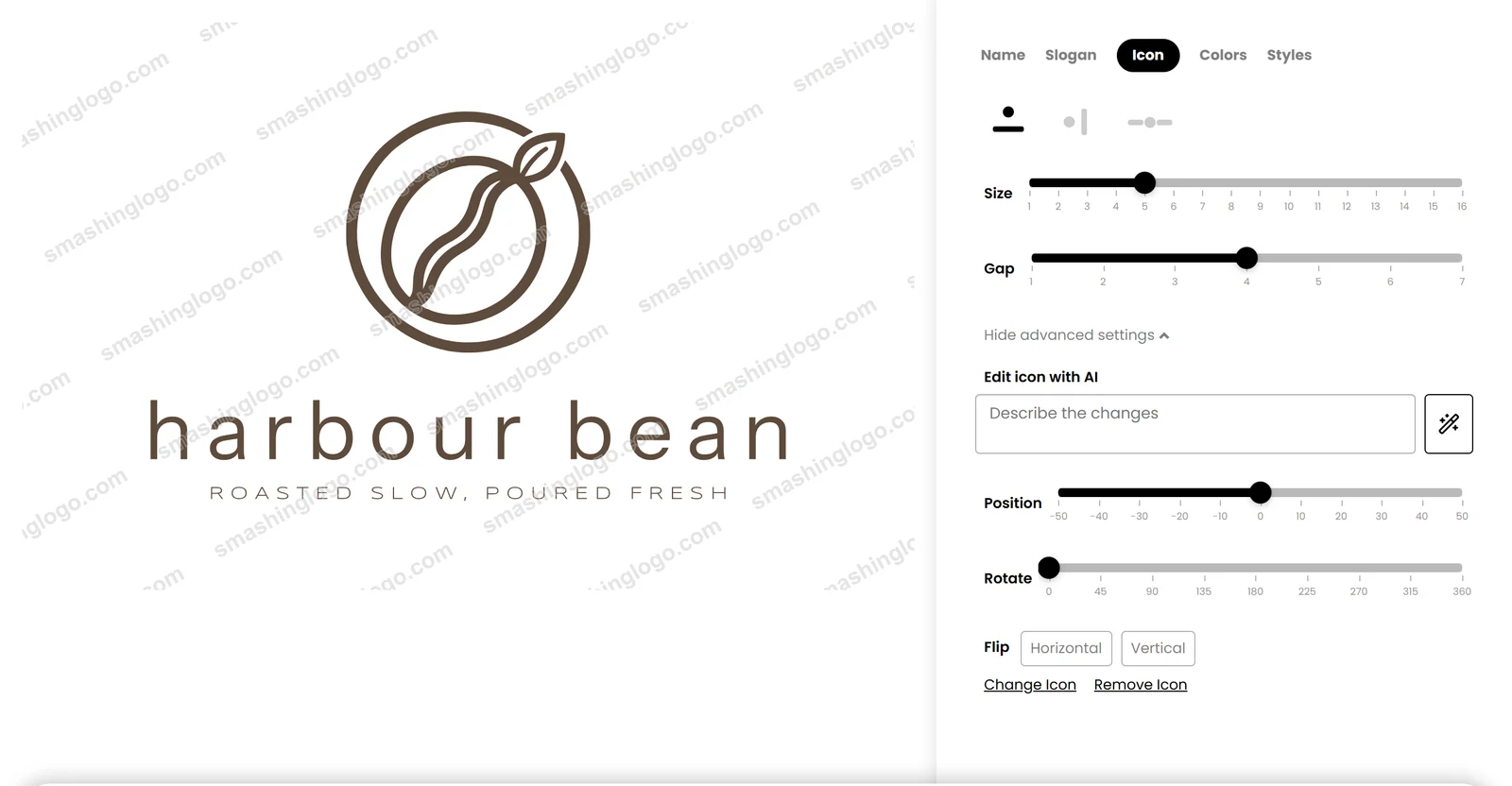
SmashingLogo won because it showed a logo within seconds and its editor passed every edit. The first logo appeared after 14 to 25 seconds, the free preview made 76 concepts with no limit in sight, and all ten fixed edits worked, one of them by an AI prompt. That is on a free trial with no account. My verdict added 0.4 to the average for the unlimited free concepts and the complete editor.
It is not a finished answer. The free download asks for an email address at a payment checkout, which I did not enter, so I saved no file and only four of the ten tests could be graded. The concepts held 6 to 11 different ideas per brief, and the terms and the sales page disagree on rights. If you want to see a logo with your own name before you pay once for the files, it is the one I would start with.
The other nine are in the complete rankings, each with a one-line verdict on its card.
SmashingLogo ranks first at 3.9 out of 5 in my tests. FreeLogoDesign (3.7) and Recraft (3.7) follow.
FreeLogoDesign, at 3.7 out of 5, is the highest-ranked AI logo generator here whose own pricing page offers a free plan (100% free logo design, no limits on templates). Recraft (3.7), Brandmark (3.5), Namecheap Logo Maker (3.5), Looka (3.5), Canva (3.5), Playground (3.4), Kittl (3.0), Logo Diffusion (2.8) also have a free plan. A free trial that ends, or a plan that needs a card up front, does not count as free.
Looka (3.5): small businesses that want to see and edit a logo for free before paying, and are happy to pay once for the files.
Namecheap Logo Maker gave a free zip with seven SVG files and a 1,000 pixel PNG, no watermark, after a Namecheap sign-in. Recraft gave SVG and 2,048 pixel PNG files, but its free terms say Recraft owns the logo. Canva, Playground, Kittl and FreeLogoDesign gave image files and no vector file, and Logo Diffusion's free file is watermarked. Brandmark and Looka gave no download at all. I did not enter the email address SmashingLogo asks for, so I saw no file.
On the free plans I tested, the terms of Looka, Playground, FreeLogoDesign and Canva allow commercial or business use, though none of them promises trademark rights, and Canva's licence bars using its content as a trademark. Recraft, Kittl and Logo Diffusion say a free logo is not for commercial use. Brandmark's terms say nothing on ownership, and Namecheap Logo Maker states nothing about rights on the pages I read.
Each tool's grade is the average of the same 10 tests, run by hand on sites I published, plus my verdict, which can move it by up to one point and is explained on every review. The list is in grade order, highest first; a tie goes to the higher measured score. The full procedure is on the AI logo generators methodology page.
Written by Miles Foster, Owner and tester, RankDude.
 Tested and ranked by