- All ten styles right
- Clean people and products
- 186 of 209 details right
4.5/5
Vheer review$9.99/mo
Try Vheer
The most comprehensive AI image generator test ever conducted
Out of 151, I tested and ranked the 10 best AI image generators to see which ones really live up to their claims. The whole list is on the AI image generators page. Part of the AI tools directory on RankDude.

Tested and written by Miles Foster
Based on hands-on reviews, each graded on the same 10 tests, ranked by grade.
I signed up to every AI image generator on this page myself, gave each the same briefs, published the sites for real and ran the same 10 tests on what was live. Every grade, screenshot and measurement is on its review, and each test site stays monitored for 30 days after the test. Here are the 10 best, highest first.
The 10 AI image generators in grade order: three findings from each review, the grade out of 5 and the lowest plan price its pricing page lists. The 10 test grades are on each review.
$9.99/mo
Try Vheer$10/mo
Try Mage$10/mo
Try Leonardo.Ai$16/mo
Try ComfyUI$2.49/mo
Try Pixlr$7.49/mo
Try ArtbreederFree plan
Try Flux AI$9/mo
Try Let's Enhance$1/mo
Try PokecutI gave every generator the same fixed prompts on its free plan, counted every detail I had asked for in the first image, checked every word in the pictures and read the terms. Here is what I found.
Use an AI image generator when you want a picture made from a sentence: a portrait, a product shot, a poster or a scene in a set style. Free plans differ a lot: some cost no credits at all, others stop after a few images. Before you use a picture for work, read the licence and check any words inside it, because several generators invent lettering. To edit your own photos or make a logo, use an AI photo editor or an AI logo generator instead.
I tested, reviewed and ranked every AI image generator below. Each block has my verdict, its best and worst test results, the video review and the full story.

My pick for free pictures in many styles. The free model drew every image for 0 credits, got 186 of 209 asked-for details right and hit all ten styles for the same lighthouse. Only 45 of 61 set words were spelled right, and free images are for personal use.
Video review · 5:20
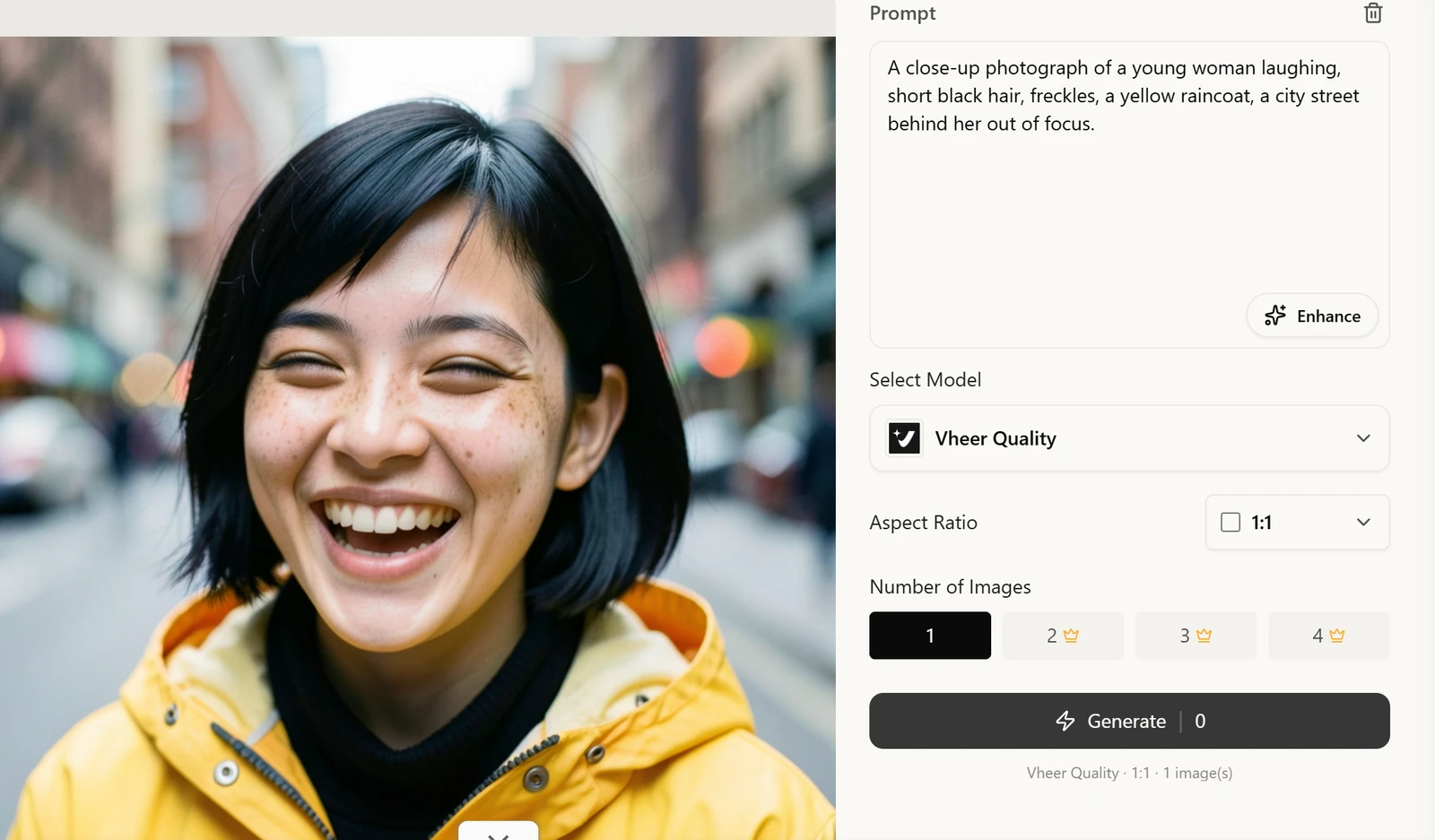
Vheer drew every image on its free Vheer Quality model for 0 credits; the balance stayed at 50 across more than 60 images. It got 186 of 209 asked-for details right, passed 20 of 24 images as photographs, and hit all ten styles for the same lighthouse, from oil painting to ink line art. The download had no watermark.
Words are the weak spot: 45 of 61 set words were spelled right and no image was fully correct. A character kept its hair and green coat, but the face and the scar drifted, so 6 of 12 images were consistent. Each image took a median of 17.4 seconds, and I found no upscale button, so a larger size was not tested.
If you want free pictures in many styles for personal use, this is the one. On the free plan you own the images but may use them only for personal purposes; a paid plan unlocks business use. I did not run the twelve fixed edits, so editing is not graded, and I bought no plan.

My pick for accurate pictures with correct wording. It got 55 of 56 asked-for details right and spelled all 24 set words right. The free plan is a one-time 300 Gems, enough for nine images, and the terms make every image public domain.
Video review · 5:07
Mage got 55 of 56 asked-for details right, including all 15 in the busy scenes, and spelled all 24 words on the sign and poster. 4 of 5 images passed as photographs; a watch dial skipped the 1. The download had no watermark and carried content credentials.
The free plan is a one-time 300 Gems, and the model I used cost 27 Gems an image, so I made 9 images and stopped. Each took about 17 seconds. The terms make images public domain, I found no training opt-out, and creations are deleted after 30 days unless saved.
If you want accurate pictures and posters with wording and are happy to pay per image, Mage is the one; it is a poor fit if only you may use the images. Style range, consistency, editing and resolution were not graded, so six tests make its grade. A Gem pack works out at about $0.027 an image.

My pick for fast pictures with correct wording. An image took about 10 seconds, every set word was right and the free plan gives 150 tokens a day. On the free plan Leonardo owns the output, every free image is public and commercial use is not allowed.
Video review · 6:14
Leonardo.Ai drew a picture in a median of 10.3 seconds, got 65 of 72 elements right and spelled all 34 words on three set-wording images. The 2x upscale was sharper, and the download had no watermark. Auto Image chose Lucid Origin for 9 prompts and GPT Image 2 for the 3 with set wording.
Busy scenes miscounted objects (20 of 27 right), and a watch dial and a cork carried fake text, so 3 of 5 images passed as photographs. On the free plan Leonardo owns the output, every free image is public and commercial use is not allowed. A written edit costs 40 tokens, and the app stopped me at a balance of 36.
If you want quick, accurate pictures and posters with wording, and will pay before using them in business, it is the one. The free plan gives 150 tokens a day and an image costs 8, so I made 12 images and one upscale. Style range, consistency and editing were not graded.

My pick for speed and control. Pictures took 3 to 12 seconds, 24 of 25 details were right and every workflow step is visible. The free plan is only five runs in total, and no page says what one image costs.
Video review · 3:33
ComfyUI made pictures in a median of 6.2 seconds (3.1 the fastest), got 24 of 25 details right and spelled all 11 words on the set-wording image. The portrait and the product shot passed as photographs, from a sample of two images. Every step of a workflow is visible.
The free plan of Comfy Cloud is 5 runs in total, and I used 4. No page says what one image costs in credits, small signs carried invented text and a busy scene miscounted apples. The nodes and templates take learning, and the files carry no content credentials.
If you want fast, accurate pictures and control over how they are made, it is the one; do not choose it if you need to know your costs first. The terms leave the output with you and rule out AI training on it. Six tests were graded from four images.

My pick for quick images you may use in business. An image took under 8 seconds, 42 of 43 details were right and commercial use is allowed on the free plan. Both wording images carried invented text, and the 10 free credits paid for 7 images and an upscale.
Video review · 3:44
Pixlr made an image in a median of 7.5 seconds, got 42 of 43 details right, including a perfect 8 of 8 busy kitchen scene, and spelled all 24 requested words. 3 of 4 images passed as photographs; a trainer logo was garbled. The download had no watermark.
Both wording images carried invented text, so none of the two was clean. The 4x upscale was soft, free results are public and the 10 free credits paid for 7 images and an upscale. I found no training opt-out, and Trustpilot shows 2.0 from 186 reviews.
If you want quick pictures for a small business and will check any wording, it is the one; commercial use is allowed on the free plan, and the cheapest paid plan, Plus, gives 80 credits a month. Style range, consistency and editing were not graded.

My pick for clean pictures of people and products. An image took about 8 seconds, 51 of 59 details were right and the free images are free for any use. Small lettering came out garbled, with 14 of 19 words right.
Video review · 4:15
Artbreeder drew images in a median of 8.0 seconds, got 51 of 59 details right and made 4 of 5 passable photographs; one printed mark gave it away. The download had no watermark, and the free images are free for any use.
Small lettering came out garbled: 14 of 19 words were right and no image was fully correct. Busy scenes miscounted objects (16 of 21). Free images are released into the public domain, private mode is paid, and the 3 monthly credits paid for 10 Flux images, about 12 a month.
If you want quick pictures of people and products with a few free tries a month, it is the one; skip it for signs and labels. It also has an image mixer, a collage tool, an outpainter and an animator. Style range, consistency and editing were not graded.

My pick for a quick, natural-looking picture to try. An image took about 10 seconds and 16 of 17 details were right. Only three images fit the free plan, downloads carry a watermark and 8 of 11 words were right.
Video review · 4:08
Flux AI took a median of 10.4 seconds on two timed images, got 16 of 17 details right and made a portrait and a product shot that passed as photographs. The sample is three images. The credit cost is shown for each model.
Wording failed: 8 of 11 words were right and the shop board was garbled. Free downloads carry a watermark, images are public by default and commercial use is crossed out. The 4x download gave no larger file, and the site says it has been renamed Flyne AI.
If you want to try a quick, natural-looking picture and do not plan to sell it, it is worth a go. The free plan gave 40 credits and a Flux.1 Schnell image cost 10, so I made three images. Style range, consistency and editing were not graded, and I bought no pack.

My pick for busy scenes that come out exactly right. It got 135 of 139 details right, including all 42 in the busy scenes, and spelled 58 of 61 words. An image took about 21 seconds, and the terms and the pricing page disagree about commercial use.
Video review · 10:47
Deep Dream Generator got 135 of 139 details right, including all 42 of 42 in the busy scenes, and spelled 58 of 61 set words. 10 of 12 images passed as photographs; a watch dial and a poster gave it away. Free downloads carry no watermark.
It is slow: a median of 21 seconds, the slowest 38.1. The free account started with 70 energy, enough for 29 images at 2 energy each. The terms and the pricing page disagree about commercial use on free, and printed marks on objects were invented. The upscaler was not run, so resolution is not graded.
If you want pictures that follow your wording closely on a small budget, it is the one; read the terms before you sell anything. The terms say you own your images. Six tests were graded, and the best models need a paid plan.

My pick for detailed pictures you can wait for. Every detail was right in four prompts, the images are 2,048 pixels and the terms say you own them. An image took about 32 seconds, and free pictures carry its mark.
Video review · 5:00
Let's Enhance held every detail in its four prompts (25 of 25), spelled all 11 words and made clean photos of a man and a bottle. The images are 2,048 pixels. The sample is only four images.
Each image took a median of 31.8 seconds, free pictures carry its mark and a free account paid for only five images. Extra lettering was added to a picture. Nothing is private by default: prompts may be read by a person, and the terms let other users make new images from them.
If you want accurate, detailed pictures, can wait, and will pay to remove the mark, it is the one. The terms say you own the images, and the cheapest plan works out at about 18 cents an image. Its main job is enhancing and enlarging pictures. Style range, consistency and editing were not graded.

My pick for a quick picture with an editing canvas. It drew a clean photograph and spelled every word on the shop sign. The 20 free credits paid for only three images at about 30 seconds each, and the terms do not say who owns them.
Video review · 5:09
Pokecut drew a clean photograph with real-looking hands and skin and spelled every word on the shop sign (11 of 11). It got 16 of 18 details right; the kitchen scene was 6 of 8. The downloads had no watermark, square pictures went up to 2,656 pixels and Auto offers eight frame shapes.
A picture took a median of 30 seconds. The 20 free credits paid for three images at 5 credits each. The terms do not say who owns the images, and the canvas attached the last picture itself, so the second image contained the chef's hands. The files carry no content credentials.
If you want a quick photograph or a sign with correct wording, and editing tools on one canvas, to try before you pay, it is the one. Do not use it for exact counts or ownership you need in writing. I ran only the Auto model, from three images, and style range, consistency and editing were not graded.
The ten above in one table: the measured average, my verdict, the final grade, and every test grade behind it.
| Rank | Tool | Price from | Test average | My verdict | Final grade | Tier |
|---|---|---|---|---|---|---|
| 1 | Vheer | $9.99/mo | 3.79 of 10 tests | +0.8 | 4.5/5 | Excellent |
| 2 | Mage | $10/mo | 4.26 of 10 tests | +0.2 | 4.4/5 | Good |
| 3 | Leonardo.Ai | $10/mo | 3.97 of 10 tests | +0.4 | 4.3/5 | Good |
| 4 | ComfyUI | $16/mo | 4.06 of 10 tests | +0.2 | 4.2/5 | Good |
| 5 | Pixlr | $2.49/mo | 3.77 of 10 tests | +0.3 | 4.0/5 | Good |
| 6 | Artbreeder | $7.49/mo | 3.67 of 10 tests | +0.4 | 4.0/5 | Good |
| 7 | Flux AI | on the review | 3.67 of 10 tests | +0.4 | 4.0/5 | Good |
| 8 | Deep Dream Generator | $9/mo | 3.76 of 10 tests | +0.2 | 3.9/5 | Good |
| 9 | Let's Enhance | $9/mo | 3.47 of 10 tests | +0.4 | 3.8/5 | Good |
| 10 | Pokecut | $1/mo | 3.47 of 10 tests | +0.4 | 3.8/5 | Good |
I gave every generator the same 40 fixed prompts, each written down with the elements it asks for, so I could count what came out instead of admiring it: portraits and products, images with set wording, busy scenes with counted objects, ten styles for one lighthouse and six scenes for a recurring character. I kept the first image of every prompt, with no rerolls and no picking from a grid, and looked at each one at full size. Then I timed every image and read the terms for who owns the picture. Every tool ran on its free plan and I bought nothing; when the credits ran out, the tests I could not finish went ungraded and the review says so. Each of the ten tests is graded 1 to 5, and the total is their average plus my verdict, which can move it by up to one point. Every image and count is in the test results linked from each review.
| Test | What I do | Example: Vheer (#1) | Grade |
|---|---|---|---|
| Prompt Adherence | Every element each prompt asks for, counted in the first image. | 186 of 209 asked-for details right; busy scenes 36 of 42 | 4/5 |
| Photorealism & Anatomy | Portrait and product images checked at 100% for hands, eyes, skin and light. | 20 of 24 images pass as photographs; all four faults were lettering | 4/5 |
| Text in Images | Set wording, 60 words in all, checked word by word. | 45 of 61 words spelled right; no image fully correct | 3/5 |
| Style Range | One lighthouse in ten named styles; is each one recognisable? | All ten styles hit, oil painting to ink line art; the clay render was the weakest | 5/5 |
| Character & Subject Consistency | A described character and product in six scenes each, compared side by side. | 6 of 12 images consistent; hair and coat held, the face and scar drifted | 3/5 |
| Editing, Inpainting & Image-to-Image | Twelve fixed edits: masked fills, written changes, restyles, frame expansions. | Not graded: I did not run the twelve fixed edits; the Edit button is a crop, filter and drawing editor | |
| Resolution & Upscaling | Native size on every frame shape, then six upscales checked at 100%. | 1,248 pixels square, 13 frame shapes; no upscale button found, so no larger size tested | 3/5 |
| Speed per Image | Every generation timed from pressing generate to the full image on screen. | 17.4 seconds median across 40 images; fastest 15.4 | 4/5 |
| Usage Rights, Watermarks & Privacy | A ten-point checklist: who owns the image, watermarks, what happens to prompts. | Free images are for personal use only; no AI training on your content; no watermark | 3/5 |
| Pricing & Value | The free tier used until it stops; the cost of one full-size image in dollars. | The free model costs 0 credits an image; commercial use needs the Premium plan | 4/5 |
Every measured grade comes from a tool I built and ran on every builder the same way. Each has its own page with how it works and the figure it gave every review.
You can see all the checkers I built on the checkers page.
| Tool | What it does | Reviews graded |
|---|---|---|
| Image prompt set | Gives every image generator the same written prompts, each with a list of the things it asks for, so a result can be counted. | 15 |
| Generation timer | Times each image from pressing Generate to the finished picture on screen and reads the token balance before and after. | 15 |
| Upscale compare | Puts a crop of the original image next to the same crop of its upscale, so invented detail can be seen. | 12 |
These monitors keep measuring the test sites after the review is live. You can see all of them, with their charts, in the monitors lobby.
| Monitor | How often | Builders |
|---|---|---|
| Uptime monitor | Every 5 minutes | 25 |
| Page speed tests | Every day | 23 |
| Security and privacy checks | Every day | 25 |
| Price tracker | Every day | 130 |
The place on this page is the headline grade of the review, highest first. When two tools share a grade, the higher measured score goes first, then the name. The grade words mean: 4.5 and up excellent, 3.5 to 4.4 good, 2.5 to 3.4 average, under 2.5 below average or poor.
The full procedure is on the AI image generators methodology page, and every tool I test with is on the checkers page.
Check what the free plan really gives before you plan a project, because some stop after a few images and one cost no credits at all. Read who owns the picture before you use it: some generators own free output or put it in the public domain. Check any words in an image letter by letter. Ask what one image costs, because not every tool says. A small test can flatter a tool, so judge more than a few images.

Reviewed under the AI chatbot tests.

Reviewed under the AI design tool tests.

Reviewed under the AI chatbot tests.
Reviewed under the AI music generator tests.

Reviewed under the AI chatbot tests.

Reviewed under the AI presentation maker tests.

Reviewed under the AI logo generator tests.

Reviewed under the AI website builder tests.

Reviewed under the AI logo generator tests.

Reviewed under the AI logo generator tests.

Reviewed under the AI logo generator tests.

Reviewed under the AI presentation maker tests.
Ten generators, the same fixed prompts, every one tested on its free plan. One came out on top.

Vheer won because its free model drew every image for 0 credits, so I could run nine of the ten tests on it. It got 186 of 209 asked-for details right, passed 20 of 24 images as photographs, hit all ten styles for the same lighthouse and gave me a download with no watermark. The nine graded tests average 3.7 out of 5, and I added 0.8 because the free plan let me run nine of the ten.
It is not perfect. Only 45 of 61 set words were spelled right and no image was fully correct, a character's face drifted between scenes, each image took about 17 seconds, and free images are for personal use only. I found no upscale button and did not run the twelve fixed edits. If you want free pictures in many styles for personal projects, it is the one I would start with. No plan was bought for any of the ten.
The other nine are in the complete rankings, each with a one-line verdict on its card.
Vheer ranks first at 4.5 out of 5 in my tests. Mage (4.4) and Leonardo.Ai (4.3) follow.
Vheer, at 4.5 out of 5, is the highest-ranked AI image generator here whose own pricing page offers a free plan (free plan: 50 credits a month, personal use, no watermark). Leonardo.Ai (4.3), Pixlr (4.0), Artbreeder (4.0), Flux AI (4.0), Deep Dream Generator (3.9), Let's Enhance (3.8), Pokecut (3.8) also have a free plan. A free trial that ends, or a plan that needs a card up front, does not count as free.
All ten were tested on a free plan with no card entered. Vheer's free model cost 0 credits an image, Leonardo.Ai gives 150 tokens a day, Flux AI gave 40 credits to start and 20 a day for a check-in, and Deep Dream Generator started with 70 energy. Mage gave a one-time 300 Gems, Pixlr 10 credits, Artbreeder 3 credits a month, Let's Enhance 10 bonus credits, Pokecut 20 credits, and ComfyUI 5 runs in total.
In my tests Mage spelled all 24 words it was asked for, Leonardo.Ai all 34, Pixlr all 24, and ComfyUI, Let's Enhance and Pokecut all 11. Pixlr, ComfyUI and Let's Enhance also added lettering I had not asked for, and Leonardo.Ai put fake text on a watch and a cork. Vheer spelled 45 of 61 words right, Artbreeder 14 of 19 and Flux AI 8 of 11, and no Vheer or Artbreeder image was fully correct.
Each tool's grade is the average of the same 10 tests, run by hand on sites I published, plus my verdict, which can move it by up to one point and is explained on every review. The list is in grade order, highest first; a tie goes to the higher measured score. The full procedure is on the AI image generators methodology page.
Written by Miles Foster, Owner and tester, RankDude.
 Tested and ranked by