- Draft in 193 seconds
- All 20 brief elements right
- All twelve edits worked
4.9/5
Figma review$16/mo
Try Figma
The most comprehensive AI design tool test ever conducted
Out of 37, I tested and ranked the 10 best AI design tools to see which ones really live up to their claims. The whole list is on the AI design tools page. Part of the AI tools directory on RankDude.

Tested and written by Miles Foster
Based on hands-on reviews, each graded on the same 9 tests, ranked by grade.
I signed up to every AI design tool on this page myself, gave each the same briefs, published the sites for real and ran the same 9 tests on what was live. Every grade, screenshot and measurement is on its review, and each test site stays monitored for 30 days after the test. Here are the 10 best, highest first.
The 10 AI design tools in grade order: three findings from each review, the grade out of 5 and the lowest plan price its pricing page lists. The 9 test grades are on each review.
$16/mo
Try Figma$12/mo
Try Banani$12/mo
Try Flowstep$19/mo
Try UX Pilot$10/mo
Try Venngage$17/mo
Try Magic Patterns$17.50/mo
Try UXMagic$12/mo
Try UizardFree plan
Try Google Stitch$29/mo
Try UXPinOn every tool I typed in the same written briefs, checked each first draft against 20 required elements, tried a fixed set of edits and export checks, and read the terms. Here is what I found.
Use an AI design tool when you want a first draft of a screen, a page or a social set from a written brief, which you then edit by hand. The tools differ most on whether they kept the brief: some used the supplied logo, photo and fonts, others ignored them and added text of their own. They also differ on what you can take away, because several free plans lock downloads or give only code. For slides, use an AI presentation maker instead.
I tested, reviewed and ranked every AI design tool below. Each block has my verdict, its best and worst test results, the video review and the full story.

My pick for a fast first draft you can edit freely. It built the bakery's three pieces in 193 seconds with all 20 required elements right and nothing invented, and all twelve edits worked. But the PDF has no print bleed, and code needs a paid plan.
Video review · 2:45
Figma's agent built the bakery's post, story and banner in 193 seconds for 78 AI credits, with 20 of 20 required elements right, nothing invented and only 2 design faults. All 12 of 12 fixed edits worked by hand, and free exports carry no watermark.
The PDF has no print bleed, code needs a paid plan, and text is outlined in SVG and PDF. I could not get the file I uploaded back out, and a font change broke the story layout. The training setting was an admin toggle that I could not reach.
It suits social and screen designs that you will edit by hand. One brief used 78 of the 150 daily credits, so I ran one of the three briefs. I tested on the free Starter plan; the paid Professional plan has more AI credits.

My pick for a quick web or mobile screen draft. It built the yarn shop's landing page in 49 seconds for 3 credits, and 17 of 20 required elements were right. But it ignored my supplied logo and photo, and half the edits had no control.
Video review · 2:55
Banani built the landing page in 49 seconds for 3 credits, and 17 of 20 required elements were right. One font change updated every headline, PNG exports have no watermark, and the HTML and CSS copy works on the free plan.
It ignored my supplied logo and photo, used PT Serif instead of Fraunces and left plain coloured placeholder blocks, with 7 design faults. Only 6 of 12 edits worked, there is no SVG, print PDF or free Figma export, and free-plan content may train its models.
It is for quick drafts that you will fix by hand, and you own what you make. I tested on the free plan with one brief, because the brief and one picture edit used 10 of the 12 free credits.

My pick for screens as real code. Each of the three briefs became a finished draft in under a minute, and every supplied line of text, logo and photo came out right. But it dropped the brand colours and the Fraunces font, and added 34 lines of text.
Video review · 2:37
Flowstep built the bakery set, the booking app and the landing page in under a minute each, as real React code that builds, for 3 of the trial's 15 messages. Every supplied line of text, logo and photo was used, and 9 of 12 fixed edits worked.
Only 43 of 60 required elements were right: the sizes, brand colours and Fraunces font were not kept, and 34 lines of text were added. The drafts had 17 design faults, the landing page breaks at phone width, and there is no SVG, PDF, crop or lock.
It suits quick screen drafts that you will tidy by hand. I tested on the 3-day trial that every new account starts with; after it, the Free plan gives 3 messages a day and limited export.

My pick for web pages and app flows. The landing page matched all 20 required elements in 76 seconds, and one instruction changed a font and a colour everywhere. But it added 9 things I did not ask for, and the free plan exports only a PDF.
Video review · 2:45
UX Pilot built each brief in 73 to 143 seconds, and the landing page matched all 20 required elements. A font and a colour changed everywhere from one instruction, and six of the seven edits I tried worked. It does not train on your designs, in writing.
The bakery set got 18 of 20 and the app 17, but the sizes were wrong, and it added 9 things I had not asked for, including a line saying the yarn is locally sourced. The free plan exports only a PDF with a UX Pilot strip, and it is for personal use only.
It suits web pages and app flows that you will pay to export. I tested on the free plan, which gives 80 credits a day and one project. I tried seven of the twelve edits, so that grade is scaled.

My pick for a quick one-page layout. The landing page came out at 19 of 20 required elements in 56 seconds, and 11 of 12 edits worked. But the bakery and app briefs missed their sizes and pages, and the free plan locks every download.
Video review · 2:40
Venngage finished each brief in under 70 seconds. The landing page came out nearly as briefed, with 19 of 20 required elements, and 11 of 12 fixed edits worked. You own the output and it does not train on your input, both in writing.
The bakery brief gave one page of the wrong size, and the booking app gave two letter-size pages instead of five phone screens, so only 31 of 60 elements were right. It added clipart and stock photos, took one attached file per brief, and locks every download on the free plan.
It suits one-page layouts that you will pay to download. I tested on the free plan, which lists 5 designs and 80 daily AI credits at signup, so I could not grade exports; brand kits are a Business feature.

My pick for detailed briefs and code. It got 59 of 60 required elements right, each draft arrived in under three minutes, and ten of twelve edits worked. But it added 17 things nobody asked for and exports no PNG, SVG or PDF.
Video review · 2:45
Magic Patterns finished each brief in under three minutes, with a median of 1 minute 48 seconds, and got 59 of 60 required elements right. Ten of twelve fixed edits worked, the code zip built first time, and you own the output, in writing.
It also added 17 things nobody asked for, and the drafts had 12 design faults, including tap targets under 44 pixels. There is no PNG, SVG or PDF export, only code, and no lock or alignment guides. Free-plan content may train the tool.
It suits quick, detailed prototypes that you will take away as code, not as images. I tested on the free plan, which gives 100 credits a month; the three briefs and the edits used 76 of them, so brand kit was not graded.

My pick for a quick page or app as real HTML. Each draft took about 90 seconds, with the supplied logo and photo in place and 39 of 40 required elements right. But it invented more than 30 lines of text, and only five of twelve edits worked.
Video review · 2:36
UXMagic built both drafts in about 90 seconds each, as real HTML you can download and open, with the supplied logo and photo in place and 39 of 40 required elements right. Edit Mode costs no credits, and the preview shows desktop, tablet and phone widths.
It invented more than 30 lines of text, only 5 of 12 edits worked, and there is no multi-select, lock or crop. Its terms say nothing about who owns the output or whether files train its models, and PDF, SVG and ZIP export are not on the free plan.
It suits quick page or app drafts that you will tidy by hand. I tested on the free plan with two of the three briefs, because those two used the whole day's 20 free credits.

My pick for a quick app screen draft. It built an 11-screen booking app in about 110 seconds, and a written instruction changed one element in about 10 seconds. But the free plan locked six screens, and only 11 of 20 required elements were right.
Video review · 2:33
Uizard built an 11-screen booking app in about 110 seconds. 8 of 12 fixed edits worked, and one written instruction changed an element in about 10 seconds. PNG, JPG and PDF exports have no watermark, and you keep ownership of your designs.
Only 11 of 20 required elements were right, and much of the content was invented. The free plan allows 5 screens, so 6 of the 11 carried an Upgrade label, the brief box stops at 300 characters, and SVG, code and 2x export are Pro only.
It suits quick app screen drafts that show an idea. I tested on the free plan with one brief, because the project was already past its free component limit and the plan lists 3 AI generations a month.

My pick for a free draft with no card. It built three briefs in about 7 minutes, used every line of my text exactly, and used 23 of 400 daily credits. But it ignored my brand colours and Fraunces font on two of the three briefs, and invented quotes and offers.
Video review · 3:07
Google Stitch built the bakery set in about 1 minute, the landing page in about 2 and the booking app in about 4, and used my text word for word. Everything cost nothing and used 23 of 400 daily credits. You keep ownership, and code and images export in one zip.
It ignored the brand colours and Fraunces font on the app and the landing page, drew the social posts as one board at the wrong size, and invented names, offers and a quote. 45 of 60 required elements were right, 6 of 12 edits worked, and there is no PNG, SVG or PDF export.
It suits a free first draft of an app or web screen that you will rework by hand. I tested on the free account, which showed 400 daily credits and no paid plan, so there is no price to track or renewal price to check.

My pick for screens built from code components. The landing page took under a minute with every line of text exact, and the React code downloads on the trial. But it drew its own logos, used stock photos, and only four of twelve edits worked.
Video review · 2:27
UXPin built the yarn shop landing page in under a minute and the five booking screens in about 5 minutes 30 seconds, with every line of my text exact. The React code downloads on the trial, no export has a watermark, and it does not train on your content.
It drew its own logos, did not use my supplied logo, and used stock photos. The first booking screen shows cream text on white that cannot be read, only 4 of 12 edits worked, and the PDF has no bleed and swaps fonts. Two briefs used 86 per cent of the trial credits.
It suits a quick first draft of an interface that you will fix by hand. I tested on the free 14-day trial with two of the three briefs; after it, the free plan keeps 2 prototypes and 50 AI credits.
The ten above in one table: the measured average, my verdict, the final grade, and every test grade behind it.
| Rank | Tool | Price from | Test average | My verdict | Final grade | Tier |
|---|---|---|---|---|---|---|
| 1 | Figma | $16/mo | 4.37 of 9 tests | +0.6 | 4.9/5 | Excellent |
| 2 | Banani | $12/mo | 3.37 of 9 tests | +0.6 | 3.9/5 | Good |
| 3 | Flowstep | $12/mo | 3.37 of 9 tests | +0.6 | 3.9/5 | Good |
| 4 | UX Pilot | $19/mo | 3.17 of 9 tests | +0.6 | 3.7/5 | Good |
| 5 | Venngage | $10/mo | 3.36 of 9 tests | +0.3 | 3.6/5 | Good |
| 6 | Magic Patterns | $17/mo | 3.07 of 9 tests | +0.6 | 3.6/5 | Good |
| 7 | UXMagic | $17.50/mo | 2.97 of 9 tests | +0.6 | 3.5/5 | Good |
| 8 | Uizard | $12/mo | 2.77 of 9 tests | +0.6 | 3.3/5 | Average |
| 9 | Google Stitch | on the review | 3.07 of 9 tests | 0.0 | 3.0/5 | Average |
| 10 | UXPin | $29/mo | 2.97 of 9 tests | +0.1 | 3.0/5 | Average |
I gave every tool the same three briefs, as far as its free allowance went: a bakery's Instagram post, story and Facebook banner, a five-screen booking app for a photographer, and a landing page for a yarn shop, each with a list of 20 required elements and a supplied logo and photos wherever the tool could take them. I timed each first draft, checked every element, counted the design faults at the required sizes, then made twelve fixed edits by hand, tried ten export checks and read the terms. Up to nine tests, graded 1 to 5; the grade is their average plus my verdict, which can move it by up to one point. A test a free plan could not reach gets no grade, and the review says so. Brand kit and collaboration were not graded on any of the ten, because ten more designs do not fit a free allowance and sharing needs a second account. Every screenshot and measurement sits in the test results linked from each review.
| Test | What I do | Example: Figma (#1) | Grade |
|---|---|---|---|
| Brief to First Draft | Time from submitting the brief to a complete, editable first draft. | 193 seconds for the bakery set of three pieces, for 78 AI credits | 5/5 |
| Brief Adherence | Required elements checked in the first draft; invented content counted. | 20 of 20 required elements right, nothing invented | 5/5 |
| First Draft Quality | Design faults counted at the required sizes: contrast, cut-off text, overlaps. | 2 design faults | 5/5 |
| Editing Freedom | Twelve fixed edits by hand: font, colour, move, resize, swap an image, undo, lock. | 12 of 12 edits worked; a font change broke the story layout | 5/5 |
| Brand Kit & Consistency | Load the logo, fonts and colours, then check ten new designs for them. | Not graded: ten new designs do not fit the free allowance | |
| Export & Handoff | A ten-point export checklist, each point tried on the real files. | 6 of 10 points; no print bleed, no usable code on free, text outlined in SVG and PDF | 3/5 |
| Sharing & Collaboration | Eight sharing points, each tried with a second account. | Not graded: every point needs a second account | |
| Rights & Commercial Use | Terms read for who owns the output, commercial use and training on my files. | You own the output; no indemnity; the training opt-out was hard to find | 3/5 |
| Pricing & Value | Every plan read at the checkout; the cheapest plan that covers the briefs. | Free Starter plan with 500 AI credits a month; the paid Professional plan gives 3000 | 4/5 |
Every measured grade comes from a tool I built and ran on every builder the same way. Each has its own page with how it works and the figure it gave every review.
You can see all the checkers I built on the checkers page.
| Tool | What it does | Reviews graded |
|---|---|---|
| Design brief set | Gives every AI design tool the same three briefs, each with 20 required elements, so no tool gets an easier question. | 10 |
| Draft timer | Times a brief from pressing Enter to a finished draft, and reads the credit meter before and after. | 10 |
| Layer inspector | Reads the size, font and colour of every layer in a first draft instead of judging them by eye. | 10 |
| Edit runner | Runs the twelve fixed edits with the same controls a person uses and checks each result in the properties panel. | 10 |
| Export checker | Downloads each export of a finished design and measures what arrived. | 9 |
These monitors keep measuring the test sites after the review is live. You can see all of them, with their charts, in the monitors lobby.
| Monitor | How often | Builders |
|---|---|---|
| Uptime monitor | Every 5 minutes | 25 |
| Page speed tests | Every day | 23 |
| Security and privacy checks | Every day | 25 |
| Price tracker | Every day | 130 |
The place on this page is the headline grade of the review, highest first. When two tools share a grade, the higher measured score goes first, then the name. The grade words mean: 4.5 and up excellent, 3.5 to 4.4 good, 2.5 to 3.4 average, under 2.5 below average or poor.
The full procedure is on the AI design tools methodology page, and every tool I test with is on the checkers page.
Open the first draft at the sizes you asked for before you trust it, because several tools gave the wrong sizes for a social set or an app. Read the terms for who owns the output and whether your files train the model, since some free plans allowed training and one said nothing on ownership. Then work out how many briefs the free allowance covers, because on several tools one or two used most of it.

Reviewed under the AI website builder tests.

Reviewed under the AI website builder tests.

Reviewed under the AI logo generator tests.

Reviewed under the AI website builder tests.

Reviewed under the AI logo generator tests.

Reviewed under the AI logo generator tests.

Reviewed under the AI logo generator tests.
Ten tools, the same written briefs. One came out on top.

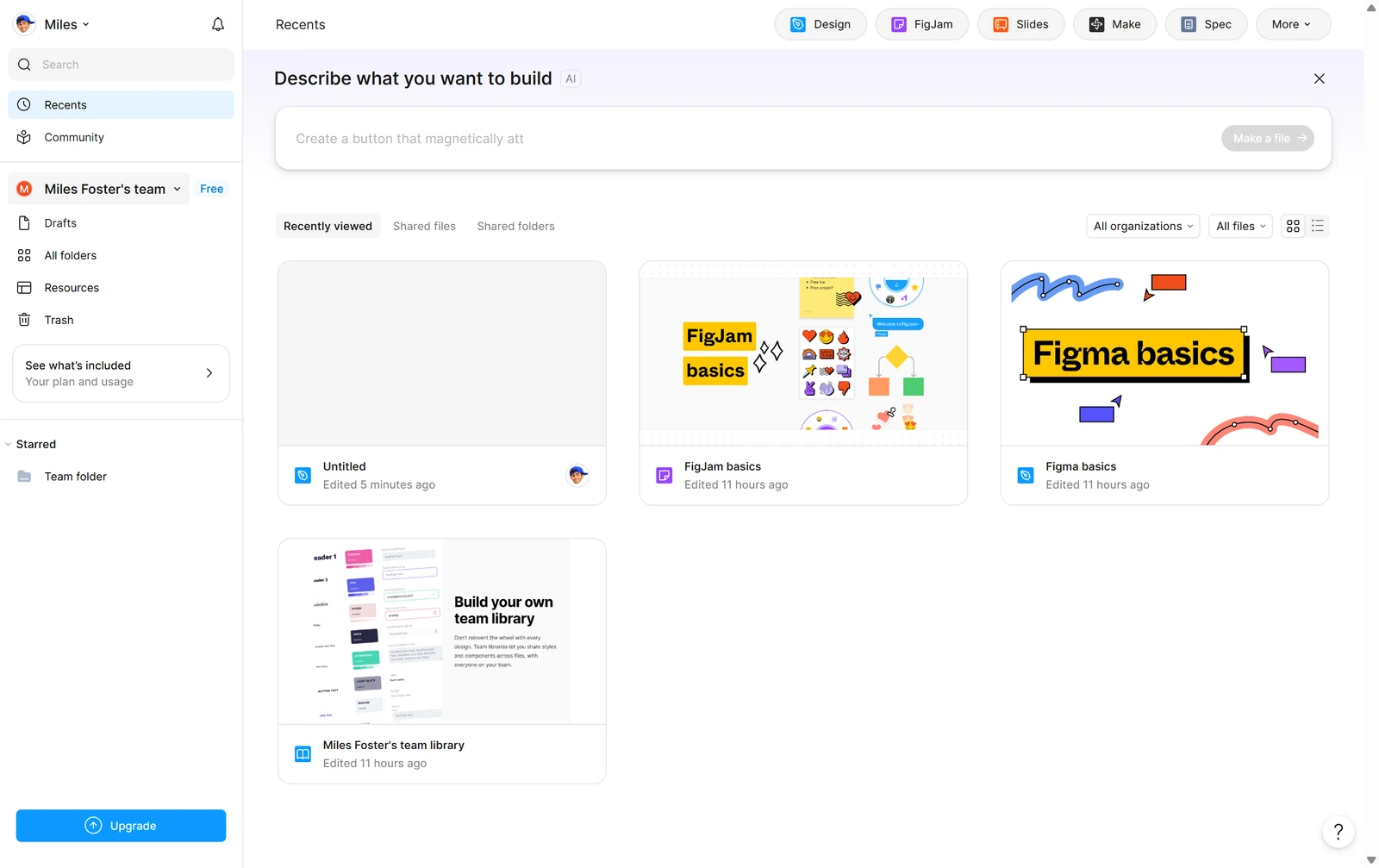
Figma won because its agent built the draft fast and then let me edit everything. It built the bakery's post, story and banner in 193 seconds for 78 AI credits, with all 20 required elements right and nothing invented, and all twelve fixed edits worked by hand. That is on the free Starter plan, with no card entered and no watermark on exports.
It is not perfect. The PDF has no print bleed, code needs a paid plan, text is outlined in SVG and PDF, and a font change broke the story layout. One brief used 78 of the day's 150 credits, so I ran one of the three briefs. If you want an AI first draft that you can then edit freely, it is the one I would start with.
The other nine are in the complete rankings, each with a one-line verdict on its card.
Figma ranks first at 4.9 out of 5 in my tests. Banani (3.9) and Flowstep (3.9) follow.
Figma, at 4.9 out of 5, is the highest-ranked AI design tool here whose own pricing page offers a free plan (free Starter: unlimited drafts, up to 500 AI credits a month). Banani (3.9), Flowstep (3.9), UX Pilot (3.7), Venngage (3.6), Magic Patterns (3.6), UXMagic (3.5), Uizard (3.3), Google Stitch (3.0), UXPin (3.0) also have a free plan. A free trial that ends, or a plan that needs a card up front, does not count as free.
Figma's Starter plan is free with 150 AI credits a day, and Google Stitch is free with 400 daily credits and no paid plan. UX Pilot gives 80 credits a day, UXMagic 20 a day, Banani 12 a month and 3 more each day, and Magic Patterns 100 a month. Uizard lists 3 AI generations a month, Flowstep and UXPin start with a trial, and Venngage is free but locks every download.
Magic Patterns gives a code zip that built first time, Google Stitch exports code and images in one zip, Banani copies HTML and CSS, UXMagic gives HTML you can download, and UXPin downloads React code on its trial. Flowstep exports on its trial but has limited export after it. Figma and Uizard keep code for paid plans, UX Pilot exports only a PDF on free, and Venngage locks every download.
Each tool's grade is the average of the same 9 tests, run by hand on sites I published, plus my verdict, which can move it by up to one point and is explained on every review. The list is in grade order, highest first; a tie goes to the higher measured score. The full procedure is on the AI design tools methodology page.
Written by Miles Foster, Owner and tester, RankDude.
 Tested and ranked by