
Venngage Review: AI Design Tool, Pricing & My Test Results
My rating
A quick generator for simple pages. Downloads need a paid plan.
Best for: one-page layouts you will pay to download. Not for exact sizes, phone screens or free downloads.

Tested and written by Miles Foster
Based on 6 graded tests and my verdict. How I rate
I tested Venngage hands-on on its free plan, the way I test every AI design tool: three fixed briefs typed into its generator, 20 required elements checked in each, twelve edits and the terms. Venngage ranks #5 of the ten on my best AI design tools page.
Every measurement is in the Venngage test results.
My Venngage AI Design Tool Test Results
| Category | Grade | In short |
|---|---|---|
| Brief to First DraftA draft in under a minute | 5/5Excellent | |
| Brief AdherenceTwo of three briefs were missed | 2/5Below average | |
| First Draft QualityMany faults in the app and bakery | 2/5Below average | |
| Editing FreedomNearly every edit worked | 4/5Good | |
| Rights & Commercial UseYou own the output, no indemnity | 4/5Good | |
| Pricing & ValueBrand kits start at a business plan | 3/5Average | |
| My verdict | +0.3 | |
| Overall | 3.6/5Good |
What Is Venngage?
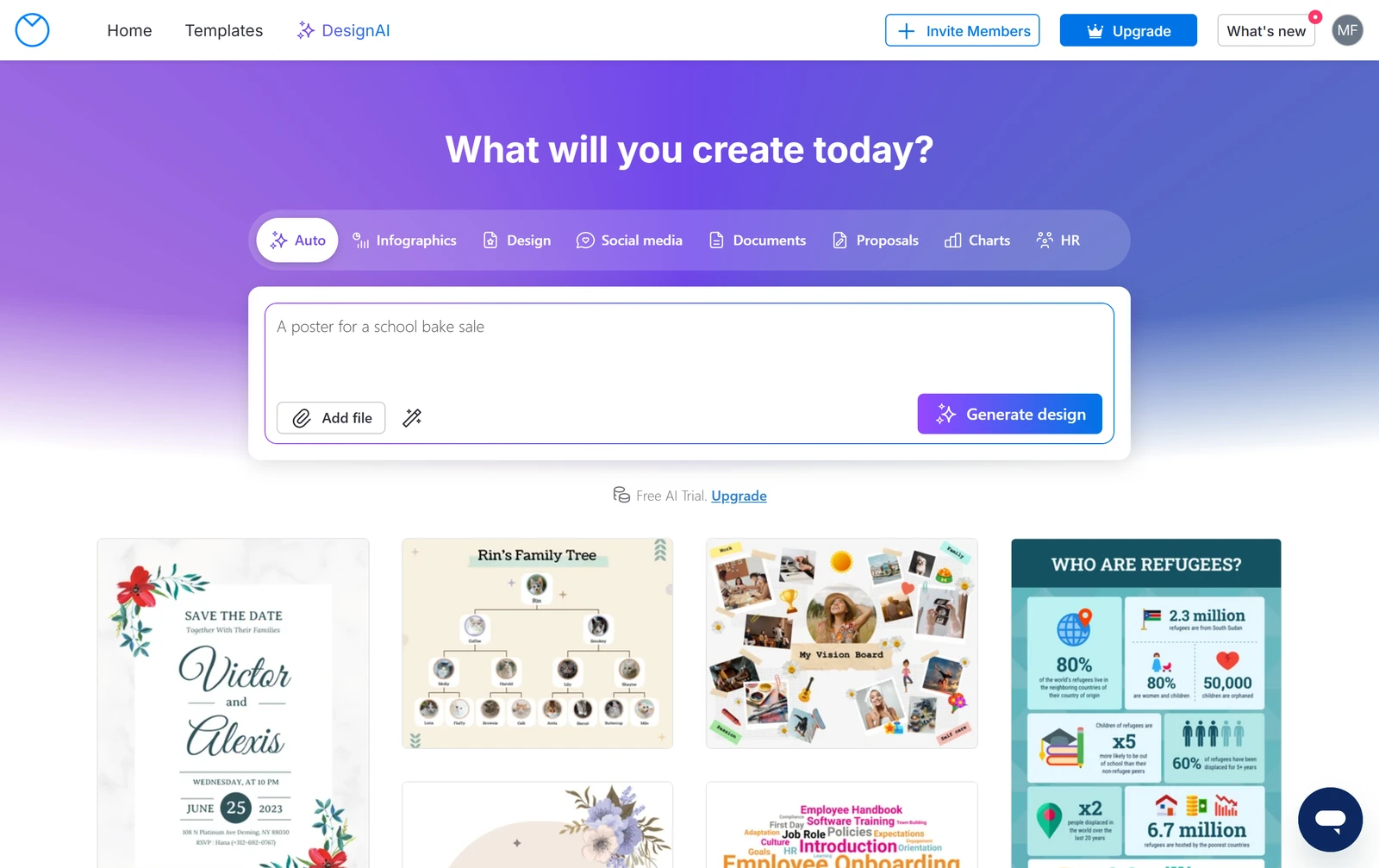
Venngage is an online design tool for infographics and documents, in the browser. Its Design AI builds a page from a written brief, and you edit it in a drag-and-drop editor.
There is a free plan, but it has no downloads. Premium starts at $10 a month paid yearly.
How I Tested Venngage
I gave Venngage the same three briefs every AI design tool gets: a bakery's social set, a booking app and a one-page shop site, each with 20 required elements. I ran all three on the free plan. Six of the nine tests were graded; exports, brand kit and collaboration were left out.
My tools
Last checked 12 Nov 2026Venngage pros and cons
Pros
- A draft in under a minute
- Landing page almost as briefed
- Eleven of twelve edits worked
- You own the output, in writing
- No training on your input, in writing
- Free public link and publishing
- Premium from $10 a month paid yearly
Cons
- Bakery brief gave one wrong-size page
- Booking app gave two letter pages
- Every download is locked on free
- One attached file per brief
- Clipart and stock photos added
- Brand kits only on Business
Venngage Pricing
Venngage's cheapest plan with a brand kit is Business at $24 a month per user paid yearly, or $49 a month paid monthly. Premium is $10 a month paid yearly, and it adds PNG downloads but no brand kit.
Venngage plans and prices
Live data· last check 12 November 2026| Plan | Price a month | |
|---|---|---|
| Free5 designs, 6 image uploads, 80 daily AI credits at signup, no downloads | $0 | 5 designs, 6 image uploads, 80 daily AI credits at signup, no downloads |
| PremiumMonthly: PNG downloads, unlimited designs, 160 daily AI credits | $10 | Monthly: PNG downloads, unlimited designs, 160 daily AI credits |
| BusinessMonthly, per user: PDF and PowerPoint, brand kits, team sharing, 1,600 daily AI credits | $24 | Monthly, per user: PDF and PowerPoint, brand kits, team sharing, 1,600 daily AI credits |
- Business is priced per user
- Enterprise starts at 499 per month, minimum 10 members, contact sales (skipped)
- Monthly-selected view shows the same printed prices
I did not buy a plan, so renewal prices were not seen.
Venngage Free Plan Limits
Venngage's free plan gives 5 designs and 6 image uploads. My three briefs used 3 of the 5 designs, and the dashboard showed "3/5 free designs used".
The pricing page lists "80 Daily AI Credits at Signup". I found no credit meter in the product, so I cannot say what one brief cost.
Venngage Brief to First Draft
Venngage built each brief in under 70 seconds: 36 seconds for the bakery, 56 for the landing page and about 65 for the booking app. The median is 56 seconds.
The results were editable text and shapes in the editor, not a picture.
Venngage Brief Adherence
Venngage got 31 of 60 required elements right and added 9 things I did not ask for. The landing page scored 19 of 20, the booking app 9 and the bakery 3.
The bakery came out as a single 1024 by 512 pixel page. The booking app came out as two letter-size pages, not five phone screens. The generator took only one attached file, so my logos were never used.
All three briefs went in on the Auto tab, one prompt each. I did not try the Social media tab or one prompt per piece.
Venngage First Draft Quality
Venngage's three first drafts had 17 faults: 3 on the landing page, 3 on the bakery and 11 on the booking app. The landing page had two small labels just under the contrast level WCAG AA asks for.
On the app, the calendar label is dark text on a dark page, and there is no calendar. Heart icons stand in for form fields.
Venngage Editing
Venngage did eleven of my twelve edits with normal controls: font, drag, resize, photo swap and crop, a typed word, a new page, alignment, canvas size, a written instruction, undo and lock. I found no single control to change one colour everywhere.
The written rewrite made the headline longer, and it then overlapped the line under it. Venngage did not refit the text.
Venngage Exports and Handoff
Venngage's free plan locks every download, so I could not test exports. PNG and PNG HD need Premium; PDF, PowerPoint and Email HTML need Business.
You can still share a public link or publish, but you cannot save a file. I did not buy a plan, so the ten export checks are left out.
Venngage Usage Rights
You own what you make with Venngage: the terms say "Venngage does not claim ownership over User Designs that the User creates". Venngage gives no indemnity for generated content.
On training, the policy says "Venngage does not develop or train any AI models internally". The AI features use outside providers that may include OpenAI.
Final verdict: is Venngage worth it?
Venngage is worth trying if you want a fast first draft of a one-page layout. The landing page came out nearly as briefed in 56 seconds, and eleven of twelve edits worked.
It is not the tool if you need exact sizes, several pieces or phone screens from one brief, or any download without paying. The free plan saves nothing to disk.
The six tests I could grade average 3.3 out of 5. I rate Venngage 3.6 because the free plan let me run six of the nine tests.
See the Venngage test results and how I rate.
Best for: People who want a fast first draft of a one-page layout and will pay for Premium or Business to download it.
Video review · 2:40
Watch me test Venngage
The whole test in a few minutes, from screen recordings of the tests. Captions and the full transcript are one click away, and the video has a page of its own.
Transcript
Hi, I'm Miles. I tested Venngage hands on, on its free plan, and here's the short version. Its AI generator built all three of my briefs in under a minute, but only the one page landing site came close. The bakery set came out as a single page, the booking app as two letter size pages, and every download is locked on the free plan. My rating is three point six out of five, from six tests.
So what is Venngage? It's a design tool for infographics and documents that runs in your browser. Its AI builds a page from a written brief, and you then edit it in a drag and drop editor.
The free plan gives you five designs and six image uploads. My three briefs used three of the five designs, and the dashboard says so. I found no credit meter, so I can't tell you what one brief cost.
Now the speed. I typed each brief, attached one file, and pressed generate. The bakery took thirty six seconds, the landing page fifty six, and the booking app about sixty five. The median is fifty six seconds, and the results are editable text and shapes.
Then accuracy, across sixty required elements. The landing page got nineteen of twenty. The booking app got nine, and the bakery just three: one page in the wrong size, with a stock loaf photo instead of mine. That's thirty one of sixty, and nine things I never asked for.
The drafts had seventeen faults. On the booking app, all the screens' text is stacked on one page with a flower border and heart icons, and the calendar label is dark text on a dark page, with no calendar at all.
Next, twelve fixed edits. Eleven worked: font, drag, resize, swapping and cropping a photo, a typed word, a new page, alignment, canvas size, a written instruction, undo and lock. The one I couldn't find was changing a single colour everywhere.
Exports were the dead end. On the free plan every download format is locked: PNG needs Premium, and PDF and PowerPoint need Business. You can share a public link, but you can't save a file, so I left the export test out.
On rights, the terms say Venngage does not claim ownership over what you create, and the AI policy says it does not train AI models on your input. There is no indemnity for generated content.
On price, the cheapest plan with a brand kit is Business, twenty four dollars a month per user when paid yearly. That's two hundred and eighty eight dollars a year. Premium is ten dollars a month yearly, and adds downloads but no brand kit.
So, is Venngage worth it? Try it if you want a fast first draft of a one page layout. It's not the tool for exact sizes, several pieces from one brief, or any download without paying. The six tests average three point three, and I rate it three point six.
Chapters · 12
Frequently asked questions
How much does Venngage cost, and is there a free plan?
Yes, free. It gives 5 designs and 6 image uploads, but no downloads. Premium is $19 a month, or $10 paid yearly; Business is $49 a month, or $24 paid yearly.
Is Venngage legit and safe?
Yes, it is. I signed in with Google, entered no card and had no problem. The AI policy says Venngage does not train AI models on your input.
Who owns what I make with Venngage?
You do. The terms say "Venngage does not claim ownership over User Designs that the User creates". Venngage gives no indemnity for generated content.
Which files can Venngage export?
None on free. Every download is locked until you pay. PNG needs Premium; PDF and PowerPoint need Business. I did not test exports.
What did I not test?
Three tests. Exports, brand kit and collaboration were left out. Downloads are locked on free, brand kits are a Business feature, and sharing needs a second account.

Miles FosterOwner and tester, RankDudeMiles Foster is a pen name: the owner of RankDude, a private person, runs every test himself.
Disclosure. I tested on the free demo account anyone can open on Venngage’s site. I signed up myself and paid Venngage nothing. Venngage didn’t see this review first and had no say in my rating. How RankDude makes money is on the disclosure page.