- 49 of 49 answers right, with citations
- 20 of 20 cards and quiz items usable
- Free chat locks after 50 chats
4.9/5
NotebookLM review$3.50/mo
Try NotebookLM
The most comprehensive AI study tool test ever conducted
Out of 162, I tested and ranked the 10 best AI study tools to see which ones really live up to their claims. The whole list is on the AI study tools page. Part of the AI tools directory on RankDude.


Tested and written by Miles Foster
Based on hands-on reviews, each graded on the same 10 tests, ranked by grade.
I signed up to every AI study tool on this page myself, gave each the same briefs, published the sites for real and ran the same 10 tests on what was live. Every grade, screenshot and measurement is on its review, and each test site stays monitored for 30 days after the test. Here are the 10 best, highest first.
The 10 AI study tools in grade order: three findings from each review, the grade out of 5 and the lowest plan price its pricing page lists. The 10 test grades are on each review.
$3.50/mo
Try NotebookLM$11.99/mo
Try Gauth$5.83/mo
Try StudyX$2.50/mo
Try MathSolverFree plan
Try EdubrainFree plan
Try to teachFree trial
Try Almanack$12/mo
Try JenniFree plan
Try Penseum$13.33/mo
Try Neural ConsultI gave every study tool the same questions, the same documents and the same fact sheet, marked every answer against a key I wrote in advance and checked every flashcard and quiz item. Here is what I found.
Use an AI study tool when you want help learning from your own material: answers to practice questions, flashcards and a quiz from your notes, or a summary of a lecture or chapter. The tools differ most in what they are built for. Some answer from your own documents, some solve homework problems with the working shown, and some are made for teachers. The free plans stop at very different points. To learn a subject step by step, use an AI tutor instead.
I tested, reviewed and ranked every AI study tool below. Each block has my verdict, its best and worst test results, the video review and the full story.

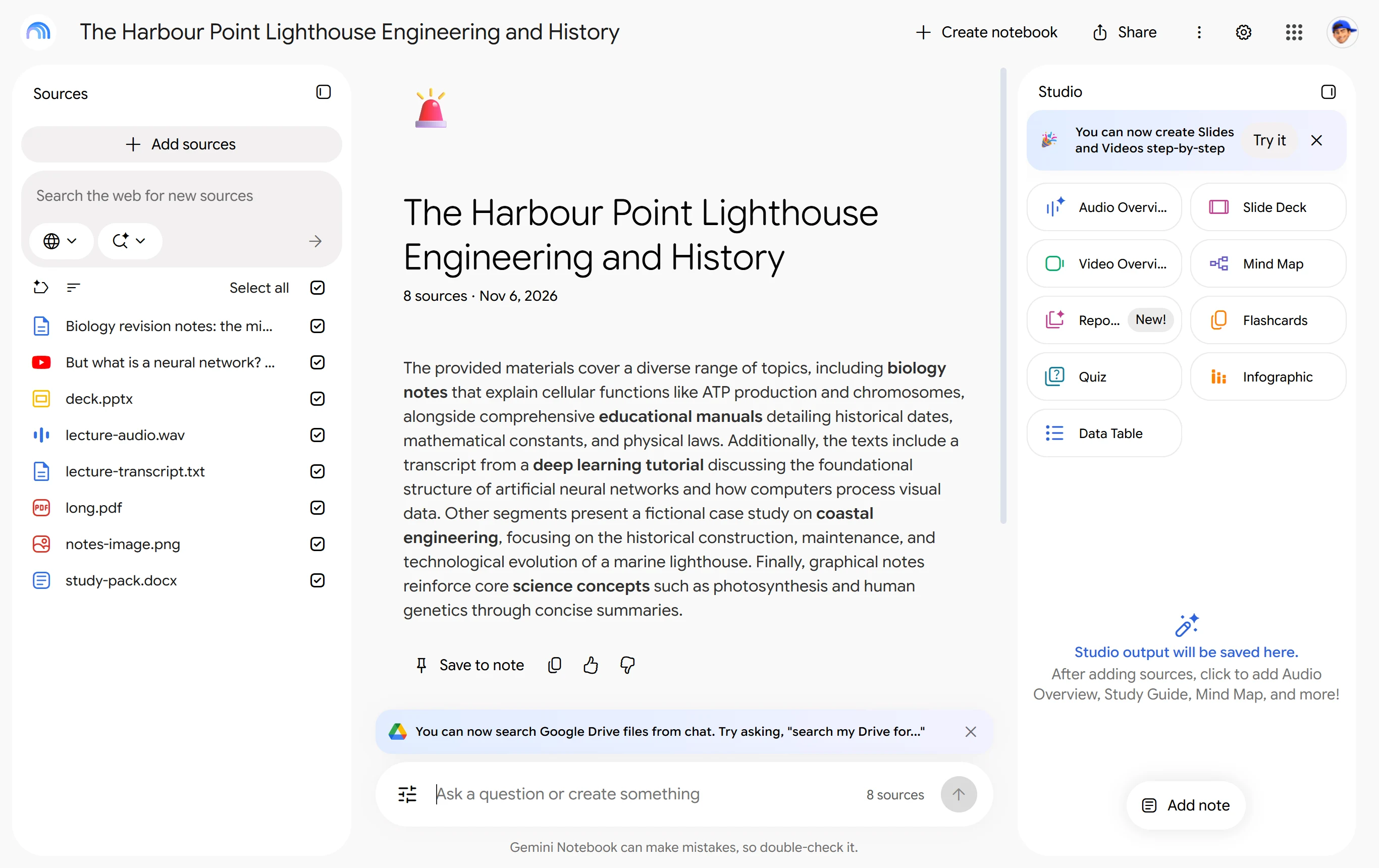
My pick for studying from your own notes, slides and PDFs. It answered all 49 questions I could ask correctly, each with a citation that opens the passage, and every flashcard and quiz item I marked was usable. But the free chat locked after 50 chats.
Video review · 2:49
NotebookLM answered 49 of 49 questions correctly with nothing invented, and every answer carried a numbered citation. The three citations I opened showed the right page with the supporting sentence highlighted. All 20 of 20 flashcard and quiz items I marked were usable, and nine of ten ways of adding material worked.
The free chat locked after 50 chats, so I could not ask my last questions. One summary kept 7 of 10 lecture points and gave a wrong build year for the tower. Flashcards and quizzes have no export, and the audio transcript misheard one word.
It suits students who work from their own PDFs, slides and notes. It is not a tutor that teaches steps, and I did not test that. I used the free plan, signed in with Google, with no card. The paid route the app showed is a Workspace plan with a one-year commitment.

My pick for homework answers with the working shown. It answered all 60 of my questions correctly, showed correct steps on all 20 problems and made accurate flashcards and a quiz from my document. But its chapter summary kept only 4 of 10 key points.
Video review · 3:51
Gauth got 60 of 60 questions right and invented nothing, and every answer was complete in under 10 seconds. All 20 of 20 problems had correct, followable steps, and all 20 of 20 flashcard and quiz items were accurate, with a correct answer key. Humanities and general knowledge scored 20 of 20 each.
The summaries were short: 4 of 10 key points from the chapter and 7 of 10 from the lecture. Pasted text stops at 500 characters, nothing can be saved or exported, and two buttons overlap on a phone. In the default mode it states the answer first, so it solves the problem for you.
It suits homework help and quick flashcards from your own notes more than revising from long documents. I used the free plan, signed in with Google, and made 79 requests without meeting a wall or a card request. The paid plan is listed only in the app store.

My pick for a quiz, cards and notes from one text. All 20 quiz and flashcard items were correct, and the notes came back in 14.2 seconds with all ten points kept. But the free plan gives 30 credits a day, and one quiz cost 7 of them.
Video review · 2:53
StudyX answered 5 of 5 questions correctly, and 20 of 20 quiz and flashcard items were right, with quiz answers quoting the source text. The notes took 14.2 seconds and kept all ten points, although the opening date appears only as a year. Flashcards made from the quiz page cost nothing.
The free plan is small: 30 credits a day, which covers about four tools. In Homework Help, Auto mode stopped two answers at an offer for the Pro model. The notes added one error, saying volunteers restored the canal in the 21st century, and on a phone an overlay covered buttons.
It suits a student who wants quizzes and flashcards from their own notes and will use a few items a day. My accuracy grade rests on only five of the 60 questions. I used the free Basic plan, signed in with Google, with no card.

My pick for free, explained maths answers. It answered all 20 maths and science questions I typed correctly and gave followable numbered steps on all 13 method questions, most with a check. But the free plan stops photo and PDF scans after 5 a day.
Video review · 3:36
MathSolver got 20 of 20 questions right and invented nothing. All 13 of 13 method questions came with numbered steps that named the rule and reached the right answer. It read a photo of a problem correctly and a PDF printed by Chrome, and typed solutions were not limited in my use.
Free scans stop at 5 a day, with 1 practice quiz and 2 video lessons a day. A PDF I built by hand showed a broken preview and the tool solved a different problem. It solves only maths, with no flashcards or summaries, and on a phone the button row and top bar overlap.
It suits a student who wants step-by-step maths answers and mostly types the problems. I asked only the 20 maths and science questions, so the other 40 are untested here. I used the free plan, signed in with Google, with no card.

My pick for free summaries and flashcards with no daily limit. Both summaries kept all ten key points, all 11 flashcards were usable and 59 of 60 answers were right, with none invented. But free answers after the first were bare and took a median of 49 seconds.
Video review · 4:13
Edubrain got 59 of 60 questions right and invented nothing; the one miss was the country with the largest population, where the first ask gave China. Both summaries kept 10 of 10 points with no error, and all 11 flashcards were usable. Flashcards export to PDF, CSV and Anki.
Only the first answer came with steps; later free answers were bare, and each waited a median of 49 seconds. The default quiz key ticked a false option on 19 of 20 questions, though Single Choice was right on all 20. The 42-page PDF was only partly read.
It suits a student who wants free answers, flashcards and summaries and can accept ads and a wait. It is not a tutor for learning the steps. The free plan had no daily limit or card request, and the paid plan renews every week.

My pick for a teacher who wants a quiz and flashcards from a text. All 20 quiz and flashcard items were correct and all 10 answers were right. But the free chat stops after 10 messages a day and the plan allows only 5 exercises a month.
Video review · 3:09
to teach got 10 of 10 questions right, all maths or science, and 20 of 20 quiz and flashcard items were correct and on the source. Seven of the ten planted facts were covered. The quiz and cards could be taken with large buttons on a phone-size screen, with no sideways scrolling.
The free chat stopped after 10 messages, and the plan shows 5 exercises, 3 worksheets and 2 lesson plans a month; I used 4 exercises and stopped. Answers were short with little working, and the quiz's option order changed between loads.
It is made for teachers rather than students, so it suits a teacher who wants a handful of quizzes and flashcards from their own text. My grade rests on five tests. I used the free plan, signed in with Google, with no card.

My pick for a teacher who wants accurate worksheets, quizzes and cards. It answered all 60 of my questions correctly, made 20 of 20 usable flashcard and quiz items and showed clear steps on all 11 method problems. But I found no student view, and the free access is a trial that ends on 21 November.
Video review · 3:34
Almanack got 60 of 60 questions right with nothing invented, at an average of 8.9 seconds a reply. 20 of 20 flashcard and quiz items were correct, with a correct answer key, and all 11 method problems had followable steps. Asked something the PDF did not say, it said so rather than guess.
The cards and quiz are text in a chat reply, with no flashcard player or quiz page. Word and slide files were refused, and the lesson page squeezes step text into a one-word column on a phone. The lecture and chapter summaries each kept 8 of 10 points.
It suits a teacher who wants worksheets, quizzes and cards made from a lesson or a text, with export to PDF, Google Docs or Word. I used a Pro trial, signed in with Google, with no card. It ends on 21 November and I could not see what stays free.

My pick for an essay or literature review with real sources. Both summaries kept all ten key points with no error, and all 21 sources it listed were real papers. But the free plan allows only 5 chat messages, and it has no flashcards or quizzes.
Video review · 3:44
Jenni's lecture and chapter summaries each kept 10 of 10 points with no error, and each point ended with a reference to the uploaded file. Asked a research question, it listed 21 sources and every DOI resolved to a paper with the same title. Paper search and citations are free.
The free plan has 5 chat messages, and I used 4, so I ran no accuracy test. It has no flashcard or quiz maker and does not take slides, audio or a video link. It matched my PDF to the wrong book, and the reference list was blurred on the free plan.
It suits a student writing an essay or literature review who wants real sources and will pay for the chat. It exports to Word and LaTeX. I used the free plan, signed in with Google, with no card; the plans page does not say whether the 5 messages renew.

My pick for trying a voice tutor on your own notes. All 10 tutor answers I read were right, and all 7 exam questions and the answer key were correct. But the free plan is a one-off preview of one tutor session, one exam and six flashcards.
Video review · 3:07
Penseum's tutor answered 10 of 10 questions I could read correctly,, and gave correct steps on all 4 problems I asked. The exam had 7 of 7 correct questions and a correct key, and the notes kept all ten points.
Five of the six flashcards were correct; one asked about x boats plus y boats, which is not in the text. A second course stopped at a Free preview finished wall, so I never summarised the lecture or the PDF. On the dashboard the smallest text was 9 pixels.
It suits a student who wants to try a voice tutor on their own notes before paying. I used the free preview, signed in with Google, with no card. The monthly plan costs far more per month than the yearly one, which is paid in one go.

My pick for a medical student who wants a free patient simulator. The simulator ran on the free plan with the patient answering in character, and a medical search linked its sources. But it did not use my notes: just 1 of 9 quiz questions on my text was correct.
Video review · 3:18
The patient simulator ran on the free plan and the patient answered in character. A medical search gave answers with encyclopedia links, and the quiz review explained each option. The site fitted a phone with no sideways scrolling, and 6 of 10 phone points worked.
My own material fared badly. Only 1 of 9 quiz questions on my text was correct, none of the first 20 flashcards was on the text, and the lecture summary said no lecture content was provided. Of the ten ways of adding material, 3 worked.
It suits a medical student who wants to try the simulator, not anyone who wants study material from their own notes. The free plan allowed 4 searches before a weekly limit, and two were refused as not medical. I used the free Starter plan, with no card.
The ten above in one table: the measured average, my verdict, the final grade, and every test grade behind it.
| Rank | Tool | Price from | Test average | My verdict | Final grade | Tier |
|---|---|---|---|---|---|---|
| 1 | NotebookLM | $3.50/mo | 4.38 of 10 tests | +0.6 | 4.9/5 | Excellent |
| 2 | Gauth | $11.99/mo | 4.110 of 10 tests | +0.7 | 4.8/5 | Excellent |
| 3 | StudyX | $5.83/mo | 4.36 of 10 tests | +0.2 | 4.5/5 | Excellent |
| 4 | MathSolver | $2.50/mo | 4.26 of 10 tests | +0.2 | 4.4/5 | Good |
| 5 | Edubrain | on the review | 3.88 of 10 tests | +0.6 | 4.4/5 | Good |
| 6 | to teach | on the review | 4.25 of 10 tests | 0.0 | 4.2/5 | Good |
| 7 | Almanack | on the review | 4.010 of 10 tests | 0.0 | 4.0/5 | Good |
| 8 | Jenni | $12/mo | 3.56 of 10 tests | +0.3 | 3.8/5 | Good |
| 9 | Penseum | on the review | 3.48 of 10 tests | 0.0 | 3.4/5 | Average |
| 10 | Neural Consult | $13.33/mo | 1.86 of 10 tests | +0.7 | 2.5/5 | Average |
Before I opened any study tool I wrote 60 questions and worked out every answer: 20 on maths and science, 20 on history, literature and civics, and 20 of general knowledge, each with one known answer. I also prepared a lecture, a PDF chapter and a short fact sheet with ten checkable facts in it. I asked each question once, took the first answer and marked it right, wrong or invented. Then I made flashcards and a quiz from the fact sheet, summarised the lecture and the chapter, tried the ways of adding files, checked the phone and read every plan. Up to ten tests, graded 1 to 5; the grade is their average plus my verdict, which can move it by up to one point. A test a free plan did not let me finish gets no grade, and the review says so. The measurements sit in the test results linked from each review.
| Test | What I do | Example: NotebookLM (#1) | Grade |
|---|---|---|---|
| Answer & Explanation Accuracy | Ask the fixed questions once each; mark every answer right, wrong or invented. | 49 of 49 questions right, each with a citation; nothing invented | 5/5 |
| Flashcards & Quizzes From a Source | Make cards and a quiz from the fact sheet; mark the first 20 items. | 20 of 20 items usable; all ten planted facts covered | 5/5 |
| Summarising a Lecture or PDF | Summarise the lecture and the chapter; count the key points kept and errors added. | 7 of 10 lecture points kept; one wrong build year added | 4/5 |
| Step-by-Step Explanations | Give maths problems that need working; check every step can be followed. | Not graded on this review; the step-by-step test was left out | |
| Uploaded Document & Notes Handling | Ten ways of adding and taking out material: text, PDF, Word, photo, slides, audio, link, export. | 9 of 10 ways worked; cards and quizzes cannot be exported | 4/5 |
| Subject Coverage | Split the answers by maths and science, humanities and general knowledge. | 20 of 20 maths and science, 20 of 20 humanities, 9 of 9 general knowledge | 5/5 |
| Citations & Trustworthiness | Check that references and citations are real and open the right passage. | 49 of 49 answers cited; the 3 I opened showed the right passage | 4/5 |
| Mobile & App Experience | Open it on a phone-size screen; check the study flow, the text and the layout. | Not graded on this review; the phone test was not done | |
| Free-Tier Limits | Use the free plan until it stops; note the limit and whether a card is asked for. | The chat locked after 50 chats; the Studio tools still worked; no card | 4/5 |
| Pricing & Value | Read every plan, its price and what paying unlocks. | Free; the one paid route shown was a Workspace plan with a one-year commitment | 3/5 |
Every measured grade comes from a tool I built and ran on every builder the same way. Each has its own page with how it works and the figure it gave every review.
You can see all the checkers I built on the checkers page.
| Tool | What it does | Reviews graded |
|---|---|---|
| Study question set | Gives every AI study tool the same fixed questions, with each answer written down before the tool is opened, so an answer can be marked right, wrong or made up. | 8 |
| Study source quiz check | Gives every AI study tool the same short source text with ten facts planted in it, then marks the quiz, flashcards and notes the tool makes from it. | 9 |
| Credit ledger | Writes down a study tool's credit balance before and after every press, so each action has its own cost and the free allowance is known. | 10 |
| Study pack set | Gives every AI study tool the same questions, documents and answer key, so no tool gets an easier test. | 8 |
| Question runner | Asks each fixed question once in the tool's chat and keeps the first complete answer and how long it took. | 8 |
| Upload checker | Tries each way of adding study material to a tool and reads back what the tool made of it. | 8 |
| Study source pack | Three invented documents with their key points written down first: a short charity page, a lecture transcript and a chapter. | 9 |
| Study upload checker | Tries every way of getting study material into a tool: pasted text, PDF, Word file, image, long document, several files and a video link. | 8 |
| Study phone check | Opens the tool's site as a phone would see it, asks a question, opens saved flashcards and a quiz, and measures overflow and text size. | 8 |
These monitors keep measuring the test sites after the review is live. You can see all of them, with their charts, in the monitors lobby.
| Monitor | How often | Builders |
|---|---|---|
| Uptime monitor | Every 5 minutes | 25 |
| Page speed tests | Every day | 23 |
| Security and privacy checks | Every day | 25 |
| Price tracker | Every day | 130 |
The place on this page is the headline grade of the review, highest first. When two tools share a grade, the higher measured score goes first, then the name. The grade words mean: 4.5 and up excellent, 3.5 to 4.4 good, 2.5 to 3.4 average, under 2.5 below average or poor.
The full procedure is on the AI study tools methodology page, and every tool I test with is on the checkers page.
Test a tool on questions you already know the answers to before you trust it, because a study aid that is wrong teaches the wrong thing, and one default quiz key ticked false options. Check the free allowance first, since the chat or the credits stopped several tools after a few uses. Look for answers that point back to the page they came from, so you can check them. Check that your own notes were read at all, because one tool did not use mine.

Reviewed under the AI chatbot tests.

Reviewed under the AI presentation maker tests.

Reviewed under the AI detector tests.

Reviewed under the AI logo generator tests.

Reviewed under the AI presentation maker tests.
Ten study tools, the same material, the same tests. One came out on top.

NotebookLM won because every answer it gave was right and could be checked. It answered all 49 questions I could ask correctly, each with a citation that opened the right passage, and all 20 flashcard and quiz items I marked were usable. It is free with no card, and 9 of my 10 ways of adding material worked, including slides, audio and a YouTube link.
It is not perfect. The free chat locked after 50 chats, before I had asked all my questions, one summary gave a wrong build year, and the flashcards and quizzes cannot be exported. The paid route the app showed is a Workspace plan with a one-year commitment. I did not test step-by-step explanations or the phone. Use it on your own notes and slides, and check its summaries.
The other nine are in the complete rankings, each with a one-line verdict on its card.
NotebookLM ranks first at 4.9 out of 5 in my tests. Gauth (4.8) and StudyX (4.5) follow.
NotebookLM, at 4.9 out of 5, is the highest-ranked AI study tool here whose own pricing page offers a free plan (free with a Google account; higher limits on Google AI Pro). Gauth (4.8), StudyX (4.5), MathSolver (4.4), Edubrain (4.4), to teach (4.2), Jenni (3.8), Penseum (3.4), Neural Consult (2.5) also have a free plan. A free trial that ends, or a plan that needs a card up front, does not count as free.
All ten were tested on a free account or trial, with no card. NotebookLM locked its chat after 50 chats but kept making flashcards and quizzes. Gauth took 79 requests without a wall, Edubrain has no daily limit but shows ads, and MathSolver gives unlimited typed solutions and 5 scans a day. StudyX gives 30 credits a day, to teach 10 chat messages a day, Jenni 5 chat messages and Neural Consult a few uses a week. Almanack was a trial to 21 November and Penseum a one-off preview.
Gauth and Almanack answered all 60 questions correctly, and Edubrain 59 of 60, with its one miss on the country with the largest population. NotebookLM was right on all 49 it could answer before its free chat locked. MathSolver was right on all 20 it was asked, to teach on 10, Penseum on the 10 I could read and StudyX on 5. Jenni and Neural Consult did not run this test: Jenni's free plan allowed 5 chat messages, and Neural Consult refused 2 of 4 searches as not medical.
Each tool's grade is the average of the same 10 tests, run by hand on sites I published, plus my verdict, which can move it by up to one point and is explained on every review. The list is in grade order, highest first; a tie goes to the higher measured score. The full procedure is on the AI study tools methodology page.
Written by Miles Foster, Owner and tester, RankDude.
 Tested and ranked by