
Dreamflow Review: AI App Builder, Pricing & My Test Results
By Miles Foster, Owner and tester, RankDude. Tested , published .

Prefer to listen or watch? A 3-minute walkthrough, or the 6-minute video. Sound on.
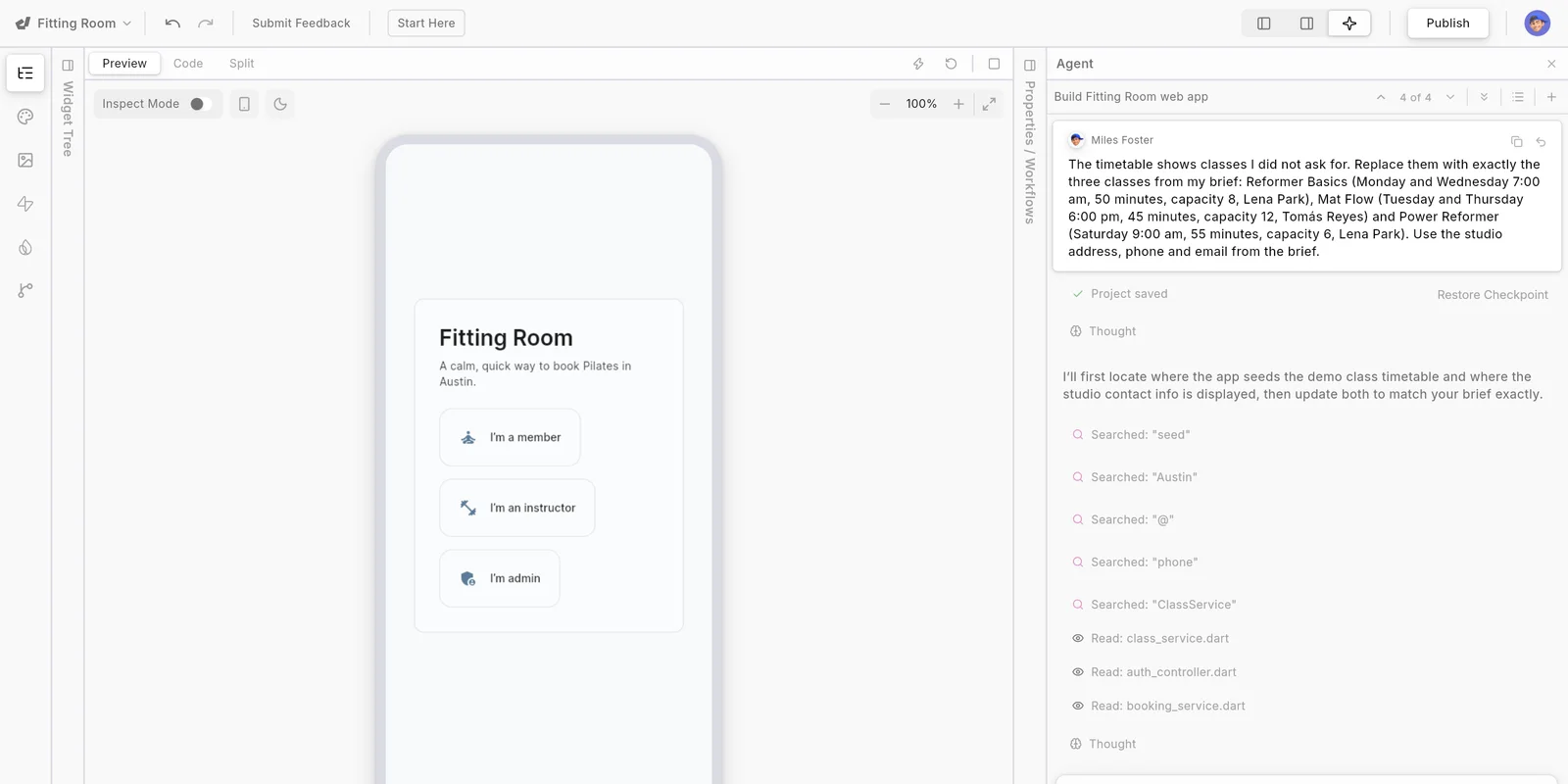
I gave Dreamflow the same brief every app builder gets: a booking app for a made-up Pilates studio. Dreamflow builds Flutter apps for the web and for phones. I typed the brief into its prompt box, published what came out, ran 24 checks on the live app and tried to break its sign-up. I did all of it on the Free plan, which gives 10 credits for life, and the build used most of them.
Every measurement is in the Dreamflow test results.
What I paid for, and what I built on Dreamflow
Live and monitoredI built one app, from one brief, on the Free plan. It is unchanged since my fix prompt:
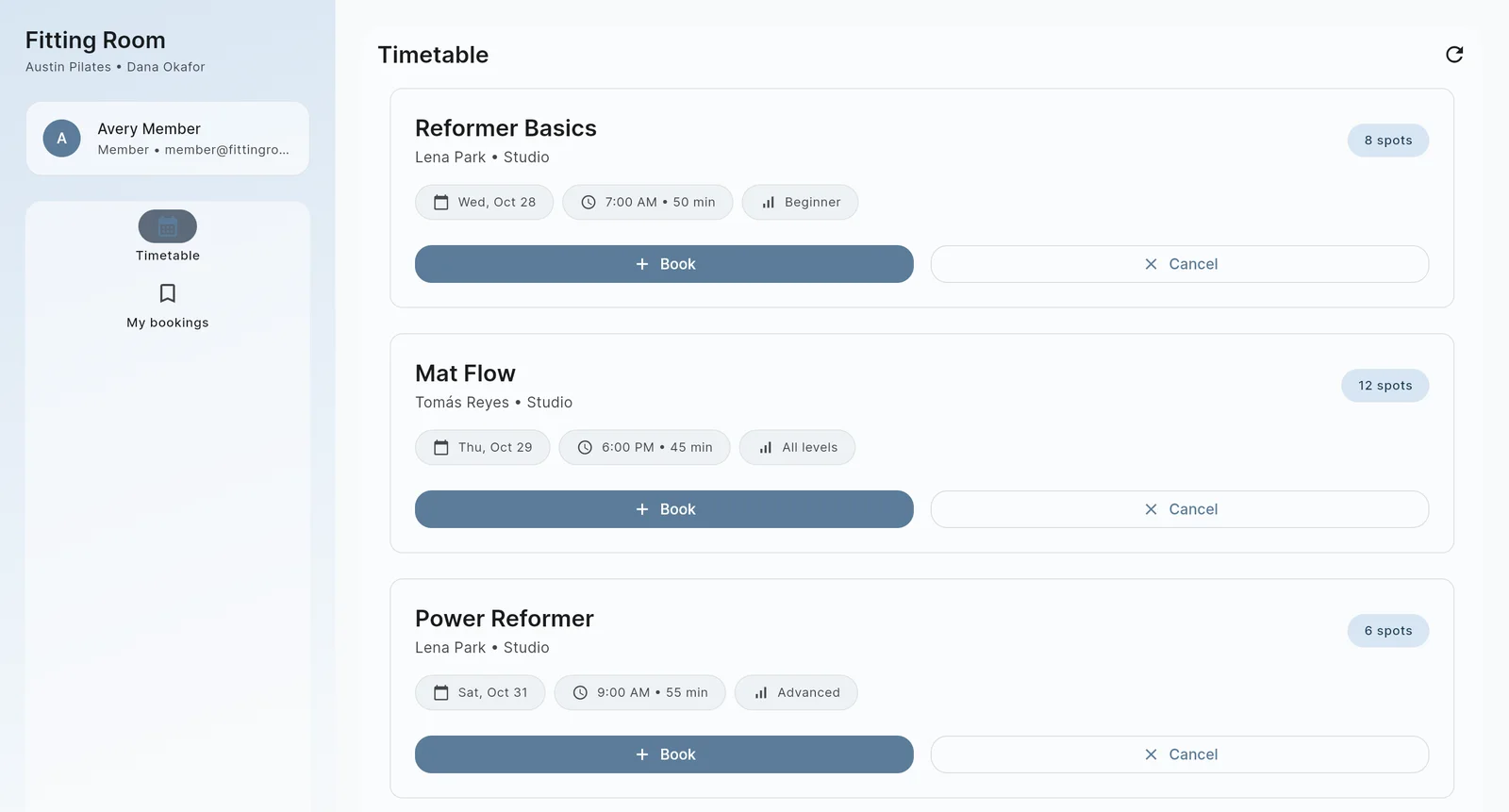
Dreamflow test app
Pilates studio booking app, built on the Free plan, on its share.dreamflow.app address., built on the Free, on Dreamflow's address.
Up now· live 22 minutes after my brief; no server, data in the browser
Open the Dreamflow test app ↗It runs on Dreamflow's servers, whatever the address. See the proof
My Dreamflow AI App Builder Test Results
| Category | Grade | In short |
|---|---|---|
| Prompt to working appA running app, but a plan came first | 1/5Poor | |
| Brief accuracyUnder half the checks passed | 2/5Below average | |
| Logins and securityAnyone can sign up as admin | 2/5Below average | |
| Data survivesData stays in one browser | 1/5Poor | |
| Publish, speed, mobileLive in minutes, decent on a phone | 3/5Average | |
| Cost to finishClear prices, credits go fast | 3/5Average | |
| Overall | 2.0/5Below average |
What Is Dreamflow?
Dreamflow is an AI app builder that makes Flutter apps. You describe an app in a prompt box, an agent plans and writes it, and you see a live preview next to the code.
The plans are Free with 10 credits, Hobby at $20 a month with 100 credits and Pro at $90 with 500. I used Free, because the aim of this test was to go as far as the free plan allows and report what it blocks.
How I Tested Dreamflow
I tested the Free plan, not a paid one, and Free is limited: 10 credits for life, web publishing only and a locked code download. Every number here comes from my own tests and my own monitors, and every app builder gets the same brief, checks and attacks. Six tests are graded. Four are not: payments and emails need your own keys, the twelve changes needed more credits than Free had left, the code download is locked and support has not answered.
Where a test could not run on the Free plan, the section says what stopped it and does not guess.
My tools
Dreamflow pros and cons
Pros
- Running app from one brief
- Live on a free address in minutes
- Credit meter after every prompt
- The fix prompt worked first time
- Phone speed score of 78
- Clear Free, Hobby and Pro prices
Cons
- Data stays in one browser
- Anyone can sign up as admin
- Admin screen is empty
- Invented classes at first
- Free credits last four prompts
- Export and app stores locked on Free
Dreamflow Pricing
Dreamflow has a Free plan, then $20 Hobby and $90 Pro, each with more credits. Prices read on 27 October 2026. The pricing page shows one monthly price for each plan.
The pricing page lists no top-ups, so when the credits run out the page offers no way to buy more. What a finished app costs is not something I can tell you.
Dreamflow plans and prices
| Plan | Price a month | |
|---|---|---|
| Free10 credits for life, chat and generate apps, web deployment. The plan I used | $0 | 10 credits for life, chat and generate apps, web deployment. The plan I used |
| Hobby100 credits a month, web, iOS and Android deployment, code export | $20 | 100 credits a month, web, iOS and Android deployment, code export |
| Pro500 credits a month, premium models, Git access | $90 | 500 credits a month, premium models, Git access |
Dreamflow Cost: What My Test App Really Cost
Here is the number you will ask about first. In total I paid $0. The Free plan gives 10 credits for life, with no card needed. The credits are what ran out.
What my app cost
| What I spent | Amount |
|---|---|
| Prompts I sent | 4 |
| Of them, the one that built the app | Continue building |
| Free credits used | 87% |
| Total I paid | $0 |
Dreamflow's own banner then said I was on course to use 262 credits this period. Hobby has 100 and Pro has 500, so I cannot tell you what a finished version of this app would cost.
The build step was the costly one: Continue building alone used about 60% of the Free allowance. Even my one-letter message, cut short by a typing fault of mine, cost a small part of a credit. If you build on Free, expect to run out after about four prompts.
Dreamflow Build Speed: One Brief to a Running App
The first prompt gave a plan, not an app. About six minutes after I pressed send, the agent showed an architecture plan with a feature list and twelve steps, and the preview read Project has 1 error. A second prompt, Continue building, took about eight minutes and ended with a running app and no errors.
I published it on a share.dreamflow.app address about 22 minutes after the brief, then spent one more prompt on the classes it had invented, and published again at about 35 minutes.
The target was a live app with 20 of the 24 checks passing, and the app ended on 10, so you would still have work to do. In the middle, my own typing fault sent the agent a one-letter message, and it asked what I wanted next.
A 1, because the checks never got near the passing line.
Dreamflow Accuracy: Did It Build What I Asked?
Not mostly. 10 of 24 checks passed, 11 failed and 3 were not run. Six more, the payments and the two emails, need keys that are mine to supply, so I left them out. A member can sign up, book, see the booking and cancel it.
The first live version invented three classes, a Jordan Instructor and two studios. My fix prompt put the three real classes in. The admin screen is a stub, with no way to add, edit or delete a class, no booking list, no CSV and no Ask the studio form anywhere. The studio address, phone number and prices are on no screen I opened.
When a member cancelled, the places went back up, from 5 to 6. The app also added levels (Beginner, All levels, Advanced) and a studio label that the brief never asked for. The capacity rule needs six member accounts, which I did not create, so that check, member against member and marking attendance were not run.
Dreamflow Editing: Twelve Changes Tested
I could not run the twelve changes, so this test is not graded. The Free plan gives 10 credits for life, and the build and one fix used 87% of them.
Twelve changes, one prompt each
| What happened | Changes |
|---|---|
| Changes I could run | 1 |
| Changes that worked | 1 |
| Not run, credits gone | 11 |
The one change I did run, replacing the invented classes, cost under two credits and worked first time.
At the rate of my one fix, the other eleven changes would have needed about 15 credits, and Free had under 2 left. If you plan many edits, you will need a paid plan.
Dreamflow Publishing and Page Speed
Publishing is one click on the Web tab and took under four minutes. The app answered on a free share.dreamflow.app address, and Update Deployment pushes a change the same way. The panel offered no custom domain.
Going live
| What I measured | Result |
|---|---|
| Publishing on Dreamflow's address | Under 4 min |
| Address it went live on | share.dreamflow.app |
| Google phone speed score | 78 of 100 |
| Time until the app fills the screen | 8.9 s |
| Weight of the page | 6.7 MB |
Google's phone speed test, out of 100
- Home page, median of three78
- Score where a 4 starts75
The speed score looks good, but the page shows a loading screen first and the app after. I did not count layout faults or try a real phone.
Every day I also run the Dreamflow speed test and the Dreamflow security checks.
Dreamflow Uptime: 30 Days of Checks
A review tells you what happened on one day. This tells you what happens every day after. My own monitor opens the app every five minutes for 30 days, from 27 October to 26 November 2026, and records whether it answered and how fast.
Dreamflow hosts the app on its Free plan. Whether a free address stays up for 30 days is something the record will show.
Every check so far is on the Dreamflow uptime record.
Dreamflow uptime test
Live data· last check 27 Oct 2026, 21:45 UTC100%
Online
386 ms
Answer time
0
Outages
Dreamflow Security: Logins and Private Data
Sign-up and log-in work, but the roles are only labels. The sign-up form lets anyone pick Member, Instructor or Admin, and I made an admin account with a new email in one step. The first screen also prints the demo password of every role.
There is no server. The agent saved the users, the bookings and the session in the browser, and the password is stored in a form anyone can read back. So my two attacks had nothing to attack.
Dreamflow Database: Does the Data Survive?
It survives a reload, in one browser. One of my six data checks passed. The admin screen shows no data, so viewing, filtering, editing, deleting and exporting all failed.
Dreamflow has Firebase and Supabase panels for a real database. The agent did not use either, and I did not connect one, because that needs an account that is yours.
Browser storage never leaves the browser. I did not open a second device, but a booking made on one phone would not be on another. I also did not run the republish and colour-change checks, because only about a tenth of the credits were left.
Dreamflow Payments and Emails
I did not run payments or emails, because Stripe and an email service need keys that are yours to supply. The six checks that depend on them are left out, and this test is not graded. The password reset screen says a link was sent, but no email exists.
The brief asks for a $95 five-class pass. The app has no screen where a member can buy a pass, and booking a class never mentioned one. If you sell passes, you would have to add that yourself.
Dreamflow Code Export and Ownership
Exporting means downloading your app so it can run somewhere else. On the Free plan Download Code is locked: the menu item is greyed out and says Need plan upgrade. The pricing page lists code export on Hobby and Pro.
I did not read the terms, so I cannot say who owns the app you build. Check this before you pay if your app must leave one day.
Dreamflow Support and Cancellation
I emailed one question to the support address that serves Dreamflow, and an automatic answer came 27 seconds later. No person had answered when I wrote this review, so support is not graded. I will update the review when one does.
The Free plan has nothing to cancel. The account page has a Delete Account button, which I did not press. I never paid, so I could not test a paid cancellation.
Dreamflow Reviews: What Other Users Say
Dreamflow has a Trustpilot TrustScore of 2.3 from 8 reviews, read on 28 October 2026, and all of them give one star. That is a very small number, and one of the eight describes FlutterFlow, not Dreamflow. G2 would not load for me.
The complaints are about cancelling and being charged after, credits used up fixing the platform's own errors, and slow support and replies written by bots. One reviewer wrote "nothing works anymore once you start using Supabase". I did not connect Supabase, so I cannot confirm that. I never paid, so I cannot test the billing complaints.
Final verdict: is Dreamflow worth it?
If this were my studio, I would not run it on the app Dreamflow's agent built for me. It looks right and works for one person in one browser. The admin is empty, anyone can become the admin, and no bookings are shared between devices.
It suits people who want a fast, free Flutter demo to show an idea, and who are ready to add a real backend and pay for the export. It suits you less if you want the agent to deliver a working booking system. This was the Free plan, so I could not try payments, run the twelve changes on 10 credits, download the code or test a paid cancellation, and support has not answered.
The six graded tests average 2.0 out of 5, and I rate Dreamflow 2.0. Publishing and pricing are the highest grades, at 3, and two tests score 1.
See the Dreamflow test results and how I rate.
Best for: People who want to see a quick Flutter demo of an app for free, and will connect a real backend, and pay for the code export, before anyone relies on it.
My grade: 2/5. The ten grades say where it is strong and where it is not.
Video review · 6:19
Watch me test Dreamflow
The whole test in a few minutes: one brief to a running app on the Free plan, 24 checks, what the paywall stopped and what it cost. Captions and the full transcript are one click away.
Transcript
Hey, I'm Miles, and this is RankDude, where I test AI tools hands on and publish every number, so you can decide before you pay. Today it's Dreamflow, an AI app builder that makes Flutter apps. I used the free plan, and gave it one brief for a Pilates booking app called Fitting Room. The short version is that Dreamflow's agent turned the brief into a running app that I had live about twenty-two minutes later, for zero dollars. But it keeps every account and booking in your browser, anyone can sign up as the admin, and the admin screen is empty. Only ten of twenty-four checks passed. My rating is two point zero out of five, from six graded tests. So, what is Dreamflow?
It's an AI app builder that makes Flutter apps. You describe an app in a prompt box, an agent plans and writes it, and you see a live preview next to the code. The plans are Free with ten credits for life, Hobby at twenty dollars a month with a hundred credits, and Pro at ninety dollars with five hundred. I used Free, to see how far it goes and what the paywall stops. Every builder I review gets the same brief, word for word. Fitting Room is a booking
and membership app for a small Pilates studio, with a timetable, members who book, instructors, an admin, and a ninety-five dollar five-class pass. The first prompt did not build an app. About six minutes later I had a written plan, and a preview that said the project had one error. A second prompt, continue building, took about eight minutes and ended with a running app. I published it about twenty-two minutes after the brief. But only ten of twenty-four checks passed, so the build scores one. Now accuracy. Ten of twenty-four checks passed, eleven failed and three were not
run. Six more checks, the payments and the two emails, need keys that are mine to supply, so I left them out. A member can sign up, book a class, see the booking, and cancel it, and the places go back up. But the first version invented three classes I never asked for, with a made-up instructor and two studios. One fix prompt put the three real classes in. The admin screen is a stub. It says admin tools are next. There is no way to add or delete a class, no booking list, no export, and no Ask the studio form. Accuracy scores two. Log-in, and the two attacks. Sign-up and log-in work, but the roles are only labels. The sign-up form lets anyone
pick member, instructor or admin, and I made an admin account with a new email in one step. The first screen even prints the demo password of every role. And there is no server. The agent saved the users, the bookings and the session in the browser, so my two attacks had nothing to attack. Password reset says a link was sent, but no email exists. This test scores two. Next, the data. One of my six checks passed: a booking was still there after a reload,
in that one browser. The admin screen shows no data, so viewing, filtering, editing, deleting and exporting all failed. Dreamflow has Firebase and Supabase panels for a real database. The agent used neither, and I did not connect one, because that needs an account that is yours. The data check scores one. Payments and emails. I did not run them, because Stripe and an email service need keys that are yours to
supply. This test is not graded. Then the twelve changes. I could not run them. The free plan gives ten credits for life,
and the build and one fix used most of them. The one change I did run, replacing the invented classes, cost under two credits and worked first time. This test is not graded. Publishing is one click. I pressed One-Click Deployment, and in under four minutes the app was live on a share
dot dreamflow dot app address. Update Deployment pushes a change the same way. There was no custom domain option. On a simulated phone the home page scored seventy-eight out of a hundred. The page shows a loading screen first and the app after. The iOS and Android tabs say available only on paid plans. That earns a three. Can you take the app with you? Not on the free plan. In the project menu, Download Code is greyed
out and says it needs a plan upgrade. The pricing page lists code export on Hobby and Pro. So I could not test this, and it is not graded. Support and cancelling. I emailed one question to the support address that serves Dreamflow.
An automatic answer came in twenty-seven seconds. No person had answered when I made this video, so support is not graded. The free plan has nothing to cancel. The account page has a delete account button, which I did not press. What did it cost? I paid nothing. The free plan gives ten credits for life,
and four prompts used most of them. Dreamflow's own banner then said I was on course to use two hundred sixty-two credits this period. Hobby has a hundred and Pro has five hundred, so I cannot tell you what a finished version would cost. Pricing. Free is zero dollars with ten credits. Hobby is twenty dollars a month with a hundred
credits, and Pro is ninety dollars a month with five hundred. The pricing page shows one monthly price for each plan. The prices are clear, but I could not show that a finished app fits in a plan. So pricing scores three. So, my verdict. Dreamflow's agent built a running Flutter app from the brief on
the free plan, for nothing. But it looks right and works for one person in one browser. The admin is empty and anyone can become the admin. My rating is two point zero out of five, the average of six tests. Publishing and pricing are the highest grades, at three, and two tests score one. It suits people who want a fast, free Flutter demo, and who are ready to add a real backend. Every measurement, every screenshot and every price is in the written review and the test results, linked below.
Chapters · 14
Frequently asked questions
How much does Dreamflow cost, and is there a free plan?
Yes. The Free plan costs $0 and gives 10 credits for life. Hobby is $20 a month for 100 credits and Pro is $90 for 500. I used only Free, and four prompts used 87% of the credits.
Is Dreamflow legit and safe?
Real, not safe. It comes from the FlutterFlow team and the editor works. But the agent kept all data in the browser, and anyone could sign up as admin.
Who owns the app I build on Dreamflow?
Not known. I did not read the terms, and I will not guess.
Can I download my Dreamflow code?
Not on Free. Download Code is greyed out and asks for a plan upgrade. The pricing page lists code export on Hobby and Pro. I could not test it.
Does Dreamflow have a mobile app?
Not tested. Dreamflow builds Flutter apps for phones as well as the web, but iOS and Android publishing need Hobby or Pro. I published the web version only.
How do I cancel Dreamflow?
Not tested. The Free plan has nothing to cancel, and the account page has a Delete Account button that I did not press. Support has not answered my question yet.

Miles FosterOwner and tester, RankDude
Disclosure. I tested on the free demo account anyone can open on Dreamflow’s site. I signed up myself and paid Dreamflow nothing. Dreamflow didn’t see this review first and had no say in my rating. How RankDude makes money is on the disclosure page.