
Storydoc Review: AI Presentation Maker, Pricing & My Test Results
My rating
A fast first draft with a strong editor. Check every figure and chart.
Best for: quick business and teaching decks you will check and fix by hand. Not for a PowerPoint file or a logo on every slide on the free plan.

Tested and written by Miles Foster
Based on 9 graded tests and my verdict. How I rate
I tested Storydoc hands-on on its free plan, the way I test every AI presentation maker. I gave it three fixed briefs, checked seven structure points and every slide, made twelve edits and read the terms and the prices. Storydoc ranks #8 of the ten on my best AI presentation makers page.
Every measurement is in the Storydoc test results.
My Storydoc AI Presentation Maker Test Results
| Category | Grade | In short |
|---|---|---|
| Structure from a PromptAll twenty-one structure points were there | 5/5Excellent | |
| Slide DesignPlaceholder logos, faces and fake contact details | 3/5Average | |
| Content AccuracyBrief figures right, one target invented | 2/5Below average | |
| Use of a Supplied DocumentMost points kept, one detail made up | 2/5Below average | |
| Editing ControlMost edits worked, no notes or free move | 3/5Average | |
| Brand & Theme ControlColours in one step, but no logo | 2/5Below average | |
| Charts & ImagesTwo of the three charts were wrong | 2/5Below average | |
| SpeedA full deck in about half a minute | 5/5Excellent | |
| Pricing & ValueA paid plan under twenty-five dollars | 3/5Average | |
| My verdict | +0.8 | |
| Overall | 3.8/5Good |
What Is Storydoc?
Storydoc is an AI presentation maker that makes scrolling, interactive documents. You type a topic or a brief, or attach a file, pick a document type and a length, confirm an outline and get a deck of editable slides in the browser.
The free plan gives 25 AI text tokens. Removing Storydoc branding and exporting a PDF start with Starter at $19.80 a month paid yearly.
How I Tested Storydoc
Every AI presentation maker gets the same three briefs: a ten-slide quarterly review built on a table of figures, a twelve-slide teaching deck on the water cycle, and a ten-slide pitch deck from a six-page document. I ran all three on the free plan. Nine of the ten tests were graded; export fidelity was left out.
My tools
Last checked 12 Nov 2026Storydoc pros and cons
Pros
- A deck in about 36 seconds
- All 21 structure points met
- Charts open in a data sheet
- Colours change for the whole deck
- AI text edits cost 1 token each
- A comment on a slide worked
- Paid plan from $19.80 a month
Cons
- A target and one detail were invented
- Two of three requested charts were wrong
- 12 layout faults in 32 slides
- Placeholder logos, faces and contact details
- No logo or template import on the free plan
- No PowerPoint export, and PDF needs activation
- No speaker notes or free movement
Storydoc Pricing
The cheapest paid plan is Starter at $33 a month, or $19.80 a month paid yearly. It removes Storydoc branding and exports PDF, and Pro adds 30 documents. The upgrade page inside the editor, which is the checkout, showed Starter at $13.20 a month billed yearly ($158.40) and Pro at $24 ($288) under a 60 per cent early-bird countdown of about 46 hours, so I grade on the public standing price of $19.80 a month.
Storydoc plans and prices
Live data· last check 12 November 2026| Plan | Price a month | |
|---|---|---|
| Free25 AI text tokens, branding stays | $0 | 25 AI text tokens, branding stays |
| StarterMonthly: 5 documents, PDF export and branding removal | $19.80 | Monthly: 5 documents, PDF export and branding removal |
| ProMonthly: 30 documents and more AI credits | $36 | Monthly: 30 documents and more AI credits |
- Teams plan is for 5+ users, price not shown (contact/View Plans)
- Monthly and annual views show identical text; monthly rate not printed
- Page advertises Save 40% on annual billing; monthly prices not shown to verify
The Teams plan has no price on either page: it says Need more? and offers a call. I did not buy a plan, so I did not see a paid PDF.
Storydoc Free Plan Limits
The free plan gives you 25 tokens for AI text edits, and each edit costs 1. The three decks cost none, and the whole test used one token, so I never reached the 85 per cent line where I stop. The editor shows the meter as "24/25 TOKENS LEFT".
Some things are locked: removing Storydoc branding, a logo in the document header and hiding a slide carry a paid mark. You will not find a PowerPoint export on any plan, and the PDF export first asks you to activate the account by email, which I left undone.
Storydoc Brief to Finished Deck
Storydoc finished the decks 36 seconds after I confirmed the outline, at the median: 36 for the quarterly review, 30 for the water cycle and 42 for the pitch deck. The outlines took 24, 21 and 21 seconds.
None of the decks used any of the free tokens, so you pay nothing for speed on the free plan.
Storydoc Deck Structure
Storydoc met all 21 points across the three decks: the right number of slides, a title, an opening, a logical order, one idea per slide, a closing call to action and no repeats.
There is no slide count box. You pick a brief, moderate or detailed length, and the outline followed the number in my prompt every time, so you can ask for ten slides in words.
Storydoc Accuracy
Storydoc kept every figure from my table right, but it invented one: the KPI slide says revenue beat "the quarterly target of $1.3M", and I gave no target.
The figures count up as you scroll, so you should read them after they stop. In the water cycle deck one claim was off: it says "97%" of the planet's water returns to the oceans, and the USGS page says oceans hold 96%.
Storydoc Slide Design
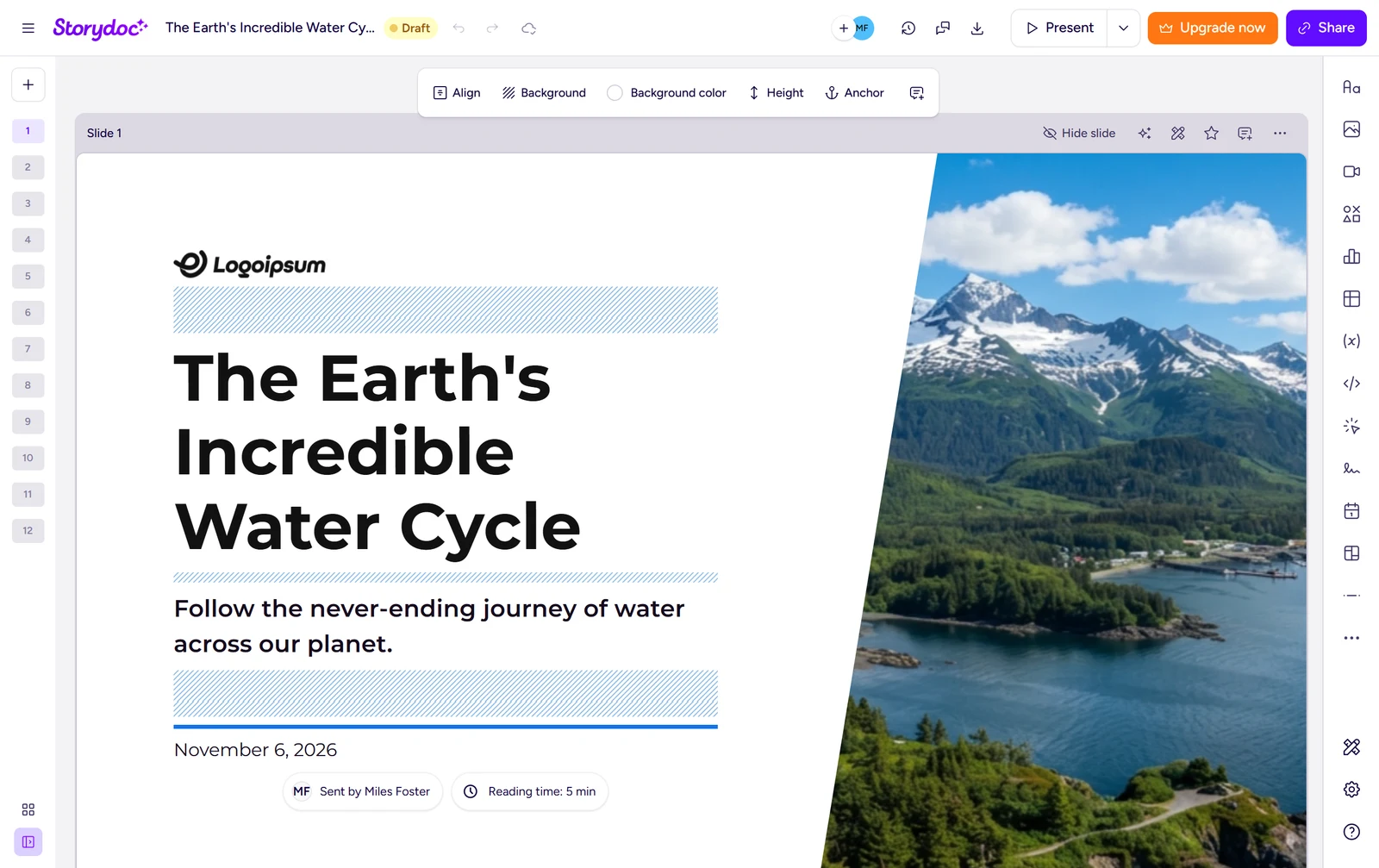
Storydoc's decks had 12 layout faults in 32 slides. The look is clean and the font is consistent, but each deck leans on stock portraits of unrelated people and placeholder pictures.
You will see a "Logoipsum" logo on two title slides. Every draft shows {{first_name}} on the letter slide and ends on a fake address and email. I read contrast by eye and did not measure it.
Storydoc Charts and Images
Two of the three charts were wrong. The regional chart showed Q3 only, with no Q2 bars, and the monthly revenue came as a bar chart, not the line I asked for.
The charts are real charts: Edit data opens a spreadsheet, and if you type in the Q2 figures the bars follow. The title photo of a bike shows another maker's name, and slides show no photo source.
Storydoc Editing
Nine of twelve edits worked with normal controls: reorder, layout, shorten, insert, chart data, image swap, a deck-wide colour change, undo and a comment. I could not regenerate one slide, add speaker notes or move an object freely.
Each AI text action cost 1 token. Shortening the 110-word risks paragraph took about six seconds and kept its figures.
Storydoc Brand Control
Storydoc applied my two brand colours to the whole review in one step, but I could not add the logo or import a template, so no slide was fully on brand.
The font was already Montserrat. The header logo is marked as paid, and Design settings import a brand by name or website, so you cannot upload a file. The gold colour went unused.
Storydoc Pitch Deck From a Document
Storydoc covered 12 of 15 key points of my six-page memo, and added one detail the memo does not say.
The founding year, the subscription rhythm and the 40, 35 and 25 per cent split were missing. The deck promised to "double production output", which the memo never says.
Storydoc Usage Rights
Storydoc's terms say you own it: the customer "retains all right, title, interest and control" in what it submits, and Storydoc may use it only to run the service.
Clause 3.3 says the content "belongs to the customer" and that this lasts after the subscription ends. Clause 3.12 warns that AI content may contain errors and that you must check it, which matched what I found.
Storydoc Reviews: What Other Users Say
Trustpilot shows Storydoc at 4.3 out of 5 from 17 reviews, and the site's home page says "4.7/5 on G2" and "4.8/5 on Capterra".
The 5-star bar is by far the longest and the 1-star bar is short. With 17 reviews I treat the score lightly, and Trustpilot notes the company has not invited reviews recently.
Final verdict: is Storydoc worth it?
Storydoc is worth trying if you want a fast first draft of a business deck with a strong editor behind it: charts that open in a data sheet, brand colours in one place and comments for a team.
It is not the tool if you need PowerPoint or Google Slides files, a logo on every slide without paying, or a draft you can send without reading it first. Every slip I found sat in a first draft that looked finished, and the editor is where you catch it.
The nine tests I could grade average 3.0 out of 5. I rate Storydoc 3.8 because it covered nine of the ten tests, built every deck in about half a minute and kept every figure from my table right, and the one test I left out has no export to run.
See the Storydoc test results and how I rate.
Best for: People who want a fast AI first draft of a business or teaching deck with a strong editor, and who can live with PDF as the only export.
Video review · 3:08
Watch me test Storydoc
The whole test in about three minutes, from screen recordings of the tests: three decks built in about half a minute each, the structure, the figures, the charts, twelve edits, the brand colours, the terms and the prices. Captions and the full transcript are one click away, and the video has a page of its own.
Transcript
Hi, I am Miles. I tested Storydoc hands on, on its free plan, and here is the short version. It built all three of my decks in about half a minute, with every structure point there and every figure from my table right. But it invented a target and one product detail, two of my three charts were wrong, and the only export is a PDF. My rating is three point eight out of five, from nine tests. So what is Storydoc?
It is an AI presentation maker that makes scrolling, interactive documents. You type a topic or a brief, or attach a file, confirm an outline, and you get editable slides in your browser. The free plan gives you twenty five AI text tokens. Each AI text edit costs one token.
The three decks cost none, and my whole test used one token out of twenty five, so I never got near my eighty five per cent stopping line. Some things are locked, like removing Storydoc branding and a logo in the header. Now the speed. I confirmed each outline and timed the deck.
The quarterly review took thirty six seconds, the water cycle deck thirty, and the pitch deck forty two, so the median is thirty six seconds. Then accuracy.
All twenty one structure points were there, and every figure from my table was right. But the key figures slide says revenue beat a quarterly target of one point three million dollars, and I never gave a target. The water cycle deck also got one fact wrong. The design was clean but not tidy.
I counted twelve layout faults in thirty two slides. Each deck used stock portraits of unrelated people and placeholder pictures, two title slides carry a fake logo, and the team slide shows grey avatar icons instead of photos. Two of the three charts were wrong.
The regional chart showed only the third quarter, with no second quarter bars, and the monthly revenue came as a bar chart, not a line. The good news is that these are real charts. Edit data opens a spreadsheet, and typing in the missing figures fixed the bars. Nine of twelve edits worked.
Reordering, layout, shortening text with the assistant, inserting a slide, chart data, a new image, an undo and a comment all worked, and one click changed my brand colours across the whole deck. I could not regenerate one slide, add speaker notes, or move an object freely. From my six page memo, Storydoc covered twelve of fifteen key points.
It missed the founding year, the subscription rhythm and the split of the funds. It also said the money would double production output, which the memo never says. On rights, the terms are clear.
The customer retains all right, title, interest and control in its content, and Storydoc can not use or share it for other purposes without written consent. Pricing next.
The cheapest paid plan is Starter, with branding removed and PDF export, at thirty three dollars a month, or nineteen dollars eighty cents a month paid yearly. Pro adds thirty documents. I did not buy a plan. So, is Storydoc worth it?
Yes, if you want a fast first draft with a strong editor and you will check every figure and chart yourself. No, if you need PowerPoint files. The nine tests average three point oh, and my rating is three point eight out of five.
Chapters · 13
Frequently asked questions
How much does Storydoc cost, and is there a free plan?
Yes, free. The free plan gave me 25 AI text tokens and no deck ran out. Starter is $33 a month, or $19.80 a month paid yearly.
Is Storydoc legit and safe?
It worked. I signed in with Google, entered no card and found nothing wrong. Trustpilot shows 4.3 from 17 reviews, mostly five stars with a few one-star ones, so read a few before you pay.
Who owns the decks I make with Storydoc?
You do. The terms say the customer "retains all right, title, interest and control" in its content, and that Storydoc cannot use or share it for other purposes without written consent.
Can I export a Storydoc deck to PowerPoint?
Only as PDF. I found no PowerPoint or Google Slides export. The download icon says it will set the document live, and then asks you to activate your account by email.
What did I not test?
Export files. I did not compare an exported file with a deck, import a .pptx template or buy a plan, and I left out the export test. I checked the water cycle deck against one reference page.

Miles FosterOwner and tester, RankDudeMiles Foster is a pen name: the owner of RankDude, a private person, runs every test himself.
Disclosure. I tested on the free demo account anyone can open on Storydoc’s site. I signed up myself and paid Storydoc nothing. Storydoc didn’t see this review first and had no say in my rating. How RankDude makes money is on the disclosure page.