
Wonderslide Review: AI Presentation Maker, Pricing & My Test Results
My rating
A fast first draft with a sound structure. Most edits did not work.
Best for: quick drafts you will fix by hand. Not for clean slides, trusted figures or chat edits on the free plan.

Tested and written by Miles Foster
Based on 8 graded tests and my verdict. How I rate
I tested Wonderslide hands-on on its free plan, the way I test every AI presentation maker. I used a quarterly review brief with a table of figures and a pitch deck built from a six-page document. I checked every slide for faults, tried twelve edits and read the terms. Wonderslide ranks #9 of the ten on my best AI presentation makers page.
Every measurement is in the Wonderslide test results.
My Wonderslide AI Presentation Maker Test Results
| Category | Grade | In short |
|---|---|---|
| Structure from a PromptEvery point of the structure was there | 5/5Excellent | |
| Slide DesignFaint labels, empty boxes, odd photos | 2/5Below average | |
| Content AccuracyOne figure I never gave appeared | 2/5Below average | |
| Use of a Supplied DocumentNearly all points, plus extra claims | 2/5Below average | |
| Editing ControlFew edits worked, new slides cost money | 2/5Below average | |
| Charts & ImagesRight values, but not real charts | 3/5Average | |
| SpeedA deck in two to five minutes | 3/5Average | |
| Pricing & ValueA paid plan under ten dollars | 5/5Excellent | |
| My verdict | +0.6 | |
| Overall | 3.6/5Good |
What Is Wonderslide?
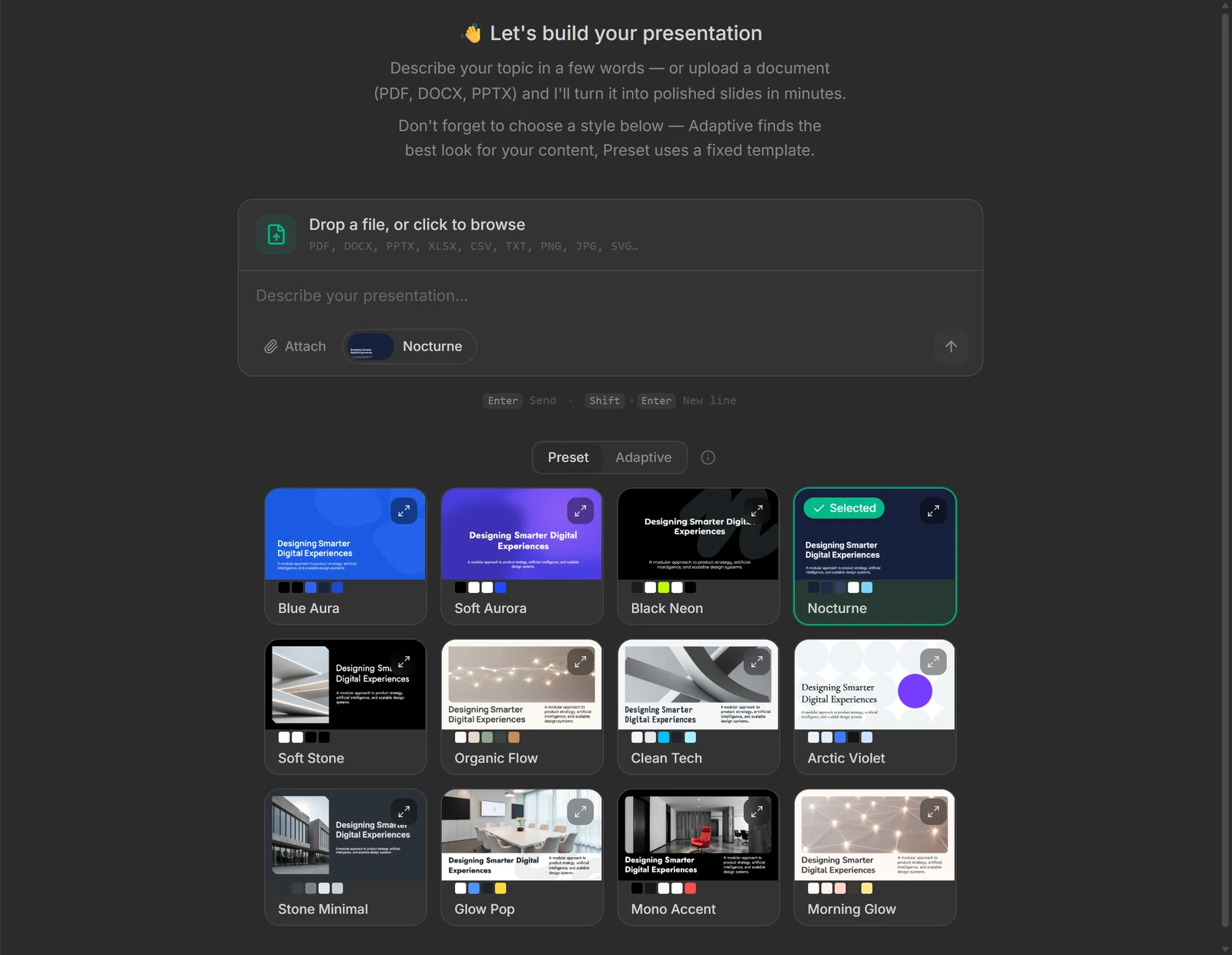
Wonderslide is an AI presentation maker. You type a message or attach a file in a chat, choose a design, and it builds a deck of slides you can open in a browser editor.
You can also ask for changes in the same chat. Editable PowerPoint files start with the Starter plan at $9.99 a month paid yearly.
How I Tested Wonderslide
Every AI presentation maker gets the same three briefs: a ten-slide quarterly review built on a table of figures, a twelve-slide teaching deck on the water cycle, and a ten-slide pitch deck from a six-page document. I ran the first and the third, because the water cycle needs 12 slides and the free plan stops at 10. Eight of the ten tests were graded.
My tools
Last checked 12 Nov 2026Wonderslide pros and cons
Pros
- All seven structure points, twice
- 14 of 15 document points covered
- Two full decks on the free plan
- Export from $9.99 a month
- Plain terms on using your decks
- Logo upload works on the free plan
Cons
- 13 layout faults in 20 slides
- One figure I never gave appeared
- Chat edits did not change my deck
- New slides and fonts need a plan
- Charts are not editable data
- Free plan stops at three decks
Wonderslide Pricing
The cheapest plan with an editable PowerPoint file is Starter at $12.99 a month, or $9.99 a month paid yearly, with 20 presentations a month. Pro adds unlimited presentations.
Wonderslide plans and prices
Live data· last check 12 November 2026| Plan | Price a month | |
|---|---|---|
| Free3 presentations a month, up to 10 slides | $0 | 3 presentations a month, up to 10 slides |
| StarterMonthly: 20 presentations, editable PPTX, no watermark | $12.99 | Monthly: 20 presentations, editable PPTX, no watermark |
| ProMonthly: unlimited presentations and the best AI models | $24.99 | Monthly: unlimited presentations and the best AI models |
- Comparison table shows Starter from $9.99/mo and Pro from $18.99/mo, which differ from the plan cards
- Single $4.99 (1 presentation), Pack $14.99 (5) and Weekly Pass $7.99 (7 days, no auto-renewal) are one-time purchases
- Team (contact sales) is from $59.97/mo for 3 seats at $19.99/seat; corporate templates need a 3-month+ contract
I did not buy a plan, so I could not see what a paid export gives you.
Wonderslide Free Plan Limits
Wonderslide's free plan gives 3 generations a month and decks of up to 10 slides. The billing page shows "Monthly generations: 3 / 3" after my test.
Two decks used two generations. A chat request that I sent by mistake used the third, so I passed my own 85 per cent stopping line and sent nothing more. I left out two tests, brand control and export fidelity, and the water cycle deck.
Wonderslide Brief to Finished Deck
Wonderslide finished the ten-slide quarterly review 134 seconds after I sent the brief. The pitch deck took 322 seconds, and about 30 of those it spent waiting for my answer to a question.
There is no outline to confirm. The tool asked one question on the document deck: how to structure it.
Wonderslide Deck Structure
Wonderslide met all seven points on both decks: ten slides, a title, an agenda, a logical order, one idea per slide, a closing ask and no repeats.
The review's agenda lists ten topics. The pitch deck's agenda lists five.
Wonderslide Accuracy
Wonderslide got the figures it showed right but invented one. Revenue, orders, customers, tickets, the four regions and the satisfaction score matched my table.
My brief said not to invent any figure. The KPI slide also calls my support tickets "Tickets Resolved", and I found no slide with the 41 per cent margin.
Wonderslide Slide Design
Wonderslide's slides had 13 layout faults in 20 slides. The dark look is consistent, but several boxes are empty and some text is too faint to read.
I measured that label and the bars on slide 9 at 1.42 to 1 contrast. Stock photos of strangers stand in for the two founders on slide 8.
Wonderslide Charts and Images
Wonderslide's charts had right values but no data behind them. The bar chart shows all eight figures, and in the editor it is one object, not a chart you can open.
The line chart shows its values only in a line of small text. No image shows a source.
Wonderslide Editing
Only four of twelve edits worked with normal controls on Wonderslide: reorder, image swap, move and undo.
A chat request to shorten text got no reply, and asked for speaker notes it answered "The editor returned no effective changes for slide 3". A request to regenerate a slide said it was working, but the slide was identical afterwards. A white background made one title invisible, and I found no comments.
Wonderslide Use of a Supplied Document
Wonderslide covered 14 of 15 key points of my six-page document. The missing point is the 2023 founding year.
It added claims the document does not make: "Low subscriber churn a month" beside 3.5 per cent, and "Strong LTV to CAC ratio supporting profitable scaling".
Wonderslide Exports
Wonderslide's free plan gave me no file to compare. Choosing the PDF download opened an upgrade box instead.
The box says "You can download a watermarked version for non-commercial use" and lists "Editable PPTX + PDF" and "No watermark" as paid.
Wonderslide Usage Rights
Wonderslide's terms let you use a finished deck in any way, with one limit on reusing its template. The text is plain and short.
The pricing page lists a non-commercial use licence for the free plan and a commercial use licence from Starter. Questions go to tech@wonderslide.com.
Wonderslide Reviews: What Other Users Say
Trustpilot shows Wonderslide with no reviews and a score of 0.0, and the site's own home page says "50,000+ presentations made".
With nobody writing there, I can say nothing about other users' experience.
Final verdict: is Wonderslide worth it?
Wonderslide is worth trying if you want a fast first draft of a deck from a message or a document, and you will fix the slides yourself. It built two ten-slide decks, both with a sound structure, and covered 14 of 15 points of my document.
It is not the tool if you need clean slides without fixing them, figures you can trust without checking, or edits that work from the chat. It invented one figure and added claims to my pitch deck, and four of twelve edits worked.
The eight tests I could grade average 3.0 out of 5. I rate Wonderslide 3.6 because the free plan let me run 8 of 10 tests, which is worth 0.6 on my scale.
See the Wonderslide test results and how I rate.
Best for: People who want a quick first draft of a deck from one message or a document, and who will fix the layout and figures by hand.
Video review · 3:03
Watch me test Wonderslide
The whole test in a few minutes, from screen recordings of the tests. Captions and the full transcript are one click away, and the video has a page of its own.
Transcript
Hi, I'm Miles. I tested Wonderslide hands on, on its free plan, and here's the short version. It built a ten slide business review in a hundred and thirty four seconds, and a pitch deck from my document in about five minutes, both with a sound structure. But I counted thirteen layout faults in twenty slides, it invented one figure, and only four of my twelve edits worked. My rating is three point six out of five, from eight tests.
So what is Wonderslide? It's an AI presentation maker. You type a message or attach a file in a chat, pick a design, and it builds a deck you can open in a browser editor. You can ask for changes in the same chat.
The free plan gives you three generations a month, and decks of up to ten slides. My two decks used two. A chat request I sent into the wrong chat used the third, so I went past my own eighty five per cent line, and I stopped there. That is why the water cycle deck, which needs twelve slides, was not run.
Now the speed. The quarterly review was finished a hundred and thirty four seconds after I sent the brief. The pitch deck took three hundred and twenty two seconds, and about thirty of those the tool spent waiting for my answer to a question about structure.
Then accuracy. The figures it showed matched my table, from the revenue to the four regions. But slide eight has a fifteen per cent target I never gave, and my brief said not to invent any figure. The key numbers slide also calls my support tickets tickets resolved.
The design was consistent but not tidy. Thirteen faults in twenty slides. Several boxes are nearly empty, stock photos stand in for the founders, and the Subscriptions label in a donut chart is dark on dark, at one point four two to one contrast.
The charts had the right values but no data behind them. In the editor, the bar chart is one object, not a chart you can open. The line chart shows its values only in a line of small text.
For the supplied document, it covered fourteen of the fifteen key points. The missing one is the founding year. It also added claims the document does not make, like low subscriber churn, beside three point five per cent a month.
Next, twelve fixed edits. Four worked: reordering, an image swap, moving a photo, and undo. Adding a slide opens an upgrade box. Asked for speaker notes, the chat said the editor returned no effective changes. A regenerate request said it was working, but the slide was identical afterwards.
Every export is paid. Choosing the PDF download opened an upgrade box, so I could not compare a file with the deck. The box lists editable PowerPoint and no watermark as paid.
On rights, the terms say you may use the presentations in any way, but not reuse a presentation template with other data. The free plan lists a non commercial licence.
On price, the cheapest plan with an editable PowerPoint file is Starter, twelve ninety nine a month, or nine ninety nine a month paid yearly, with twenty presentations a month.
So, is Wonderslide worth it? Yes, as a fast first draft you will fix by hand. The eight tests average three point oh, and I rate it three point six, because the free plan let me run eight of ten tests, so I added point six.
Chapters · 14
Frequently asked questions
How much does Wonderslide cost, and is there a free plan?
Yes, free. It gives 3 presentations a month of up to 10 slides. Starter is $12.99 a month, or $9.99 a month paid yearly.
Is Wonderslide legit and safe?
It worked. I signed in with Google, entered no card and had no problem. Trustpilot has no reviews yet, so I can add nothing from other users.
Who owns the decks I make with Wonderslide?
Yours to use. The terms say you may use the presentations in any way, but not reuse a template with other data. The free plan lists a non-commercial licence.
Can I export a Wonderslide deck to PowerPoint?
Not free. The PDF download opened an upgrade box on the free plan. Editable PPTX with no watermark starts with Starter.
What did I not test?
Two tests. Brand control and export fidelity need a paid plan. The water cycle deck was also not made: it needs 12 slides and the free plan stops at 10.

Miles FosterOwner and tester, RankDudeMiles Foster is a pen name: the owner of RankDude, a private person, runs every test himself.
Disclosure. I tested on the free demo account anyone can open on Wonderslide’s site. I signed up myself and paid Wonderslide nothing. Wonderslide didn’t see this review first and had no say in my rating. How RankDude makes money is on the disclosure page.