
Hostinger AI Website Builder Review: Features, Pricing & My Test Results
By Miles Foster, Owner and tester, RankDude. Tested 22 October 2026, published 22 October 2026.
My rating
A complete toolkit with a quick AI draft, but check every word it writes.
Small businesses that want a site, a shop and email marketing in one place.
Based on 10 graded tests and my verdict. How I rate
The Hostinger AI website builder makes a site from a short chat, then gives you a drag-and-drop editor, hosting and an online store. I tested it hands-on: three sites built from fixed briefs, 60 facts checked, 12 edits, 18 speed tests, a test order and three support questions. Every measurement is in the Hostinger test results. You can also watch the 8-minute video review.
The short version: the tools and support are excellent, but the AI made up some of my business details, and the pages are slow on phones.
My rating is 4.3 out of 5.

Let me walk you through it
A 3-minute guided tour. I talk, and the page follows me. Turn your sound on.
What I paid for, and the 3 sites I built on Hostinger
Live and monitoredI paid for one month of Hostinger Premium with the Ecommerce add-on myself and built three sites with its AI. Apart from my test edits, they're exactly as Hostinger made them, mistakes included:
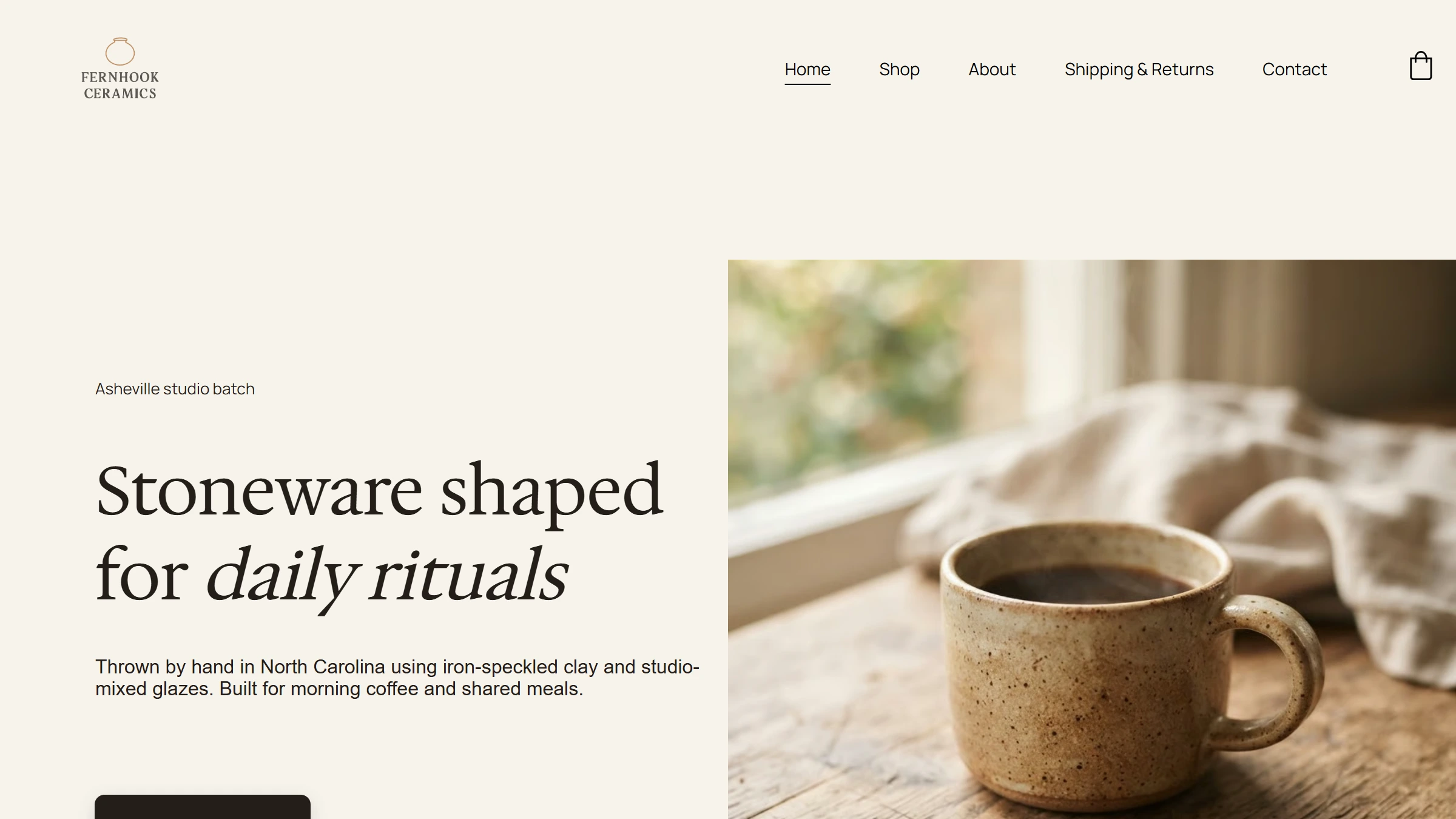

 Hostinger address
Ines Calder Photography
Wedding photographer · Premium
Up now· built in 5.5 min
Visit the live site ↗
All 3 run on Hostinger's servers, whatever the address. See the proof
Quick verdict
4.3
out of 5
Hostinger built each site in about 4 to 6 minutes, every one of my 12 edits worked, and the store, blog, email marketing and bookings are all built in. Its AI support was right every time. The catch: the AI made up some business details, including the photographer's address and phone, pages are slow on phones, and the price more than doubles at renewal.
My Hostinger AI Website Builder Test Results
| Category | Grade | In short |
|---|---|---|
| Time to a live site | 5/5Excellent | |
| Design on phones and desktops | 1/5Poor | |
| Sticking to my facts | 2/5Below average | |
| Editing | 5/5Excellent | |
| Page speed | 3/5Average | |
| SEO basics | 3/5Average | |
| Domain, blog and shop | 5/5Excellent | |
| Taking your site with you | 3/5Average | |
| Help and support | 5/5Excellent | |
| Price | 3/5Average | |
| My verdict | +0.8 | |
| Overall | 4.3/5Good |
What Is the Hostinger Website Builder?
Hostinger is a web hosting company, and its AI website builder makes a whole site from a short chat. It hosts the site for you and comes with an editor, a store and email marketing.
How the Hostinger AI website builder works
You describe your business in a chat. The AI asks a few quick questions, like what the site is about and which look you want, then builds the pages, text and photos in about two to three minutes.
After that, it's a normal drag-and-drop editor. You move things by hand, and AI tools sit beside you: a writer, an image generator and an SEO assistant. A separate "build it by chatting" mode uses AI credits.
Selling runs on Hostinger Ecommerce, with products, payments, shipping and tax. Plans are paid upfront, from $3.99 a month for 12 months.
How I Measured the Hostinger AI Website Builder
Every number here comes from my own tests and tools. Nothing is estimated or copied, Hostinger never saw the review first, and every builder gets the same briefs and checks.
My tools
Uptime monitor
Live · 22 Oct 2026, 17:30 UTC
100%
up so far · one bar per test day
Checks my three Hostinger sites every 5 minutes for 30 days.
Hostinger uptime test →How it works ›
Every 5 minutes, from one fixed location. A page is down if it doesn't answer in 20 seconds or returns an error, and every failure is checked again before it counts.
Price tracker
Live · 22 Oct 2026, 14:35 UTC
- Premium$2.49
- Business$3.49
- Cloud Startup$7.99
Reads Hostinger's US pricing page every day.
Hostinger price tracker →How it works ›
Every day, from a browser in the United States. A change is logged only when a dollar amount changes.
Fact check
Ran 22 Oct 2026
46 / 60
facts the AI got right
Checks 60 facts from my briefs on the live sites, by hand.
The 60 facts →How it works ›
Three fixed briefs with 20 facts each, the same for every builder. Every page of each live site was read and each fact marked right, missing or wrong.
Design and SEO checker
Ran 22 Oct 2026
38 · 8/12
design faults · SEO basics met
Reads the code of all 25 pages for layout faults and SEO.
Design results →How it works ›
25 pages at phone, tablet and desktop width, with a contrast check, plus the published HTML, sitemap and robots.txt.
Page speed tests
Ran 22 Oct 2026
68 / 100
Google speed score, about 5.6 s to show
Google's speed test, 18 runs on six pages.
Speed results →How it works ›
Google's Lighthouse mobile test, three runs on each of six pages, 18 runs in all.
Fixed task lists
Ran 22 Oct 2026
12 · 12 · 3
edits · features · support answers passed
12 edits, 12 business features and 3 support questions, timed.
How I test website builders →How it works ›
Each task timed and marked done or not, with screenshots, including a test order and its emails.
Everything I did, in numbers
3
sites built from my briefs
60
facts checked by hand
25
pages checked for faults
12
editing jobs, timed
18
Google speed tests
1
test order, 3 emails
3
support answers checked
5 min
between uptime checks
How I rate
Each of the ten tests gets a 1 to 5 grade on the same scale for every builder. I average them, then may move the result by up to one point, and always say why. For Hostinger: 3.5 from the tests, plus 0.8, so 4.3 out of 5.
Hostinger pros and cons
Pros
- A live site in about 4 to 6 minutes
- All 12 edits worked in a real drag-and-drop editor
- Store, blog, email marketing and bookings built in
- Automatic sitemap, canonical tags and schema
- Fast, correct AI support, with a human available
- Cheap first year
Cons
- The AI made up contact details and products
- Slow pages on phones
- Price more than doubles at renewal
- No page descriptions, few image descriptions
- Changing the font broke the headings
- No code export; layout and store can't leave
Hostinger Pricing & Value
- Price
- 3/5Average
Hostinger's US prices on 22 October 2026. Every plan is paid upfront for the whole term, and there's no free plan.
Premium
$3.99Per month (12 months)
Per month (12 months)
- Renews at
- $10.99/mo
- What it's for
- Up to 3 sites and your own domain
Unlimited
$4.99Per month (12 months)
Per month (12 months)
- Renews at
- $16.99/mo
- What it's for
- Unlimited sites, store and email marketing
Ecommerce add-on
$8.99Per month (12 months)
Per month (12 months)
- Renews at
- $8.99/mo
- What it's for
- Selling on Premium ($1 in total for the first 3 months)
What you'll really pay
Cost over two years on Premium
- First year$3.99 a month$47.88
- Second year$10.99 a month$131.88
- Two yearsPremium only$179.76
- Renewal is 2.75 times the first-year price: $10.99 a month instead of $3.99.
- Paying month to month costs $12.19 (Premium) or $18.99 (Unlimited).
- The cheapest monthly price needs a 48-month term ($2.49 a month, $119.52 upfront).
- To sell on Premium you add Ecommerce: $1 for three months, then $8.99 a month. Hostinger takes no cut of sales; Stripe and PayPal charge their own fees.
- A 30-day money-back guarantee covers every plan.
Live price tracker
My tracker reads Hostinger's US pricing page every day, so any change shows up here.
Hostinger prices, checked every day
Live data· last check 22 Oct 2026, 14:35 UTC- Premiumfirst-term discount$2.49/mo
- Businessfirst-term discount$3.49/mo
- Cloud Startupfirst-term discount$7.99/mo
My take
The first year is cheap. Budget for the renewal: about $132 a year on Premium, plus about $108 a year if you sell through the Ecommerce add-on.
Hostinger Uptime Test: 30 Days on My 3 Sites
A site that goes offline loses customers, so I'm watching my three Hostinger sites for 30 days, 22 October to 21 November 2026.
My own monitor opens each site every five minutes and records whether it answered and how fast. Hostinger hosts all three, so a Hostinger outage would show here.
Each site has its own monitor. Pick a day on the strip to see every check from it.
Is it really Hostinger serving these sites?
Yes. The shop's address points to Hostinger's connect server, every answer carries Hostinger's own CDN signature, and each page names "Hostinger AI Builder" as its generator. RankDude itself runs elsewhere (Vercel).
Hostinger uptime test: my 3 test sites, every 5 minutes
Live data· last check 22 Oct 2026, 17:30 UTC100%
Up so far
308 ms
Typical answer time
0
Outages recorded
9
Checks so far
Loading the checks…
Building a Site with Hostinger's AI
- Time to a live site
- 5/5Excellent
- Sticking to my facts
- 2/5Below average
I pasted three detailed briefs, the same for every builder, into Hostinger's AI chat (read all three, word for word):
- A ceramics shop: three products with prices and colours, shipping, returns, pickup and a contact page.
- A café and bakery: menu prices, opening hours, the address, catering and a contact page.
- A wedding photographer: four packages with prices, a booking form, the address, and no made-up reviews.
Each brief holds 20 facts I can check. I timed each build and read every page.
Step by step
- The brief. I pasted it into the chat.
- The questions. One to three quick questions per site, even when the brief already answered them: what it's about, which features, which look. I answered from the brief and let the AI pick the style.
- How to build. I chose "Build it visually" (the drag-and-drop editor) and skipped buying a domain.
- The build. About two to three minutes, with a small game to play while you wait. The site went live by itself on a temporary address.
Time from brief to a live site
- Ceramics shop4 min 16 s
- Café4 min 20 s
- Photographer5 min 34 s
All three were live in under 6 minutes, with no failed attempts.
What it got right, and what it made up
Hostinger got 46 of my 60 facts right. The shop and café were close; the photographer site was not.
Facts from my brief that were right on the site
Ceramics shop19 of 20 right
Café18 of 20 right
Photographer9 of 20 right
- Right
- Missing or wrong
- The photographer's address, phone and email were invented, so customers would have called a number I never gave.
- Its Pricing page showed no prices, left out the Elopement package, and gave the wrong delivery times, travel distance and session lengths.
- The shop got two products I never listed: a $42 pour-over dripper and a $64 fluted vase.
- The café menu gained a cortado and a $2 add-on, plus a made-up backstory. No fake reviews, though.
Prices, hours and addresses on the shop and café were right. But read every page before you launch, contact details first.
Design on Phones and Desktops
- Design on phones and desktops
- 1/5Poor
I checked all 25 pages (including the shop's 7 product pages) on a phone, tablet and computer for design faults.
The designs are calm and polished and fit each business. Nothing scrolled sideways, no placeholder was left in and every image loaded.
But I counted 38 faults:
Design faults on 25 pages (Yes = no problem found)
Buttons too small to tap
25NoOn all 25 pages, mostly menu links and small icons.
Text that's hard to read
12NoPale labels on all 12 shop pages.
Text overlapping itself
1NoOn one café page.
Pages scrolling sideways on a phone
0YesNone did.
A placeholder left in
0YesNone.
Broken images
0YesNone.
These are quick fixes in the editor. There's no Hostinger badge on the sites.
Editing Your Hostinger Site
- Editing
- 5/5Excellent
Hostinger has a drag-and-drop editor, so I did the same 12 editing jobs I give every builder by hand, then checked the live site:
12 editing jobs, timed
Move a section up the page
Arrows on the sectionYesChange the font on the whole site
Styles > FontsYesIt broke the layout: headings grew so big they ran over the text. See below.
Change the colours on the whole site
Styles > ColorsYesIt shows how many places use each colour.
Add a new page with a menu link
Pages > Add pageYesAdded to the top menu, not the footer menu.
Edit the footer
Click and typeYesAdd a field to a form
Edit form > FieldsYesPhone is a type of short answer; only four field types.
Swap a photo and choose which part shows
Replace, then CropYesChange where a button goes
Button settingsYesThe AI had linked this button to nothing.
Copy a section
Duplicate, then arrowsYesChange the phone layout only
Phone viewYes32 px on phones, 56 px on desktop, checked live.
Add your own HTML code
Elements > Embed codeYesAsk the AI to rewrite a section
AI WriterYesAbout 4 seconds, every fact kept. Set actions only (rephrase, shorten, change tone).
All 12 worked, most in under two minutes. It's a real editor: drag things, click into text, change the phone version on its own.
The font change that broke the headings
When I picked a new font for the site, Hostinger also made the headings much bigger, and 16 headings ran over the text on 5 pages. Fixing it took about 20 minutes: one site-wide setting, then 13 headings by hand.
Hostinger Page Speed
- Page speed
- 3/5Average
Slow pages lose visitors and rank lower on Google, so I tested my sites on a phone.
What I tested
- Six pages: the home page and one inner page of each site.
- Three runs each, 18 in all; I use the middle result.
- With Google's own speed test (Lighthouse), acting like a phone on mobile data.
It gives a score out of 100: 90 or more is fast, 50 to 89 is okay, under 50 is slow.
What I found
Page speed score on a phone (out of 100)
- Shop, shop page70
- Café, menu70
- Shop, home68
- Café, home68
- Photographer, home68
- Photographer, portfolio66
Every page scored 66 to 70: okay, not fast. The main content took a while to appear:
Seconds until the main content shows
- Shop, shop page5.2 s
- Café, menu5.2 s
- Shop, home5.6 s
- Café, home5.7 s
- Photographer, home5.7 s
- Photographer, portfolio6.6 s
Google wants under 2.5 seconds; Hostinger took about 5.6. The first thing on screen appeared after about 4.4 seconds.
Google's own reports, straight from the test
Google's own reports for four of the pages. The big number is the score; Largest Contentful Paint is when the main content appears.
Why not faster? Images are modern AVIF files and load lazily, but the shop pages weigh about 5.9 MB and every page waits a few seconds before showing anything.
Hostinger SEO: Will Google Find Your Site?
- SEO basics
- 3/5Average
SEO helps your site show up on Google. A builder can't make you rank, but it should give Google a clean site and let you fix what it gets wrong.
How I checked
I read the code of all 25 live pages, the way Google does, and went through Hostinger's SEO panel.
Pages: titles, descriptions and structure
A title for every page
PartlyEvery page has one, but it's just the page name, like "Home" or "Menu".
A description for every page
NoThe text under the link. None on the 18 normal pages; only the product pages have one.
One main heading (H1) per page
Yes24 of 25 pages; the photographer's Book page has none.
Headings in the right order
No14 of 25 pages skip a level.
Clean page addresses
YesLike /menu and /shipping-returns.
Behind the scenes: data for Google
Structured data (schema)
YesHidden labels that tell Google what a page is. Included, with prices on product pages.
A robots.txt file
YesPresent on every site.
A sitemap that updates itself
YesAutomatic, with dates.
Marking the main version of each page
YesCanonical tags on every page.
Previews when shared on social media
PartlyA title, but no picture.
Redirects when you move a page
NoHostinger's help says the AI Builder has no page redirects.
Hiding a page from Google
YesA switch on each page's SEO settings.
Images: accessibility, speed and SEO (177 images checked)
Alt text (describes the photo)
No45 of 177, all on shop products; none on the café or photographer sites.
Descriptive file names
NoRandom codes.
Modern, light image formats
YesAVIF.
Images loaded only when needed
YesLazy-loaded.
My take
Hostinger gets the technical side right: sitemap, canonical tags and schema are automatic. The writing is missing: no page descriptions, plain titles and few image descriptions. Each page's AI SEO Assistant can write them, but you have to ask, page by page.
Domain, Blog and Shop
- Domain, blog and shop
- 5/5Excellent
I tried 12 things a small business needs. Hostinger has most of them built in, not something you ask the AI to make:
12 things a small business needs
Connect my own domain with HTTPS
YesOne CNAME record; live with HTTPS in about 16 minutes. Only one subdomain level is allowed.
Get contact-form messages by email
YesSaved in Form submissions; the notification email arrived.
Add a blog
YesA Blog page from a template, with its own post manager. It adds six placeholder posts, already public.
AI help writing a blog post
YesA 550-word post with a cover photo in 14 seconds.
Email marketing
YesHostinger Reach: campaigns written by AI, subscribers from your forms.
Bookings
YesAn Appointment product: customers pick a date and time.
Products with sizes or colours
YesSupported, but the AI made each colour a separate product.
A real test order through checkout
Yes$82 with Hostinger's test payment, plus three customer emails.
Sales tax settings
YesTax rules you add yourself.
Shipping settings
YesThe AI set none ($0, wrong country); I set $8, free over $100, and pickup in 4 minutes.
Selling downloads
YesA Digital product type, downloaded by link after purchase.
Visitor stats
YesBuilt in: sessions and unique visitors, updated daily.
12 of 12 work. The tools are there; the AI just doesn't set them up for you.
A real test order
I switched on Hostinger's test payment (no real money) and ordered a mug and a bowl: $82. Checkout charged $0 shipping, because the AI had written "$8 flat" on the pages but set no shipping rule. Three emails followed: order confirmed, a new-order alert, and "your order is on its way".
Two more catches: the store's currency and country came from my account, not my brief, so I set them by hand, and there was no gift-wrap option at checkout although the site promised one.
Can You Take Your Site With You?
- Taking your site with you
- 3/5Average
What if you want to leave Hostinger? I went through every export option.
If you leave Hostinger, can you take it with you?
The website itself
NoThere's no code export. The design and layout stay on Hostinger.
Pages, text, images and blog posts
Yes"Export content to WordPress" copies them to a WordPress site.
Form messages
NoNot included in the export.
Orders and customers
YesEach downloads as a spreadsheet (CSV).
Your domain
YesA domain you own stays yours; remove one DNS record to leave.
In short: your words and photos can leave, the design and store can't. Moving away means rebuilding the layout somewhere else.
Hostinger Help and Support
- Help and support
- 5/5Excellent
I asked Hostinger the same three questions I ask every builder.
My 3 questions: was the answer right?
"I bought a domain elsewhere. How do I connect it?"
YesRight, with exact steps for Namecheap and a warning about email records.
"My contact-form messages aren't arriving. Why?"
YesRight: check Form submissions, the notification address and spam.
"How do I change my card and switch to yearly billing?"
YesRight, and it looked up my real subscriptions.
The AI: right answers in under a minute
Hostinger's support chat is an AI called Agent, inside the control panel. It started answering in about a second and finished each answer in under a minute:
A real person
When I asked for a human, the AI first offered to keep helping, then let me wait for a person. A hosting specialist joined the chat about 5 minutes later.
Correct answers, fast, and a person when you need one: very good support.
Final verdict: is the Hostinger AI website builder worth it?
4.3
out of 5
Great tools and support. Just don't trust the AI's facts.
Hostinger built each site in under 6 minutes, every edit worked, and the store, blog and email marketing are built in. But the AI invented contact details and products, pages are slow on phones, and the price more than doubles at renewal.
Choose Hostinger if
- You want a site and a shop in one place
- You like a drag-and-drop editor with AI help
- You want low first-year costs
Skip it if
- You won't check every word the AI writes
- Page speed on phones matters a lot to you
- You might move to another host later
Best for: Small businesses that want a site, a shop and email marketing in one place, at a low first-year price.
Try HostingerVideo review · 8:29
Watch me test Hostinger
The whole test in 8 minutes: three sites built from my briefs, the 60 facts, 12 edits, a domain, a blog, a test order, support, speed, SEO, my uptime monitors and the prices. Captions and the full transcript are one click away.
Transcript
Hey, I'm Miles, and this is RankDude. I test AI tools myself, hands on, and I publish everything I measure, so you can decide before you pay for anything. Today it's Hostinger. Hostinger is a big web hosting company, and its AI website builder makes a whole site from a short chat, then gives you a drag and drop editor, hosting and an online store. The short version? The tools and the support are excellent. But the AI made up some of my business details, and the pages are slow on phones.
So first, what is the Hostinger website builder? You describe your business in a chat, the AI asks a few quick questions, and then it builds the pages, the text and the photos in a couple of minutes. After that, it's a normal drag and drop editor. You move things by hand, and AI tools sit beside you, like a writer, an image generator and an SEO assistant. Selling runs on Hostinger Ecommerce, with products, payments, shipping and tax. And every plan is paid upfront, from three ninety nine a month for a year.
Now, before we get into it, let me show you how I measured all this, because I didn't take Hostinger's word for anything. Everything you'll see comes from my own tests and my own tools. I paid for a month of Hostinger Premium with the Ecommerce add-on myself, and built three real websites with it. My shop runs on its own address, and the café and the photographer are on Hostinger's free addresses. Every website builder I review gets the exact same three briefs, with twenty facts each, like prices, opening hours and an address. That's sixty facts, and after Hostinger built each site, I checked every single one by hand. And I built my own tools for the rest. The first one is an uptime monitor. It opens each of my three Hostinger sites every five minutes, day and night, for thirty days, and records whether it answered and how fast. Every site gets its own monitor. Each day is a bar, and underneath you can see every single check from that day. There's no estimating here, every bar is a real check. The second tool reads Hostinger's prices from its pricing page every day, from the United States, so if a price changes, you'll see it here. Then there's my design and SEO checker, which reads the actual code of every page on my sites, Google's own speed test, run eighteen times, and the same list of jobs for every builder, like twelve edits, twelve business features, and three questions for support. Nothing here is estimated, copied from Hostinger, or taken from another review, and Hostinger never saw any of it before it went live. And here's how I rate. Every test gets a grade from one to five, on the same scale for every builder. I average them, and I can move the result by up to one point for things the numbers miss, but I always say why. Okay, let's build some websites.
So I pasted my first brief into Hostinger's AI chat. It asked me a few quick questions, like what the site is about and which look I wanted, even though my brief already said most of it. I let the AI pick the style, and chose to build it visually, in the drag and drop editor. Then it builds the site in about two or three minutes, with a little game to play while you wait. And the site goes live by itself, on a temporary address. The shop and the café were live in just over four minutes, and the photographer in about five and a half. No failed attempts.
But here's the problem. Out of the sixty facts I gave it, Hostinger got forty six right. The shop and the café were close. The photographer site wasn't. Its address, phone number and email were all made up, so customers would have called a number I never gave. Its pricing page showed no prices at all, and the shop got two products I never listed, a pour over dripper and a fluted vase. So read every page before you launch, and check the contact details first.
The good news is that the sites look polished, and each one fits its business. A calm stoneware shop, a warm café, and a golden hour photographer. I checked all twenty five pages on a phone, a tablet and a computer. Nothing slid off the side of the screen, there were no placeholders, and every photo loaded. There are some rough edges, though. A lot of the buttons are small and fiddly to tap, and the shop's small labels are pale and hard to read. Quick fixes in the editor.
Now, editing. Hostinger has a real drag and drop editor, so I gave it the same twelve editing jobs I give every builder, and every single one worked, most in under two minutes. You can even change how the site looks on phones only. I made the headline smaller on phones, and the desktop version stayed exactly as it was. The AI writer rewrote a paragraph in about four seconds and kept every fact. But one thing caught me out. When I changed the font for the whole site, the headings got so big they ran over the text on five pages. Fixing that took me about twenty minutes.
Next, I wanted to see if you could actually run a business on it, so I tried twelve things a small business needs. Most of them are built in. A blog, where the AI wrote a full post in fourteen seconds. Email marketing, bookings, digital downloads, tax rules and visitor stats. I connected my own domain with one record, and it was live with a secure connection in about sixteen minutes. Then I placed a test order with Hostinger's test payment. It went through, and three emails followed. But shipping was free, because the AI had written eight dollars on the pages and never set it up. I set it myself in about four minutes.
I also asked Hostinger's support the same three questions I ask every builder. Its AI support chat started answering in about a second, and all three answers were right, with exact steps. When I asked for a person, a hosting specialist joined the chat about five minutes later. That's very good support.
Now page speed. I ran Google's speed test on six pages, three times each, as if on a phone. Most runs scored between sixty six and seventy out of a hundred. That's okay, not fast. The main part of each page showed up after about five and a half seconds. Google wants two and a half. And the shop pages weigh almost six megabytes.
My uptime monitor is checking all three Hostinger sites every five minutes, and so far, every single check has been answered. The test runs until the twenty first of November, and you can follow every check live on the uptime page.
For Google, I checked twelve SEO basics in the actual code of my sites. Hostinger gets the technical side right. A sitemap, canonical tags and structured data are all automatic. What's missing is the writing. No page descriptions, titles that just say Home or Menu, and very few image descriptions. Each page has an AI SEO assistant that can write them, but you have to ask, page by page.
And if you ever want to leave, your words, photos, pages and blog posts can be exported to WordPress, and your orders and customers download as spreadsheets. But the design, the store and your form messages stay on Hostinger. So moving away means rebuilding the layout somewhere else.
So what does it cost? To use your own domain, the cheapest plan is Premium. That's forty seven eighty eight for the first year, paid upfront. But then it renews at ten ninety nine a month, about a hundred and thirty two dollars a year. And to sell online on Premium, the Ecommerce add-on is eight ninety nine a month after three months. My price tracker checks Hostinger's prices every day.
So, would I use Hostinger? For a small business that wants a site, a shop and email marketing in one place, yes. The editor works, the tools are all there, and the support is great. Just don't trust the AI's facts, and budget for the renewal price. Overall, I gave Hostinger four point three out of five. Every test, every check and every screenshot is in my full Hostinger review, and the links are in the description. Thanks for watching, and I'll see you in the next one.
Chapters · 15
Frequently asked questions
What is the Hostinger website builder?
Hostinger's AI website builder makes a site from a short chat, then lets you edit it in a drag-and-drop editor with AI tools. Hostinger hosts it, and you can add an online store, a blog and email marketing.
Is Hostinger's AI website builder free?
No. There's no free plan; every plan is paid upfront. Premium was $47.88 for the first 12 months in my test, then $10.99 a month, with a 30-day money-back guarantee.
Can I trust the text Hostinger's AI writes?
Check it. In my test it got 46 of 60 facts right and invented a business's address, phone number and email, plus products. Prices and hours on two of the sites were right.
Can I move my Hostinger site to another host?
Only partly. You can export pages, text, images and blog posts to WordPress, and orders and customers as spreadsheets, but not the design, the store or form messages.
How fast does Hostinger connect a custom domain?
Mine was live with HTTPS about 16 minutes after I started, with one CNAME record. Only one subdomain level is allowed.

Miles FosterOwner and tester, RankDude
Disclosure. I tested on a Hostinger plan RankDude paid for at the public price. Hostinger didn’t see this review first and had no say in my rating. How RankDude makes money is on the disclosure page.