
Bubble Review: AI App Builder, Pricing & My Test Results
By Miles Foster, Owner and tester, RankDude. Tested , published .

Prefer to listen or watch? A 4-minute walkthrough, or the 7-minute video. Sound on.
I gave Bubble the same brief every app builder gets: a booking app for a made-up Pilates studio. I approved the plan its AI Agent proposed, let it build the app, ran 24 checks on the live app, attacked it twice, asked for changes until the AI credits ran low and looked for a code export. I paid nothing, on a free trial of the Starter plan.
Every measurement is in the Bubble test results.
What I paid for, and what I built on Bubble
Live and monitoredI built one app, from one brief, on a free Starter trial. It is as Bubble's Agent made it, plus a few steps by hand in the admin screen and data view, and eight changes:
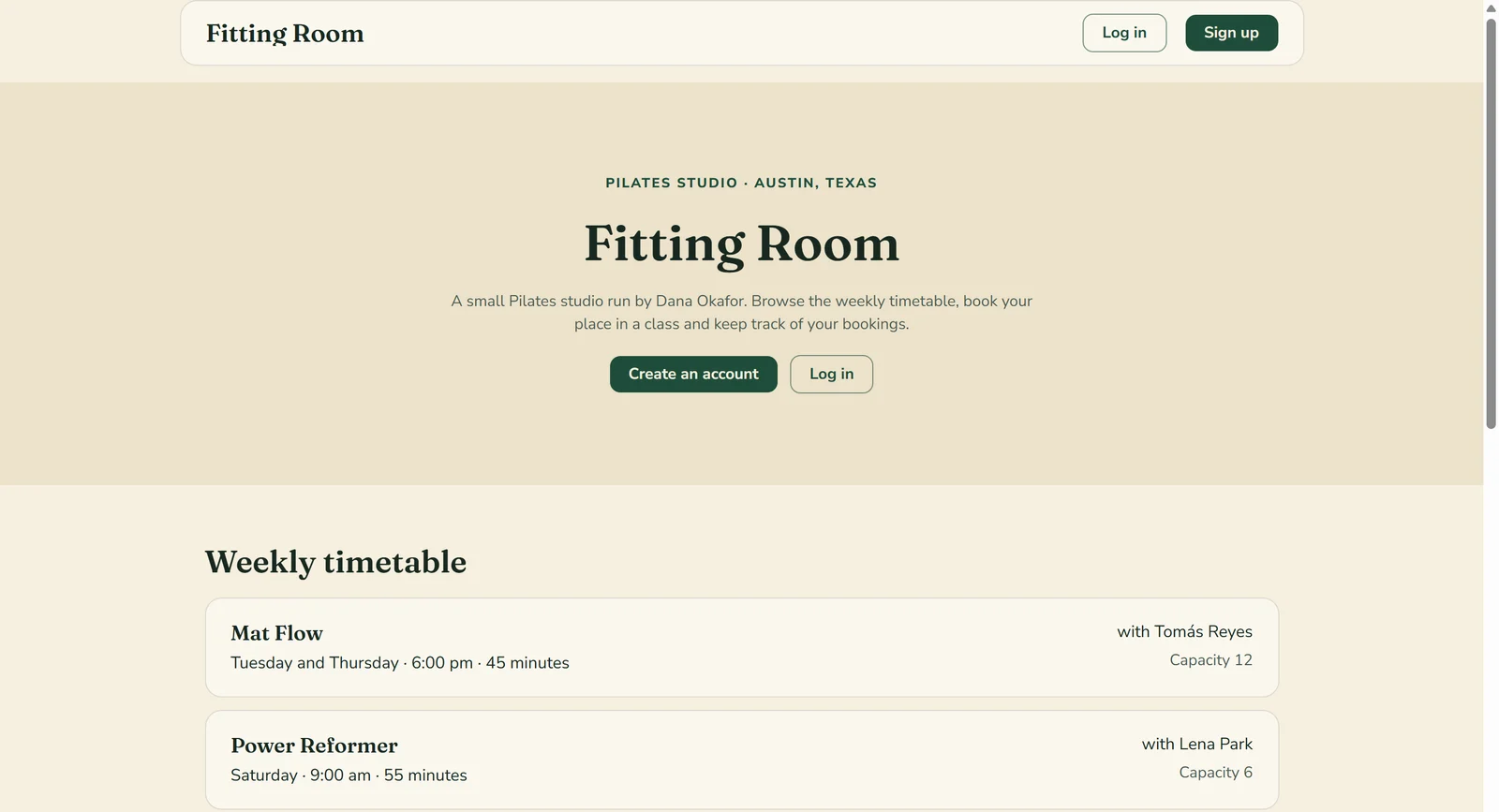
Bubble test app
Pilates studio app, built on the Starter trial, on its Bubble address., built on the Starter trial, on Bubble's address.
Up now· live 21 minutes after my brief; unpublished when I cancelled the trial
Open the Bubble test app ↗It runs on Bubble's servers, whatever the address. See the proof
My Bubble AI App Builder Test Results
| Category | Grade | In short |
|---|---|---|
| Prompt to working appLive in minutes, but it needed my hands | 4/5Good | |
| Brief accuracyMost checks passed, seed classes missing | 4/5Good | |
| Logins and securityAnyone can sign up as admin | 3/5Average | |
| Data survivesSaved, edited, deleted and exported | 5/5Excellent | |
| Twelve changesMost changes worked, a few did not | 3/5Average | |
| Publish, speed, mobileOnline in moments, slow on a phone | 3/5Average | |
| Code exportNo way to export the app | 1/5Poor | |
| Cost to finishFree trial, but the credits ran low | 3/5Average | |
| Overall | 3.3/5Average |
What Is Bubble?
Bubble is a visual no-code platform for web apps. Its AI Agent sits in the editor: you describe the app in a chat, it proposes a plan, you approve it, and it builds the pages, the database, the log-in and the workflows. To change something, you type another message.
You pay with AI credits and hosting limits. The Free plan includes 500 credits a month but no live site, and the paid plans run from $39 to $399 a month. I used a 14-day free trial of Starter.
How I Tested Bubble
Every number here comes from my own tests and my own monitors. Nothing is estimated or copied, Bubble never saw the review first, and every app builder gets the same brief, checks, changes and attacks. This review is based on eight graded tests. I left two out. Payments and emails need your own keys, and Bubble has not yet answered my support question.
My tools
Bubble pros and cons
Pros
- Built in about 13 minutes
- Booking and cancel rules worked
- Both access attacks blocked
- Deploys in seconds
- Emails arrive with no keys
- Free trial of Starter
Cons
- Anyone can sign up as admin
- Live app opened empty
- Instructor screen missed a class
- No code export found
- Slow on a phone
- Credits ran low before twelve changes
Bubble Pricing
Bubble has a Free plan with 500 AI credits a month and no live site, then $39 Starter, $134 Growth and $399 Team, each with more AI credits. Prices read on 26 October 2026, monthly view. Billed yearly they are lower.
Bubble plans and prices
| Plan | Price a month | What you get |
|---|---|---|
| Free | $0 | 500 AI credits a month. Development version only |
| Starter | $39 | 1,000 AI credits, live website, custom domain. The trial I used |
| Growth | $134 | 2,000 AI credits, two app editors, two-factor authentication |
| Team | $399 | 4,000 AI credits, five app editors, 25 custom branches |
Bubble Cost: What My Test App Really Cost
Here is the number you will ask about first. In total I paid $0: the workspace was a free Starter trial, and I cancelled it before it could charge the card on file. The test used 961 of the 1,000 AI credits the plan includes for the month.
What my app cost
| What I paid for | Cost |
|---|---|
| Free Starter trial | $0 |
| AI credits used | 961 of 1,000 |
| Total I paid | $0 |
The first build alone took 483 credits. That left too little for all twelve changes, so a top-up would have been needed. I also did not test what 1,000 bookings a month would cost.
Bubble Build Speed: One Brief to a Built App
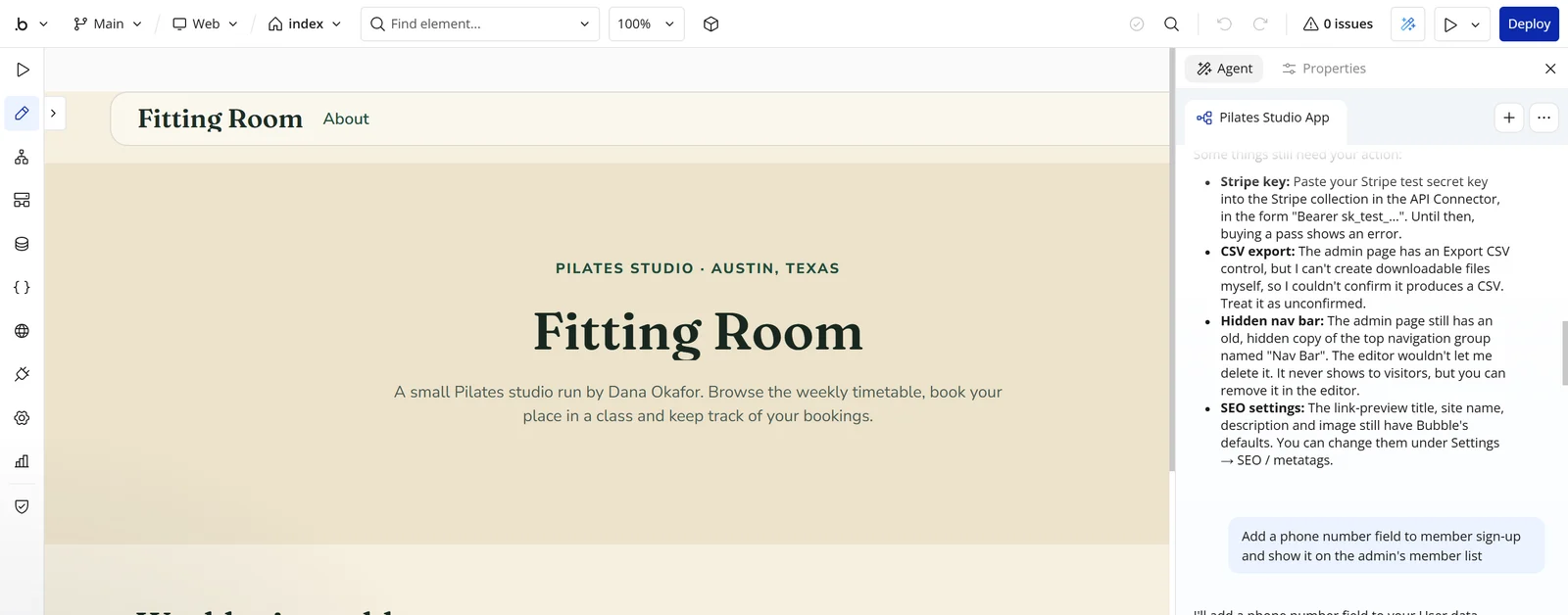
Bubble's Agent proposed a 23-step plan about two minutes after I pasted the brief. I approved it, and the app was built in about 13 minutes. I deployed it 21 minutes after I started.
The live app was not done. Its timetable was empty, and I added the classes, gave two members credits and renamed the instructor by hand before 20 of the 24 checks passed, 47 minutes after the brief. My first two tries on Bubble's start page lost the plan when the trial began, so I started again in the editor.
A 4, not a 5: it took one prompt and one approval, but over half an hour.
Bubble Accuracy: Did It Build What I Asked?
Mostly. 21 of 24 checks passed. Six more, the payments and the two emails, need keys that are mine to supply, so I left them out. Booking, My bookings, cancelling, the full-class rule, the admin's tools, the CSV and the Ask the studio form all worked.
Three checks failed. After Deploy the timetable read "The timetable will appear here once classes are added", because the seed classes lived only in the development data. So only 7 of my 10 facts showed. Nothing was invented, which is better than some builders managed.
The third failure is the instructor screen. It listed Power Reformer but not Reformer Basics, which the same instructor teaches and a member had booked.
Bubble Editing: The Twelve Changes
I ran eight of the twelve changes, one prompt each, and stopped when the AI credits fell to 39. Six worked first time: a phone field and a Members list, Instructor renamed Coach, dark green and cream, an About page, a coach filter and a second email.
Twelve changes, one prompt each
| What happened | Changes |
|---|---|
| Worked first time | 6 |
| Worked after a second message | 1 |
| Did not happen on the live app | 1 |
| Not run, credits too low | 4 |
| AI credits used | 478 |
Two did not go smoothly. The new capacity for Power Reformer changed only in the development data, so the live timetable kept the old number. When I reported the credit bug I had planted, the Agent answered that it was not a bug, because I had asked for it, and I had to tell it to restore the refund. Each change cost between 28 and 95 credits.
Bubble Publishing and Page Speed
Publishing was fast. I pressed Deploy, typed a short description and the app was live on Bubble's own address in about three seconds, and each redeploy took about five and cost no credits. A custom domain is offered from the Starter plan, but I did not try one.
Going live
| What I measured | Result |
|---|---|
| Deploying on Bubble's address | 3 seconds |
| Address it went live on | bubbleapps.io |
| Google phone speed score | 57 of 100 |
| Time to main content | About 9 s |
| Weight of the page | 1.3 MB |
Google's phone speed test, out of 100
- Home page57
- Score where a 4 starts75
The weak spot is speed: the main content took about nine seconds on a simulated phone. I did not count layout faults or try a real phone.
Every day I also run the Bubble speed test and the Bubble security checks.
Bubble Uptime: 30 Days of Checks
A review tells you what happened on one day. This tells you what happens every day after. My own monitor opens the app every five minutes for 30 days, from 26 October to 25 November 2026, and records whether it answered and how fast.
Bubble hosts the app. I cancelled the trial when the testing ended, and cancelling unpublished the app at once, so the record will show it as unavailable from that day. That is a finding too: nothing stays live after you cancel.
Every check so far is on the Bubble uptime record.
Bubble uptime test
Live data· last check 26 Oct 2026, 14:17 UTC100%
Online
293 ms
Answer time
0
Outages
Bubble Security: Logins and Private Data
Both of my attacks were blocked. A member cannot reach another member's bookings: the app's Data API is off, and the privacy rules show a booking only to its owner or an admin. A member who opened the admin page was sent back to the home page. Password reset by email worked.
The hole is in the sign-up form. It asks "Sign up as" and offers Member, Instructor and Admin. I chose Admin with a new account and got the admin screen: every booking, every member email and the delete button for classes.
That makes the two blocked attacks easy to walk around. The fix is small, but you have to know to ask for it.
Bubble Database: Does the Data Survive?
Yes: six of six data checks passed. Bookings and the Ask the studio form wrote records, and they stayed after reloads, nine redeploys and the colour change. The admin could view, edit and delete rows in the app, filter them in the Data tab and export bookings as a CSV.
One trap: Bubble keeps development and live data apart. The seed classes and the capacity change sat in the development copy, which is why the live app was empty and E05 failed.
Bubble Payments and Emails
I did not run payments, because Stripe needs a key that is yours to supply. The Agent said so itself: the Buy a pass button needs your Stripe test key in the API Connector. The six checks that depend on it are left out, and this test is not graded.
Emails did arrive without any setup, from a Bubble address: one when I booked a class and one when the admin cancelled a booking.
Bubble Code Export and Ownership
Exporting means downloading your app so it can run somewhere else. I looked in the editor's Settings and in the Data tab and found no code export. What exists is a CSV of your records and the admin page's CSV of bookings.
I did not read the terms, so I cannot say who owns the app you build. Check this before you pay if your app must leave one day.
Bubble Support and Cancellation
I asked Bubble's chat how to restrict the role choice at sign-up and how to export the app. A bot greeted me and I had no reply from a person when I wrote this. Support is not graded yet.
The trial charges the card on file when it ends on 9 November 2026. You cancel it in the editor: Settings, My plan, Downgrade, then Cancel trial. I cancelled mine when the testing was done. It ended the trial and unpublished my live app straight away. The Bubble home page had no cancel link.
Bubble Reviews: What Other Users Say
I have not yet read what other users say about Bubble, so this draft has no review scores. Read them before you decide.
Final verdict: is Bubble worth it?
If this were my studio, I would use Bubble's Agent to get a fast draft of Fitting Room, but not publish it as it came. It built real booking logic, but it left the live data empty and let anyone choose Admin at sign-up.
It suits people who want a quick working booking app and will tighten the access rules and fill the live data themselves. It suits you less if the app must be secure the moment it goes live, or if it must be able to leave one day. I could not try payments without your own keys, and Bubble has not yet answered my support question.
The eight graded tests average 3.3 out of 5, and I rate Bubble 3.3. Export is the lowest grade, because I found no code export, and data is the highest, because every record survived every change.
See the Bubble test results and how I rate.
Best for: People who want a working draft of a booking app fast, and will fix the access rules and the live data themselves.
My grade: 3.3/5. The ten grades say where it is strong and where it is not.
Video review · 6:32
Watch me test Bubble
The whole test in about six and a half minutes: one brief to a built app, 24 checks, two attacks, eight changes and why any visitor can sign up as admin. Captions and the full transcript are one click away.
Transcript
Hey, I'm Miles, and this is RankDude, where I test AI tools hands on and publish every number, so you can decide before you pay. Today it's Bubble, a visual no-code platform with an AI Agent that builds a web app from a chat. I tested it on a free trial, with one brief for a Pilates booking app called Fitting Room. The short version is that Bubble's Agent built a working booking app in about thirteen minutes, and twenty-one of twenty-four checks passed. But the live app opened empty, and the sign-up form lets any visitor choose Admin. I found no way to export the app. My rating is three point three out of five, from eight graded tests.
So, what is Bubble? It's a visual no-code platform for web apps. Its AI Agent sits in the editor. You describe the app, it proposes a plan, you approve it, and it builds the pages, the database, the log-in and the workflows. After that, every change is another message. You pay with AI credits. The free plan includes five hundred a month, but no live site. The paid plans run from thirty-nine to three hundred ninety-nine dollars a month, and I used a free trial of the Starter plan.
Every builder I review gets the same brief, word for word. Fitting Room is a booking and membership app for a small Pilates studio, with a timetable, members who book, coaches, an admin, and a ninety-five dollar five-class pass. Bubble proposed a plan in about two minutes. I approved it, and the app was built in about thirteen minutes. I deployed it twenty-one minutes after I started. But the live app was not finished. The timetable was empty. So the build earns a four.
Now accuracy. Twenty-one of twenty-four checks passed. Six more checks, the payments and the two emails, need keys that are mine to supply, so I left them out. Booking, cancelling, the full-class rule, the admin's tools, the export file and the Ask the studio form all worked. Here is the member timetable, with places left on every class. Three checks failed. Right after Deploy, the timetable was empty, because the three classes lived only in the development data. And the instructor screen listed one of the two classes the instructor teaches. Nothing was invented. Accuracy scores four.
Log-in, and the two attacks. Sign-up, log-in and password reset all worked, and the reset email arrived in seconds. Attack one. I'm a member, and I ask for another member's bookings. Blocked. Attack two. As a member, I open the admin page. I'm sent back to the home page. Blocked. But look at the sign-up form. It asks, Sign up as, and offers Member, Coach and Admin. Any visitor can choose Admin. I did, and I got every booking, every member email, and the right to delete classes. That scores three.
Next, the data. All six checks passed. Bookings and the Ask the studio form wrote records, and they stayed after reloads, nine redeploys and the colour change. The admin could view, edit and delete rows, and export the bookings. One trap. Bubble keeps development and live data apart. That is why the live app was empty after Deploy. Five out of five.
Payments and emails. I did not run payments, because Stripe needs a key that is yours to supply. The Agent said so itself. Emails did arrive without any setup, one when I booked a class, and one when the admin cancelled a booking. This test is not graded.
Then the twelve changes, one prompt each. I ran eight, and stopped when the AI credits fell to thirty-nine. Six worked first time. A phone field and a members list, instructor renamed coach, dark green and cream, an About page, a coach filter, and an email when the admin cancels. The new capacity changed only in the development data, so the live app kept the old number. And when I reported the bug I had planted, the Agent said it was not a bug. Four changes were not run. That scores three.
Publishing. I pressed Deploy, typed a short description, and the app was live on its bubble apps dot io address in about three seconds. I did not connect my own domain. The weak spot is speed. On a simulated phone the home page scored fifty-seven out of a hundred, and the main content took about nine seconds to appear. That earns a three.
Can you take the app with you? I looked through the editor's settings and the data tab. There is no code export. What you can export is a spreadsheet file of the records, and one of the bookings. I did not read the terms, so I can't say who owns the app. This test scores one, the lowest grade.
Support and cancelling. I asked Bubble's chat how to stop visitors choosing Admin, and how to export the app. A bot greeted me, and a person had not replied when I wrote this. So support is not graded. The trial charges the card on file when it ends. You cancel it in the editor, under Settings and My plan. I did that when the testing was done, and it unpublished my live app straight away.
What did it cost? I paid nothing. It was a free trial, and I cancelled it before it could charge the card. The test used nine hundred sixty-one of the thousand AI credits. That left too little for all twelve changes. And the first build alone took four hundred eighty-three.
Pricing. Bubble has a free plan with five hundred AI credits and no live site. Then Starter at thirty-nine dollars a month, Growth at one hundred thirty-four, and Team at three hundred ninety-nine. Billed yearly, they are lower. A top-up would have been needed to finish all twelve changes, so pricing scores three.
So, my verdict. Bubble's Agent built real booking logic in minutes, with a capacity rule, cancellations that return credits, emails and an export file. But it left the live data empty, and let anyone choose Admin at sign-up. My rating is three point three out of five, the average of eight tests. Export is the lowest grade, and data is the highest. It suits people who want a fast working draft and will tighten the access rules themselves. It suits you less if the app must be secure the moment it goes live, or if it must be able to leave one day. Every measurement, every screenshot and every price is in the written review and the test results, linked below.
Chapters · 14
Frequently asked questions
How much does Bubble cost, and is there a free plan?
Yes. The Free plan has 500 AI credits a month but no live site. Starter is $39 a month, Growth $134 and Team $399. I paid nothing, on a free trial of Starter, and used 961 of its 1,000 credits.
Is Bubble legit and safe?
Mostly yes, in my test. It built a live app, and a member could not reach other members' bookings or the admin page. But any visitor could sign up as an admin, so check that before you launch. I did not read the terms.
Who owns the app I build on Bubble?
Not known. I did not read the terms, and I will not guess.
Can I download my Bubble code?
None found. There was no code export in Settings or the Data tab. You can export records and bookings as CSV files.
Does Bubble have a mobile app?
Not tested. The app I built is a web app that opens in a browser. Bubble's plans mention native mobile apps, which I did not try.
How do I cancel Bubble?
In the editor. The trial charges the card on file when it ends, so cancel before then: Settings, My plan, Downgrade, Cancel trial. I did that when the testing was done, and it unpublished my live app at once.

Miles FosterOwner and tester, RankDude
Disclosure. I tested on the free demo account anyone can open on Bubble’s site. I signed up myself and paid Bubble nothing. Bubble didn’t see this review first and had no say in my rating. How RankDude makes money is on the disclosure page.