
Zo Computer Review: AI Personal Assistant, Pricing & My Test Results
My rating
An AI assistant that remembers you and did every request I gave it. The free allowance is small, and email and calendar were not tested.
Best for: personal jobs with files, the web and reminders. Not for: a large free allowance or a tested email and calendar assistant.

Tested and written by Miles Foster
Based on 6 graded tests and my verdict. How I rate
I tested Zo Computer hands-on on its free trial, the way I test every AI personal assistant: one made-up person, fifteen facts to remember, seven everyday requests in new chats, a timer, and the plans and privacy pages.
Every measurement is in the Zo Computer test results.
My Zo Computer AI Personal Assistant Test Results
| Category | Grade | In short |
|---|---|---|
| Everyday Tasks DoneEvery request was done | 5/5Excellent | |
| MemoryFacts used in new chats | 5/5Excellent | |
| SpeedQuick on most requests | 5/5Excellent | |
| Permissions & PrivacySome points met, some not tried | 3/5Average | |
| Setup to First TaskAsks nothing before the first request | 5/5Excellent | |
| Pricing & ValueA fair paid plan | 4/5Good | |
| My verdict | +0.2 | |
| Overall | 4.7/5Excellent |
What Is Zo Computer?
Zo Computer is a personal cloud computer with an AI chat built in. You get your own address, your own files and a chat that can read them, search the web, drive a web browser and set reminders for you.
My account started from a Google sign-in. A free computer sleeps when you step away. I tested the web app on the free trial and did not connect any email or calendar.
How I Tested Zo Computer
Every AI personal assistant is meant to get the same week: 30 requests, a seeded inbox, a calendar and 20 facts. The free trial allows 20 messages a day, so I ran the free-plan version: seven requests and fifteen facts. Six of the ten tests were graded.
My tools
Last checked 12 Nov 2026Zo Computer pros and cons
Pros
- All seven requests done, no corrections
- Spending totals matched my answer key
- Seven facts used in new chats
- A real reminder in the Automations list
- Security page names its model providers
- Delete Account is in the app
Cons
- 20 free messages a day
- A flight search took over five minutes
- No full data export found
- No two-factor setting found
- Time zone and currency slips
- Ordinary access ends after 14 days
Zo Computer Pricing
The cheapest paid plan is Basic at $18 a month, or twelve times that over a year. It keeps the computer awake for you and adds memory across sessions.
Zo Computer plans and prices
Live data· last check 12 November 2026| Plan | Price a month | |
|---|---|---|
| Free Trial14 days, the computer sleeps, limited AI | $0 | 14 days, the computer sleeps, limited AI |
| BasicMonthly: always on, $10 a month of AI included | $18 | Monthly: always on, $10 a month of AI included |
| ProMonthly: 4 vCPUs, $40 a month of AI, priority support | $64 | Monthly: 4 vCPUs, $40 a month of AI, priority support |
| UltraMonthly: 8 vCPUs, $100 a month of AI, 50 services | $200 | Monthly: 8 vCPUs, $100 a month of AI, 50 services |
- Image, video, speech and transcription billed per request at fixed catalog prices
- Free accounts without Credits balance get small daily media allowance
- Trial AI usage is limited and Zo-funded
I did not buy a plan, so I could not see what the AI credit would cover for you. That is a good grade.
Zo Computer Free Trial Limits
The free trial gives you 14 days, with 20 free messages a day and 3 image and 1 video request a day. After 14 days you lose ordinary computer access.
I made one typing mistake. My list of facts went out one line at a time and used 10 of the 20 messages, so only 15 of the 20 facts were told. I stopped at 17 of 20.
Zo Computer Everyday Tasks
Zo Computer did all seven requests without a correction, and asked no questions first. The reminder is in the real Automations list, the spending totals matched my answer key, and the notice summary held all ten planted facts.
Three small slips: the reminder used the account's Jerusalem time, the summary guessed that rent might be late, and a £35 budget came back as roughly €40. That is an excellent grade, on seven requests.
Zo Computer Memory
Zo Computer used all seven facts the requests needed, in new chats, without a reminder. The landlord reply named Mr. Haines and the 31 January lease end, which I had told it once in another chat.
It saved the facts to a bio in its settings. Eight of the fifteen facts were not needed by any request, so they were not tested. That is an excellent grade, on a small sample.
Zo Computer Speed
Zo Computer's median request took 28.5 seconds. The landlord reply took 8.2 seconds, and the spending totals 28.5.
The flight search was still working after five minutes. It opened the page and read the fares itself. That is an excellent grade, just inside the 30-second line.
Zo Computer Permissions and Privacy
Zo Computer meets four of the six privacy points I could check. Its security page says it does not train models on user data and names the companies that receive prompts, and Settings has Delete Account and Factory Reset.
I found no way for you to export everything and no two-factor setting. Four checks need a connected account, so they were not tried. That is an average grade.
Zo Computer Setup
Zo Computer asked for nothing before my first request: no questionnaire, no connection, no permission prompt. My first timed request finished in 16.4 seconds. I reopened the app to look for a wake-up screen and none appeared, so I did not grade one.
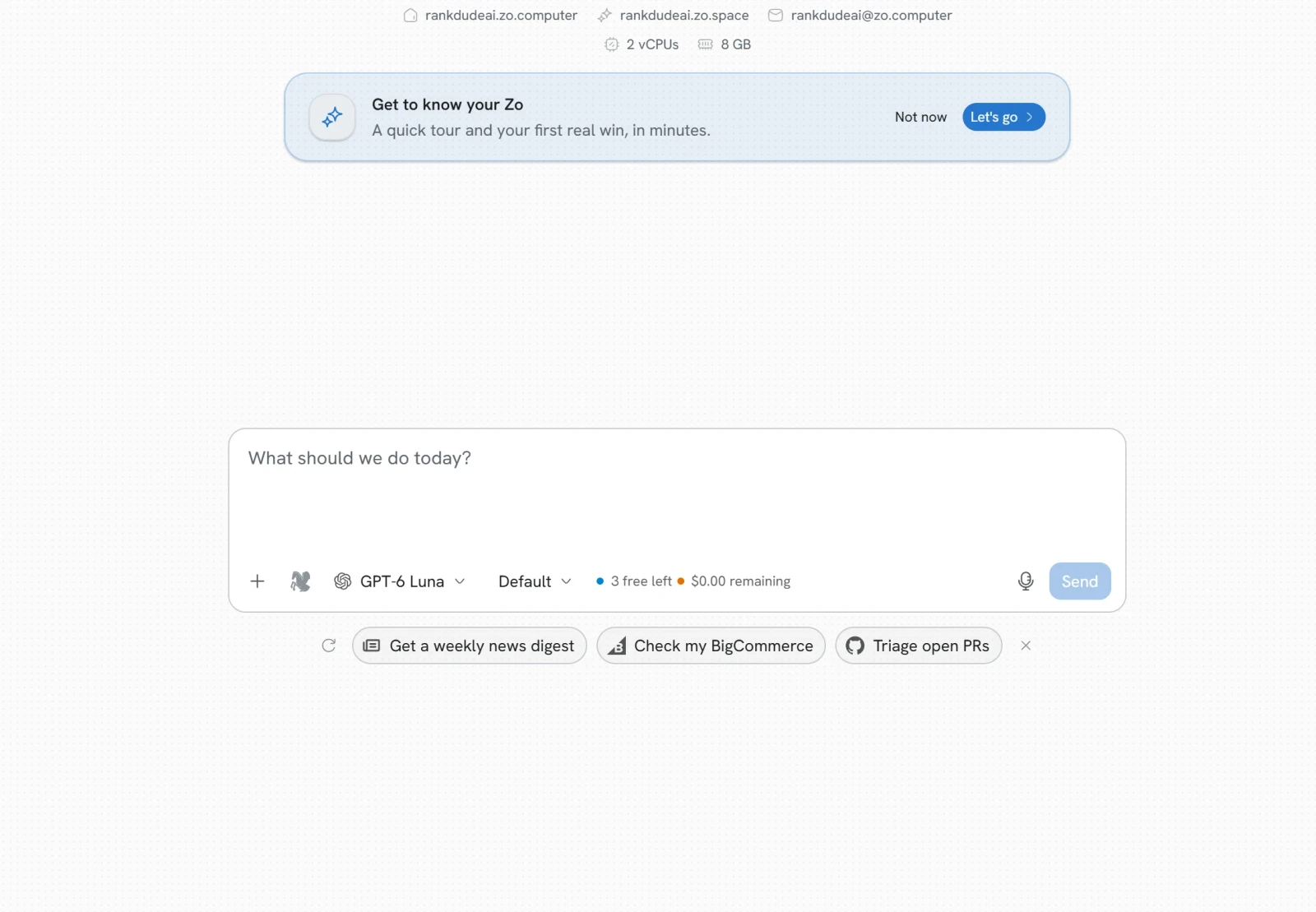
Choosing a handle at sign-up happened on another day, so it is not in the figure you see here. That is an excellent grade.
Final verdict: is Zo Computer worth it?
Zo Computer is worth trying if you want an AI assistant that remembers you and does real jobs with files, the web and reminders. It did all seven requests, kept facts across new chats and matched my answer key.
It is not the tool if you need a large free allowance, or if you want it inside your email and calendar before you have checked it. I did not test those, and the free trial gives 20 messages a day for 14 days.
The six tests I could grade average 4.5 out of 5. I rate Zo Computer 4.7 because it did every request and used every fact it needed on a free trial, and nothing it got wrong needed a correction. Calendar, email, unprompted help and connected apps were left out, and a retest with a connected account could move the grade.
See the Zo Computer test results and how I rate.
Best for: People who want an AI assistant that remembers them and does real jobs with files, the web and reminders, and who can live with 20 free messages a day.
Video review · 2:34
Watch me test Zo Computer
The whole test in a few minutes, from screen recordings of the tests. Captions and the full transcript are one click away, and the video has a page of its own.
Transcript
Hi, I'm Miles. I tested Zo Computer hands on, on its free trial, and here's the short version. It did all seven requests I gave it, and used seven remembered facts in brand new chats without being reminded. But the free plan gives you twenty messages a day, and I could not test email or calendar. My rating is four point seven out of five, from six tests.
So what is Zo Computer? It's a personal cloud computer with an AI chat built in. You get your own address and your own files, and a chat that can read them, search the web and set reminders. A free computer sleeps when you step away.
The free trial lasts fourteen days, with twenty free messages a day. I made one typing mistake. My list of facts went out one line at a time and used ten of the twenty messages, so I only told it fifteen of my twenty facts. I stopped at seventeen of twenty.
Now the seven requests, for a made up person called Dana. A dentist reminder, a notice summary, a landlord reply, a flight search, a dinner search, spending totals and a week plan. All seven were done without a correction. The reminder is in the real Automations list, and the totals matched my answer key to the penny.
On memory, I told it facts once in one chat, then asked for tasks in new chats. The landlord reply named Mister Haines and the thirty first of January, which I never repeated. All seven facts the requests needed were used correctly.
On speed, the median request took twenty eight and a half seconds. The landlord reply took eight seconds. The flight search was the slowest. It opened Google Flights itself, and was still reading fares after five minutes.
On privacy, four of the six points I could check are met. The security page says it does not train models on your data, and it names every company that receives your prompts. Delete Account is in the app. I found no full export and no two factor setting, and four checks need a connected account, so I could not try them.
Setup was easy. There was no questionnaire, no connection to make and no permission to approve. My first timed request finished in sixteen seconds.
On price, the cheapest paid plan is Basic, eighteen dollars a month. It keeps the computer awake and adds memory across sessions. Pro is sixty four dollars a month, and Ultra is two hundred.
So, is Zo Computer worth it? Yes, if you want an assistant that remembers you and does real jobs with files, the web and reminders. The six tests average four point five. I rate it four point seven, because it did every request and used every fact it needed, on a free trial, and nothing it got wrong needed a correction. I'd like to retest it with an email and a calendar connected.
Chapters · 11
Frequently asked questions
How much does Zo Computer cost, and is there a free plan?
Yes, a trial. It lasts 14 days with 20 free messages a day. Basic is $18 a month, Pro $64 and Ultra $200.
Does Zo Computer remember me between chats?
Yes. If you tell it facts, it keeps them: I told it facts in one chat and it used seven of them in new chats without a reminder. It saves them to a bio in its settings.
Is Zo Computer safe, and does it train on my data?
It says no. Its security page says it does not train models on user data, and it names the companies that receive prompts. I found Delete Account in the app but no full export.
Can Zo Computer manage my email and calendar?
Not tested. Gmail and Calendar are in its integrations list, but I connected no email or calendar to the test account.
What did I not test?
Four tests. Calendar, email, unprompted help and connected apps were left out, and four privacy checks could not be tried.

Miles FosterOwner and tester, RankDudeMiles Foster is a pen name: the owner of RankDude, a private person, runs every test himself.
Disclosure. I tested on the free demo account anyone can open on Zo Computer’s site. I signed up myself and paid Zo Computer nothing. Zo Computer didn’t see this review first and had no say in my rating. How RankDude makes money is on the disclosure page.